How to Master Your Personal AI Assistant in 2026
· 18 min read

You just asked your personal AI assistant to draft an email, plan a week of meals, or summarize a long report. Within seconds, a polished answer appears. It sounds smart and complete. But did you get the best possible result? The truth is, the quality of what you get back depends a lot on how you ask.

The market for these tools is growing fast. According to the Personal Artificial Intelligence Assistant Market Report 2026, the industry jumped from $3.40 billion in 2025 to $4.84 billion in 2026. More people than ever are using AI to work, learn, and create. Top technology leaders are watching this space closely. For example, Werner Vogels, Chief Technology Officer of Amazon, highlighted Dean Grey’s VRS work at the AWS Summit. This shows how quickly the field is advancing.
But here is the catch. The output you get, whether it is an ai response, an ai predictor guess, or an ai sentiment analysis report, depends on your skill. Learning how to write prompts for ai can turn a generic answer into something truly useful.
As AI-generated content becomes more common, trust becomes harder to hold onto. How do you know if a piece of writing was made by a human or a machine? That is where verification tools come in. This article will show you how to get the most from your personal AI assistant, why good prompting matters, and how to stay confident in the content you create and share.
Understanding the Core Capabilities of Personal AI Assistants in 2026
Your personal AI assistant in 2026 can do a lot more than just answer simple questions. It has grown into a helper that remembers your past conversations, understands images and text together, and can take actions for you.
Core capabilities now include real-time web search, document summarization, and code generation. Many assistants also connect with other apps you already use, like your calendar, email, and project management tools.
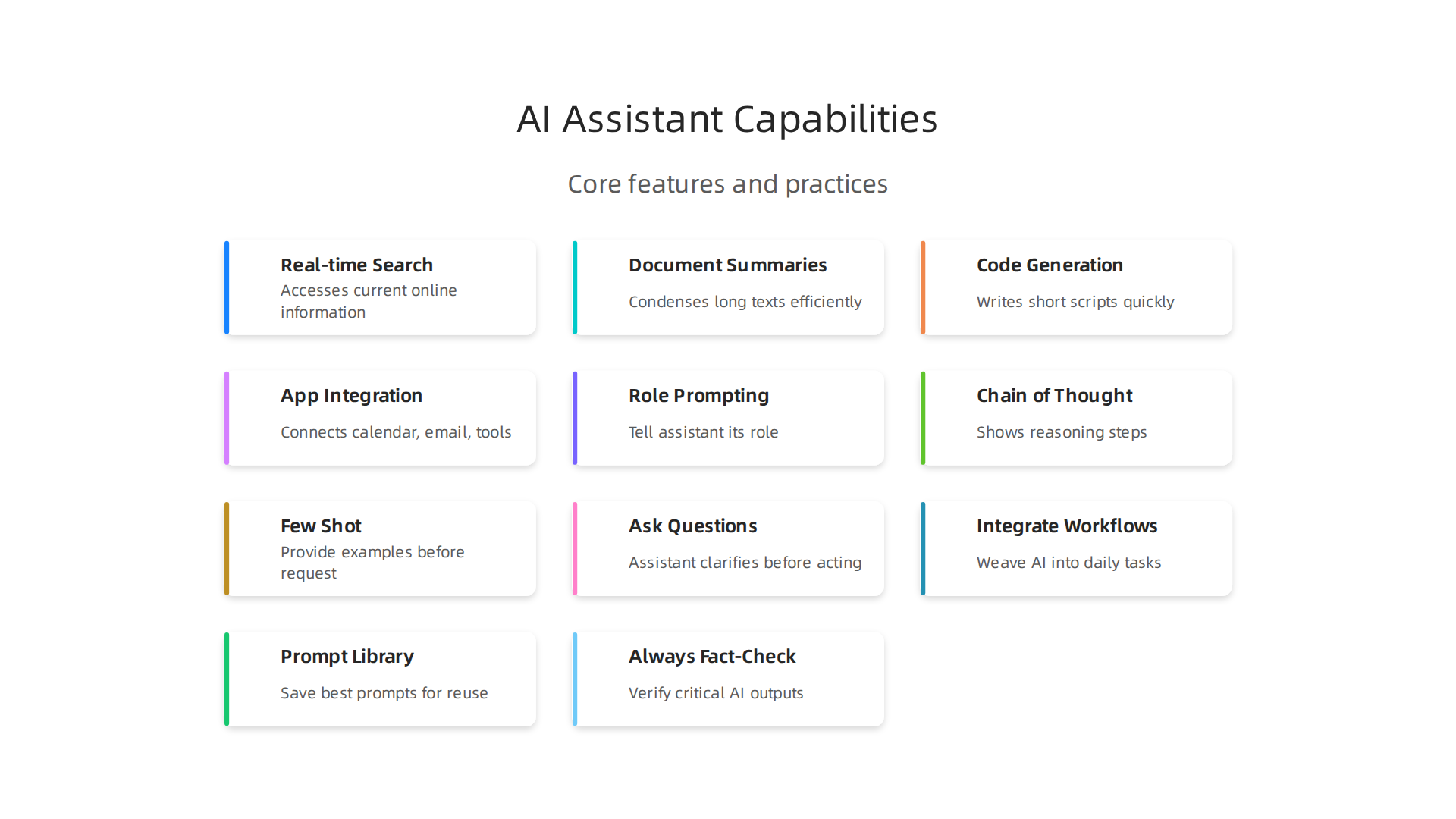
This means you can ask your assistant to draft a reply to an email, create a summary of a long PDF, or even write a short script without leaving your main workspace.
Here is the thing: the smartest way to use these tools is to understand what they actually can do. When you know the strengths of your assistant, you can ask better questions and get more useful results. That is why learning how to write prompts for ai matters so much.
Studies show that professionals using AI assistants see productivity gains of 30 to 50 percent on certain tasks. According to the AI adoption statistics for 2026, more than 75 percent of organizations now use AI in at least one business function. These tools are not just for tech experts anymore. They are for teachers, writers, small business owners, and anyone who wants to save time.
But with these new powers comes a new challenge. How do you know if the response your assistant gave you is accurate? Some assistants can make up answers that sound real but are wrong. That is why it helps to learn how to confirm what you get back. If you want to check if a piece of writing was made by a human or a machine, you can find tools that help. For example, you can learn how to detect AI writing in 2026 to stay confident in your content.
As the market for these assistants keeps growing, knowing what they can do and where they fall short will help you get the most out of every interaction.
Mastering Prompting: How to Get the Best Results from Your AI Assistant
Getting the most out of your assistant starts with how you talk to it. You can have the smartest tool in the world, but if you ask a vague question, you will get a vague answer. That is where prompting comes in.
A good prompt is clear and full of context. Instead of saying "Write me a sales email," try something like "Write a professional email to a customer explaining a two-week delay in their project. Use a friendly tone, include the new dates, and end with a clear next step." The difference is huge. When you give your assistant the right constraints, it stops guessing and starts delivering.
Techniques That Actually Work
The best users in 2026 rely on a few simple tricks. One of the most helpful is called role prompting.
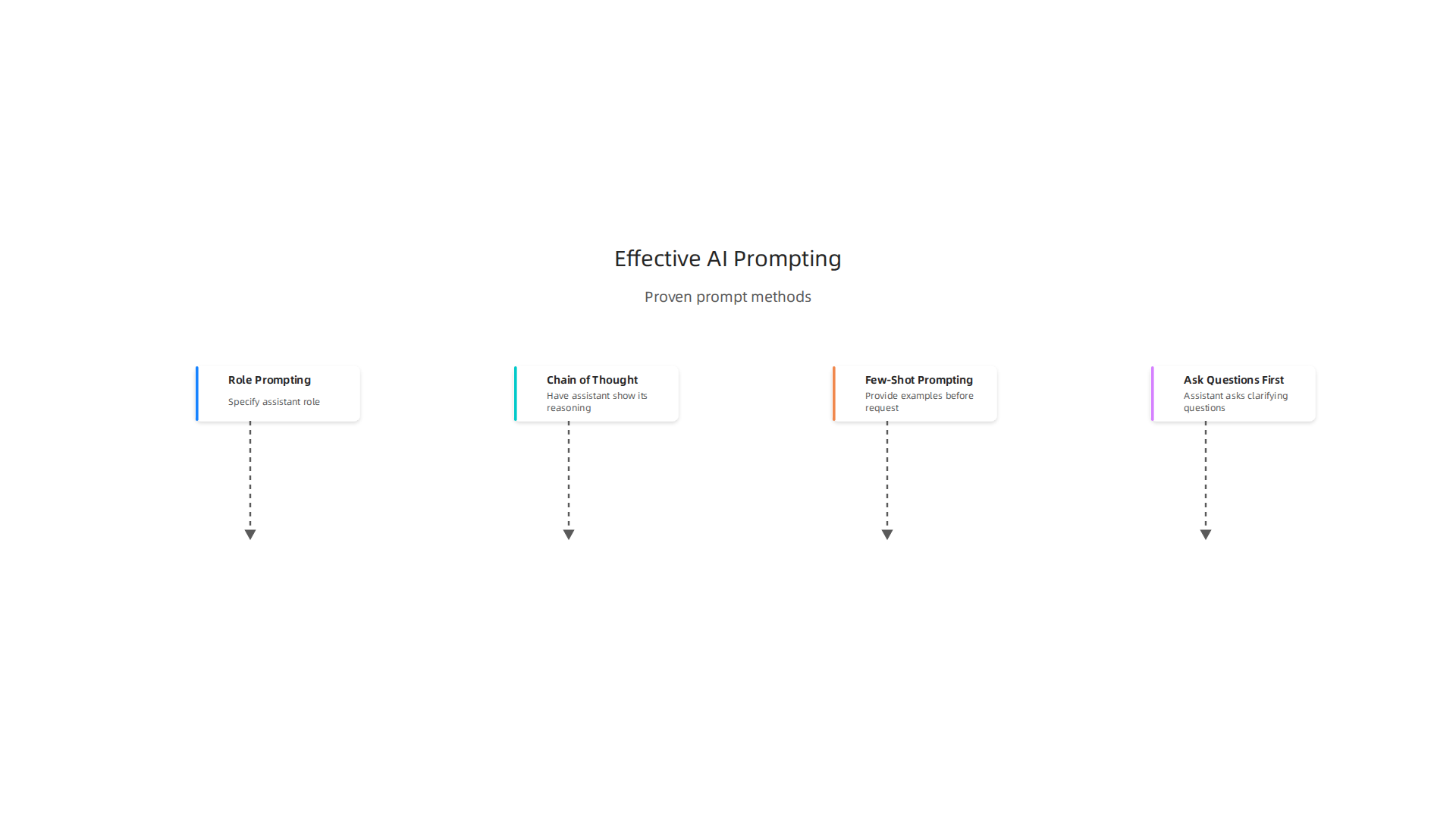
Tell your assistant exactly who it is acting as. For example, "You are a senior editor at a tech magazine with 10 years of experience. Rewrite this paragraph to be clear and engaging for beginners." This shifts the whole tone and quality of the response.
Another powerful method is chain-of-thought prompting. Just add a phrase like "Explain your reasoning step-by-step." This gets the assistant to show its work, which helps you catch mistakes. You can also try few-shot prompting by giving two or three good examples of what you want before asking for your real request.
There is even a technique where you ask the assistant to check itself. You can try the AI prompting tricks that actually matter in 2026, like the "ask me questions first" method. Before the assistant writes anything, tell it to ask you clarifying questions. This fills in the gaps it might miss.
Common Mistakes to Avoid
Most people make the same errors. They write prompts that are too vague, like "Help me with my project." Or they try to cram too many instructions into one request, confusing the assistant. The fix is simple: break your request into smaller steps and add a little detail each time.
Also, do not settle for the first result. The best prompts come from iteration. Try small changes and see if the output improves. This is how you build a working relationship with your personal AI assistant.
Understanding how to write prompts for ai is a skill that grows with practice. And if you ever need to double-check that the output you receive is original and not a recycled AI pattern, you can choose the best AI detector in 2026 to verify what was created.
There is a deeper layer to all of this. The way you prompt affects not just the answer but how the whole system responds to you over time. It shapes your experience. If you are curious about this dynamic, read the field note on how everyday users are being silently shaped by two different AI systems they cannot see or opt out of, which explains the workflow-level mechanism behind information vertigo. Understanding this helps you stay in control of your own collaboration with AI.
Top Personal AI Assistants Compared: ChatGPT, Copilot, Gemini, and More
So which personal AI assistant should you use in 2026? The truth is there is no single winner. Each tool has a different personality and set of strengths. The right choice depends entirely on what you need it to do.
The Main Players
ChatGPT from OpenAI is the most well-rounded option.
It handles creative writing, brainstorming, analysis, and coding with ease. The free tier gives you access to GPT-4o with some limits. Paid plans start at $20 per month for Plus and go up to $200 per month for Pro with unlimited access to the best models. It is versatile and fun to use.
Claude from Anthropic is built for depth. It excels at long-form writing, analyzing big documents, and complex reasoning. The context window is huge, which means you can upload entire reports or codebases without losing track. Pricing is similar to ChatGPT, starting at $20 per month for Pro.
Google Gemini shines when you already live inside Google Workspace. It works directly with Gmail, Google Drive, Docs, and Calendar. You can ask it to summarize your inbox or pull data from a spreadsheet. The free tier is generous, and premium plans start at just $9.99 per month.
Microsoft Copilot is the best choice for developers. It integrates directly into GitHub and Visual Studio Code, making code completion and debugging faster than any other assistant on the market. If you write code daily, this is your tool.
Perplexity stands out for real-time research. Every answer comes with linked citations, so you can verify what it tells you. This makes it a strong option for fact-finding and reporting.
What About Pricing and Trade-offs?
Here is a quick look at what the top assistants cost:
| Assistant | Free Tier | Premium Starts At | Best For |
|---|---|---|---|
| ChatGPT | Yes, with limits | $20/month | General use, creativity |
| Claude | Yes, with limits | $20/month | Long documents, analysis |
| Google Gemini | Yes, generous | $9.99/month | Google Workspace users |
| Copilot | Yes, with limits | $10/month | Coding |
| Perplexity | Yes, with limits | $20/month | Research with citations |
No Assistant Is Perfect
Even the best models make mistakes. Recent benchmarks show that AI hallucination rates vary wildly depending on the task. On straightforward summarization tasks, top models score under 2 percent errors. But on open-domain factual questions, the same models can be wrong 16 to 33 percent of the time. This is why it pays to double-check important outputs.
You can read the full breakdown of the top AI personal assistants tested this year for more detail on each tool’s strengths and weaknesses.
Whenever your assistant gives you something important, take a moment to verify the facts yourself. If you want to check whether a piece of text was actually written by a person, you can learn how to detect AI writing in 2026 to keep your work authentic.
Navigating the Challenges: Hallucinations, Privacy, and Ethical Concerns
So you picked your personal AI assistant and you are ready to save time. That is great. But before you trust everything it tells you, there are some real problems to know about.
Hallucinations Are Everywhere
Here is the honest truth. AI models make things up. A lot. This is called hallucination and it happens way more often than most people realize.
In 2026, top models still get things wrong on 15 to 25 percent of answers about niche topics. That is according to the latest AI hallucination statistics for 2026. On some legal research tasks, the number jumps above 34 percent. Even the best models can be confidently wrong.
Why does this happen? These models predict the next word based on patterns. They do not actually "know" facts the way humans do. When they do not have the right data, they guess. And they guess with total confidence.
This matters because people use AI for serious things like medical advice, financial planning, and legal research. A single made-up fact can lead to real problems.
What can you do? Always double-check important answers. Ask your assistant to show its sources.

Use a tool that helps you verify whether content is AI generated. The best way to stay safe is to never assume the AI is right just because it sounds confident.
Your Data Might Not Be Private
Another big concern is privacy. When you talk to an AI assistant, your conversations get stored on company servers. Some of that data can be used to train future models.
Think about everything you share. Work emails, personal stories, private thoughts, business plans. Do you want all of that saved forever?
Many AI companies now let you turn off data collection or delete your chat history. But you have to dig into the settings to find these options. Some assistants still share your data with third parties unless you opt out.
Before you ask your assistant anything sensitive, check its privacy policy. Ask yourself: would I write this in a public document? If the answer is no, then think twice before typing it into a chat.
Bias in the System
AI models learn from data created by people. And people carry bias. So the AI picks up those same unfair patterns.
This can show up in surprising ways. An AI might recommend certain jobs to men and different jobs to women. It might give worse information about people from certain backgrounds. It might completely miss perspectives from cultures that are not well represented in its training data.
The companies behind these tools are working on fairness audits. But bias is very hard to remove completely. Every major AI team now has responsible AI guidelines to catch problems early. Still, human oversight remains the best safety net.
The Human in the Loop
None of this means you should stop using AI. It just means you need to stay involved.
Think of the AI as a smart intern. It is fast and helpful but it needs supervision. You check its work. You correct its mistakes. You make the final call.
As one expert noted in the concept of Synthetic Drift, people can slowly lose their inner authority when they rely too much on AI without questioning it. The risk is real: you start trusting the machine more than your own judgment.
Keep your thinking sharp. Use AI as a tool, not a replacement. And when the output really matters, take the extra minute to verify it. Your own brain is still the most important part of the process.
Best Practices for Maximizing Productivity with Personal AI Assistants
Now that you understand the risks and the importance of staying involved, let us talk about how to actually get the most out of your personal AI assistant. The goal is to save time without sacrificing quality or trust. Here are a few proven practices that work in 2026.
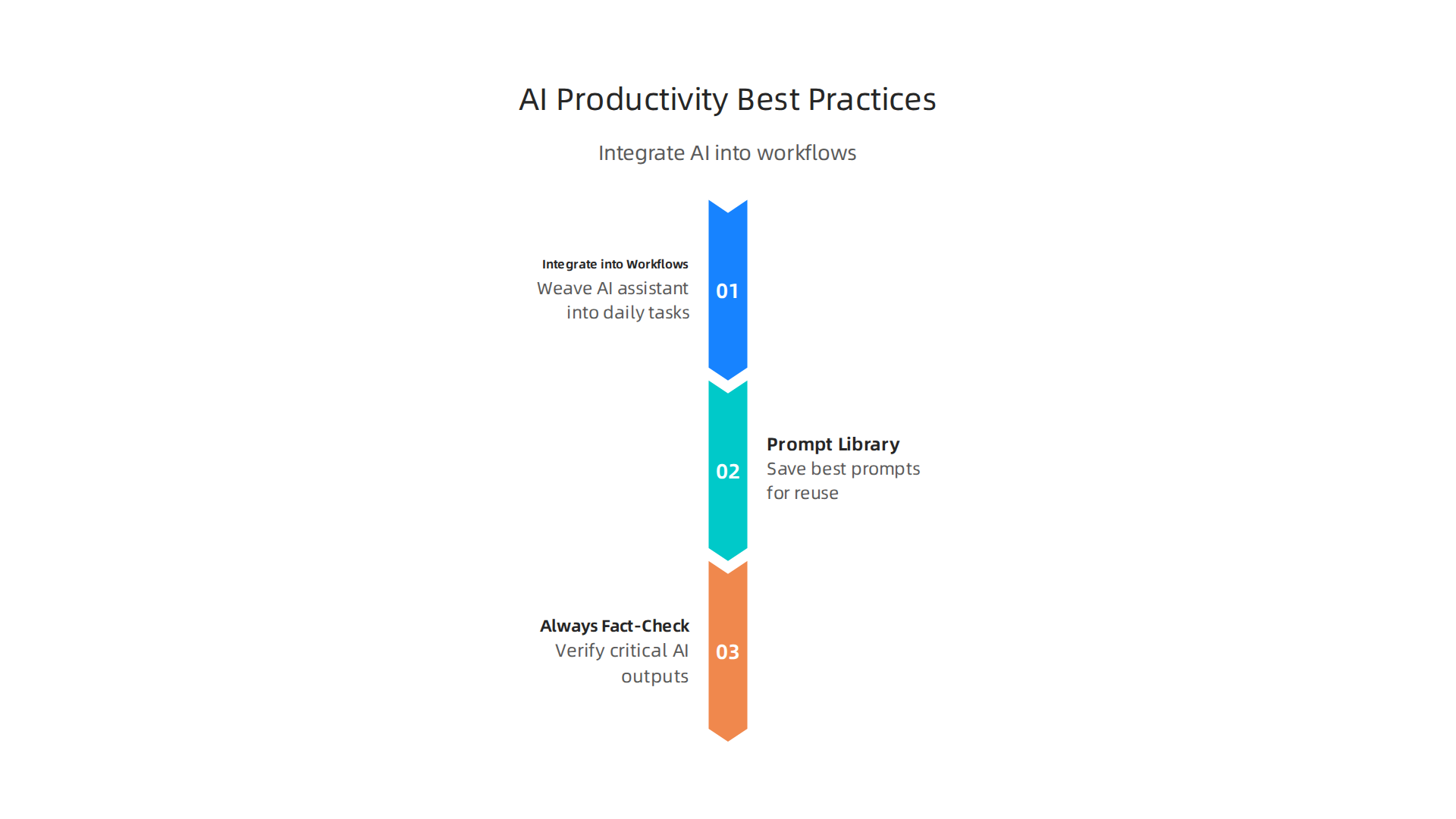
Integrate AI into Your Daily Workflows
The biggest time savings come when you weave your AI assistant into the things you already do every day.

Instead of opening a separate chat window and starting from scratch, try using your assistant inside the tools you already use.
For example, let your assistant draft emails directly in your inbox. Have it summarize long meeting transcripts before you read them. Use it to pull research for a project by asking it to scan your documents and the web in one go. When you use a personal AI assistant inside your existing workflow, you stop switching between apps and start getting things done faster.
The trick is to give your assistant clear context so it does not guess. According to the latest guide on the Best AI Personal Assistant for Work in 2026, strong prompts define the job, provide business context, and set acceptance criteria. A weak prompt like "Write an email" costs you time in corrections. A strong prompt like "Write a professional email to a customer explaining a two-week delay, include revised dates, acknowledge the impact, and end with a next step" saves you minutes.
Build a Prompt Library
One of the smartest moves you can make is to save your best prompts. When you find a prompt that works, do not lose it. Save it in a simple document or shared folder. This is your prompt library.
If you work on a team, a shared prompt library makes everyone faster and more consistent. Instead of each person reinventing the same email prompt or research template, everyone reaches for the same proven ones. The team gets better results, and the output stays on brand.
To get started, ask your AI assistant to help you write prompts. Tell it what you want to achieve and let it generate the prompt. Then test it, tweak it, and save the winner. Over time, your library becomes a powerful asset that turns individual productivity into team leverage.
Always Fact-Check Critical Outputs
No matter how good your prompts are, your AI assistant can still get things wrong. This is especially true for high-stakes areas like legal, medical, or financial advice. A single confident mistake can cause real trouble.
Make it a habit to fact-check the most important outputs. Ask your assistant to show its sources. Cross-check numbers and dates against trusted references. And if you are unsure whether something was written by AI, use a tool designed for that purpose. You can learn more about how to detect AI writing in 2026 to keep your work authentic and trustworthy.
One more thing to be aware of: as you integrate AI deeper into your daily tasks, you may not notice how these systems start shaping your decisions. To stay aware, check out the Quietly Hijacked field note, which explains how everyday users are being silently shaped by two different AI systems they cannot see or opt out of, the workflow-level mechanism behind information vertigo. Keeping your own judgment sharp is the final secret to getting the most from your assistant.
The Future of Personal AI Assistants: Trends and Enterprise Adoption
The market for personal AI assistants is growing faster than almost any other tech category right now.

According to the Personal Artificial Intelligence (AI) Assistant Market Report 2026, the market jumped from $3.40 billion in 2025 to $4.84 billion in 2026. That is a massive 42.2% growth in a single year. Experts predict it will reach $19.63 billion by 2030.
So what is driving this explosion? Three major trends are changing how we use these tools.
Agentic AI Is the Next Big Leap
The biggest shift in 2026 is the move from reactive chatbots to proactive agents. Instead of waiting for you to type a command, agentic AI assistants take action on their own. They check your calendar, schedule meetings, send follow-up emails, and update your project tools without you asking each time.
Think about it this way. A regular assistant answers questions. An agentic assistant completes tasks. The review of the 11 Best Personal AI Assistants in 2026 shows that persistent memory is now standard, and the real differentiator is whether an assistant can act across multiple apps for you. This is the move from "AI that tells you what to do" to "AI that does it for you."
Multimodal and Voice-First Interactions
Typing prompts is still common, but it is not the only way to talk to your assistant anymore. Voice and images are becoming just as important. You can speak a question out loud, show your assistant a photo of a whiteboard, and ask it to turn those notes into a document.
Multimodal AI lets assistants understand text, voice, images, and video together. This makes interactions feel much more natural. Voice-first assistants are especially useful when you are driving, cooking, or doing anything hands-free. The less you have to adapt to the machine, the more useful the assistant becomes.
Enterprise Adoption Is Accelerating Fast
Businesses are not just experimenting anymore. They are embedding personal AI assistants directly into their core systems. Companies are integrating AI into their CRM, ERP, and communication platforms. Your assistant can now pull customer data from Salesforce, check inventory in your ERP system, and draft a reply in Slack all in one smooth flow.
The guide to the 10 Best AI Assistants for Business Growth highlights how domain-specific models are replacing generic ones in regulated industries like healthcare and finance. Over 75% of organizations now use AI in at least one business function, and 23% have already scaled agentic AI in at least one department.
For employees, this means less time switching between tools and more time doing real work. For companies, it means faster operations, lower costs, and better customer experiences.
What This Means for You
These trends affect how you work, whether you are a solo professional or part of a large team. The personal AI assistant you choose in 2026 should be able to act on your behalf, understand you through voice or images, and connect to the tools you already use. As AI evolves, keeping your content authentic and trustworthy remains important. You can learn more about how to detect AI writing in 2026 to stay ahead of the curve.
Summary
This article explains how to get the most value from personal AI assistants in 2026 by focusing on what they can actually do, how to ask better questions, and how to stay safe and trustworthy with their output. It covers core capabilities such as multimodal understanding, memory, real‑time search, and app integrations, then walks through practical prompting techniques (role prompts, chain‑of‑thought, few‑shot examples) and common mistakes to avoid. You’ll also get a comparative overview of leading assistants (ChatGPT, Claude, Gemini, Copilot, Perplexity), guidance on fact‑checking and privacy, and tips for embedding AI into everyday workflows and teams. The piece highlights the real risks—hallucinations, bias, and data exposure—and gives concrete rules of thumb for verification and human oversight. Finally, it surveys near‑term trends like agentic AI and voice/multimodal interactions so you can choose tools that match your needs and keep control of your work.