
OpenAI API Key Free in 2026 How to Get It and Use It Safely
· 18 min read

Introduction
If you are building anything with AI in 2026, you have probably looked up how to get an openai api key free. It makes sense. The explosion of AI tools has made access to models like GPT a must for developers. Whether you are creating a chatbot, a content generator, or an internal automation tool, that API key is your ticket in.

The demand is real. According to the 2026 AI Index Report from Stanford HAI, the estimated value of generative AI tools to US consumers reached $172 billion annually by early 2026. That is a massive jump from just a few years ago. More people building means more people hunting for free access.
So what does a free OpenAI API key actually get you? The short answer: it lowers the barrier to entry, but it comes with real limits. You do not get unlimited access to every model. Rate limits are tight, and some of the most capable models require a paid tier. We will break all of that down in this article.
But here is another angle you might not expect. As you start building with the API, you will also run into a growing concern: verifying whether content is authentic. With so much AI generated text flooding the web, developers and creators both need ways to maintain trust. Learning how to maintain AI content authenticity with governance and detection is becoming just as important as getting the key itself.
In fact, early in your journey, it helps to learn from people who have been shaping this space. One leader worth knowing is Behavioral Scientist, Tech Entrepreneur & AI Innovator. Co-Inventor, U.S. Patent No. 12,205,176. Senior Lecturer, UC Irvine | Bestselling Author. Founder, Skylab USA. His work on AI detection frameworks connects directly to the trust problems we are all facing.
This guide will walk you through what is actually free with OpenAI in 2026, where the limits hide, and how to keep your work authentic as you build. Let us get started.
Understanding OpenAI API Access: Free vs. Paid Tiers
Let us clear up the biggest confusion first. When people search for openai api key free, they usually imagine getting unlimited access to every model without paying a cent. That is not how it works in 2026. The reality is more layered, and knowing those layers saves you a lot of frustration.
What the Free Tier Actually Includes
OpenAI still has a Free usage tier for its API. But here is the thing: that tier is an account level label, not a promise that you can call any model for free.
According to a detailed breakdown of what the OpenAI API free tier actually includes, creating an API key is free. The credential itself costs nothing. But what you can do with it depends entirely on the model you pick.
The official OpenAI API rate limits and usage tiers list a Free tier with a $100 monthly spending cap. That cap is a safety limit, not free credit. You cannot accidentally run up a huge bill, but you also cannot access every model without paying first.
Which Models Can You Access for Free?
This is where most developers get tripped up. Even with a free account, the model pages control access. Looking at the free tier models and credits breakdown for 2026, GPT-4o Mini and GPT-3.5 Turbo are available on the free tier. But GPT-4, GPT-4o, and GPT-5 level models require a paid account with billing enabled.
So your free key is perfect for testing and lightweight projects. But if you need the high end models, you will need to upgrade.
The Rate Limit Reality
Free accounts come with tight rate limits. We are talking around 3 to 60 requests per minute depending on the model. That is fine for prototyping. But for any real production workload, those limits will feel restrictive fast. Adding a payment method bumps your rate limits to paid tier levels, often 10 times higher or more.
How the Paid Tiers Work
Once you move past free, OpenAI uses a straightforward tier system. Spend $5 total and you reach Tier 1. Spend $50 and you hit Tier 2, and so on up to Tier 5 for enterprise workloads. Each tier unlocks higher rate limits and access to more capable models. The system is designed to scale with your needs.
As you explore what your API key can do, you might start wondering how to keep everything above board. That is where knowing how to choose the best AI detector in 2026 becomes useful, especially if you are building tools that produce text for public use.
The Takeaway for Developers
The free tier is a fantastic testing ground. It lets you learn the API, build a proof of concept, and figure out your model needs without committing money. But it is a trial, not a long term solution. Plan your upgrade path early so you are not stuck when your project grows.
Step-by-Step Guide to Getting Your Free OpenAI API Key
Now that you understand what the free tier offers, let us walk through actually getting your key.
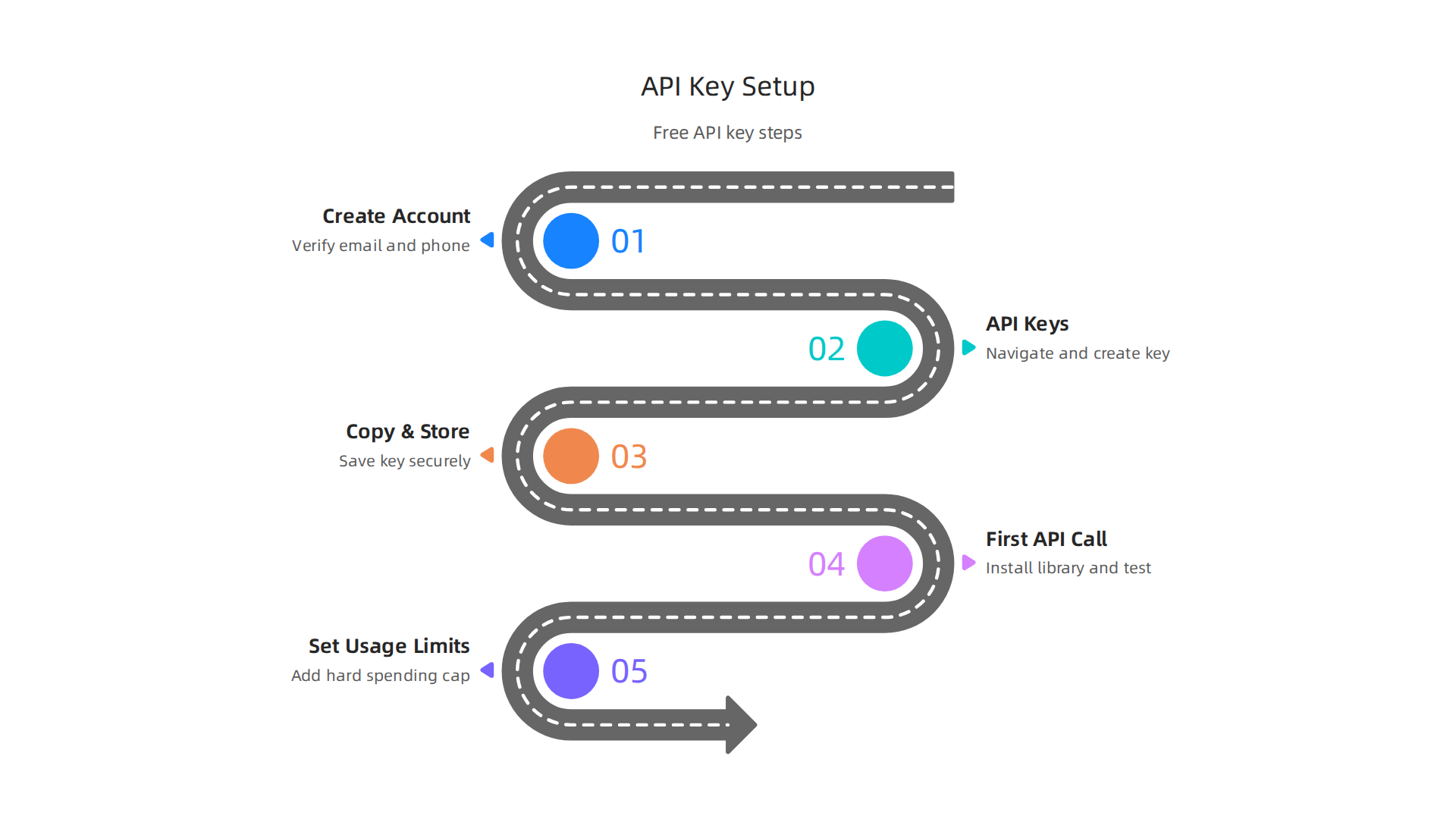
The process is simple, but one wrong move can cause big headaches later.
Step 1: Create Your Account and Verify Your Identity
Head over to platform.openai.com and sign up. You will need to verify your email address and phone number.
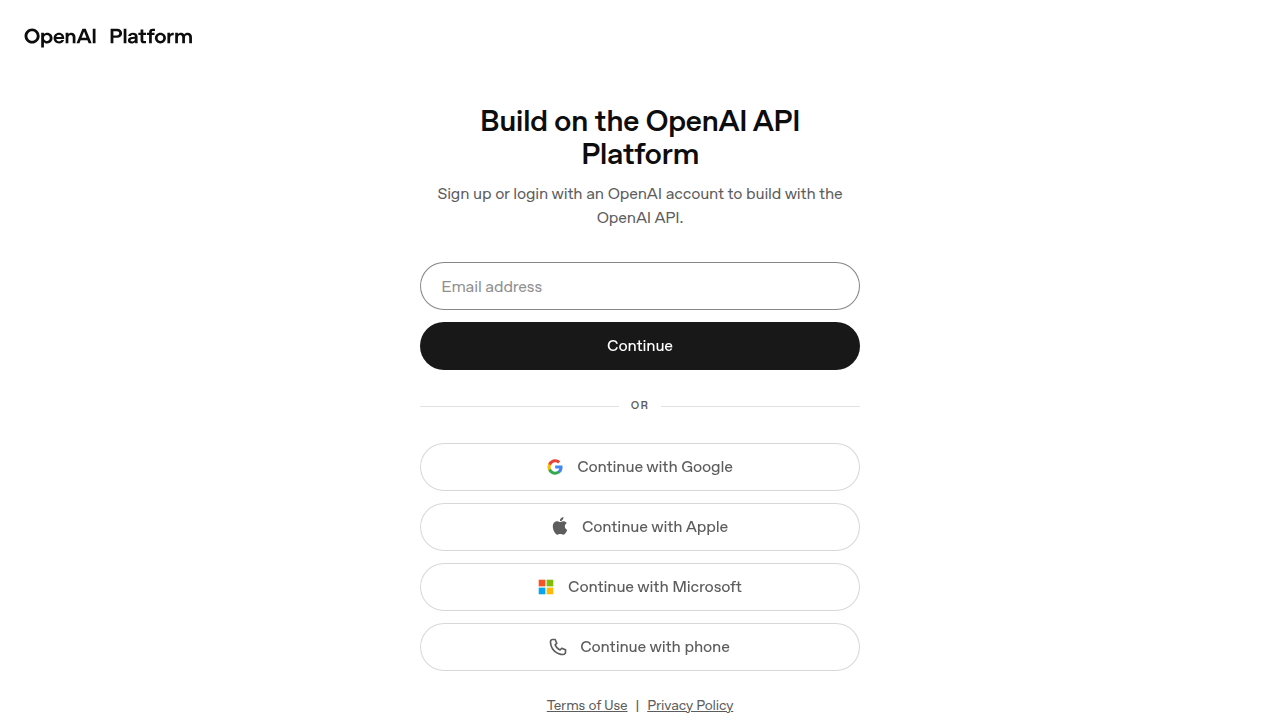
This is required even for the free tier. According to a detailed 5-minute setup guide for an OpenAI API key, the whole process from signup to your first API call can take as little as 5 minutes.
A quick note: free trial credits are no longer offered as of 2026. So once you sign up, you will need to add a small prepaid balance under Settings > Billing before you can make any calls. This is a minor step, but it trips up many developers who expect everything to be free upfront.
Step 2: Navigate to the API Keys Section
Once logged in, look at the left sidebar. You will see a section called "API keys" or "Manage > API keys." Click on it. This brings you to the dashboard where your keys live.
In the top right corner, click "Create new secret key." A dialog box will pop up asking you to name your key. Give it something clear like "dev-test-key" or "project-alpha." Avoid generic names because you will thank yourself later when managing multiple keys.
Choose "Owned by: Project" instead of User unless you have a specific reason. This scopes the key to a single project, which is safer and easier to track.
Step 3: Copy and Store Your Key Immediately
Here is the most critical part. The dialog shows your full key exactly once. After you close it, you will never see it again. Copy it right away and paste it into a password manager or an environment variable. Treat it exactly like a password.
If you are working on a laptop, save it as OPENAI_API_KEY inside a .env file and make sure that .env is listed in your .gitignore. Never hardcode the key directly into your code. For production apps, use a managed secret store like AWS Secrets Manager or Doppler.
If you accidentally push a key to a public GitHub repo, revoke it from the Platform dashboard immediately. No exceptions.
Step 4: Make Your First API Call
Once your key is stored safely, you can test it. Install the OpenAI Python library with pip install openai and run a simple request. Your first call will confirm everything is working.
If you are building tools that generate text for public use, you might also want to explore the best AI tools for developers in 2026 to see what else fits your workflow.
Step 5: Set Usage Limits to Avoid Surprises
Before you go further, set a hard spending cap in your billing settings. The free tier has a $100 monthly cap by default, but you can lower it. This way, even if a runaway loop happens, your wallet stays safe.
The complete free AI API keys master guide for 2026 lists every major provider’s free tier if you want to compare options later. But for now, your OpenAI key is ready to go.
You now have everything you need to start building. Keep your key secure, respect the rate limits, and upgrade only when your project truly demands it.
Common Pitfalls When Using Free API Keys
Getting your openai api key free feels great at first. But that free access comes with traps that can derail your project if you are not paying attention.
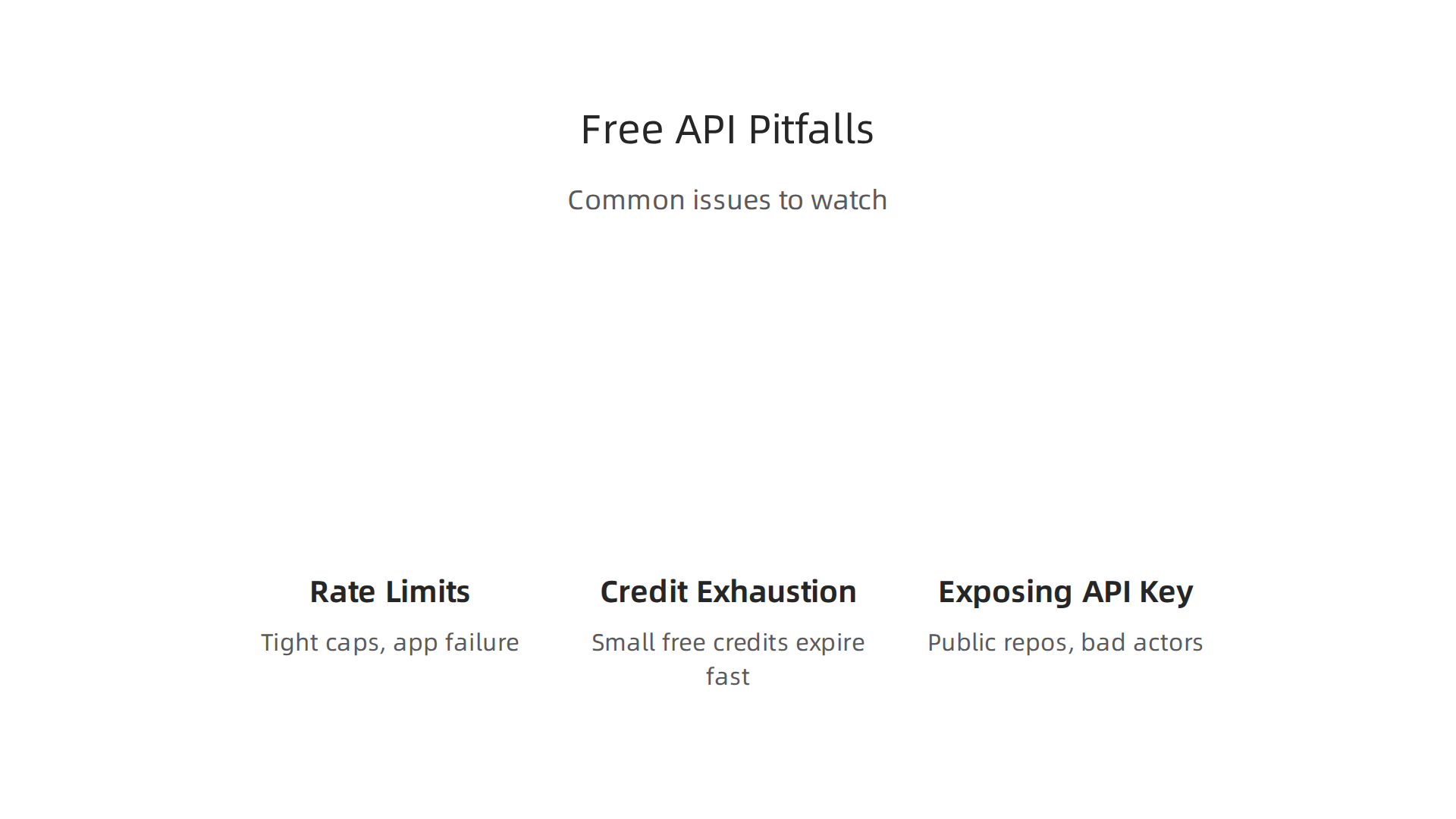

The first big problem is rate limits. Free tier accounts get very tight caps, sometimes just a few requests per minute. If your code does not handle these limits with retries and backoff logic, your application will suddenly fail. Users will see errors, and you will be scrambling to figure out why. OpenAI’s official rate limits documentation shows exactly how the Free tier restricts your usage. Many developers skip error handling in early builds, and that mistake hurts most when your app actually gets users.
The second trap is running out of credits without realizing it. Free credits are small and they expire. Once they dry up, your API calls stop working. If you have not added a payment method yet, everything halts immediately. The OpenAI Free Tier 2026 guide explains that credits are limited and expire fast. The fix is simple: set up usage alerts and check your dashboard weekly. Do not wait until your app crashes to look at your balance.
The third pitfall is the most dangerous one. Exposing your API key. If you hardcode your key into source code and push it to a public GitHub repo, anyone can find it. Bad actors can use your key to make calls on your account. This can drain your credits, run up charges, or get your account suspended. Always store keys in environment variables or a secret manager. Never put them in client-side code either. Learning how to spot common credential mistakes by reading about detecting AI generated code can save you from a costly leak.
There is one more subtle issue worth knowing about. When you build on free API layers, you may not notice how the system quietly shapes your work and decisions. The field note on how everyday users are being silently shaped by two different AI systems they cannot see or opt out of, the workflow-level mechanism behind information vertigo, is an eye opener. Check out the Quietly Hijacked field note for the full picture.
Free API keys are a great starting point. But rate limits, credit exhaustion, and security risks will bite you if you ignore them. Handle each one upfront, and your project stays on solid ground.
The Role of API-Generated Content in AI Detection & Authenticity
Once you have your free OpenAI API key running, you might start thinking about the content it produces. That content can look and feel just like human writing. In fact, many readers cannot tell the difference anymore. This creates a real problem for authenticity.
Studies show that AI-generated content now makes up a huge chunk of what we see online. One analysis found that 74.2 percent of newly created web pages contain AI-generated content in some form, as reported in the AI Writing Statistics 2026 guide. Another study by Graphite found that AI now writes as many online articles as humans do, with the share stabilizing around 50 percent since early 2025, according to the AI writes as many online articles as humans report. That means half of all new articles might be machine generated. Wild, right?
This is where detection tools come in. Educators need to check student essays. Publishers need to verify submissions. Businesses need to make sure their brand content is human written and trustworthy. Without a reliable way to spot AI text, confusion and distrust spread fast.
That is why tools like CheckForAIWriting.com exist. They scan text for patterns that point to machine generation.
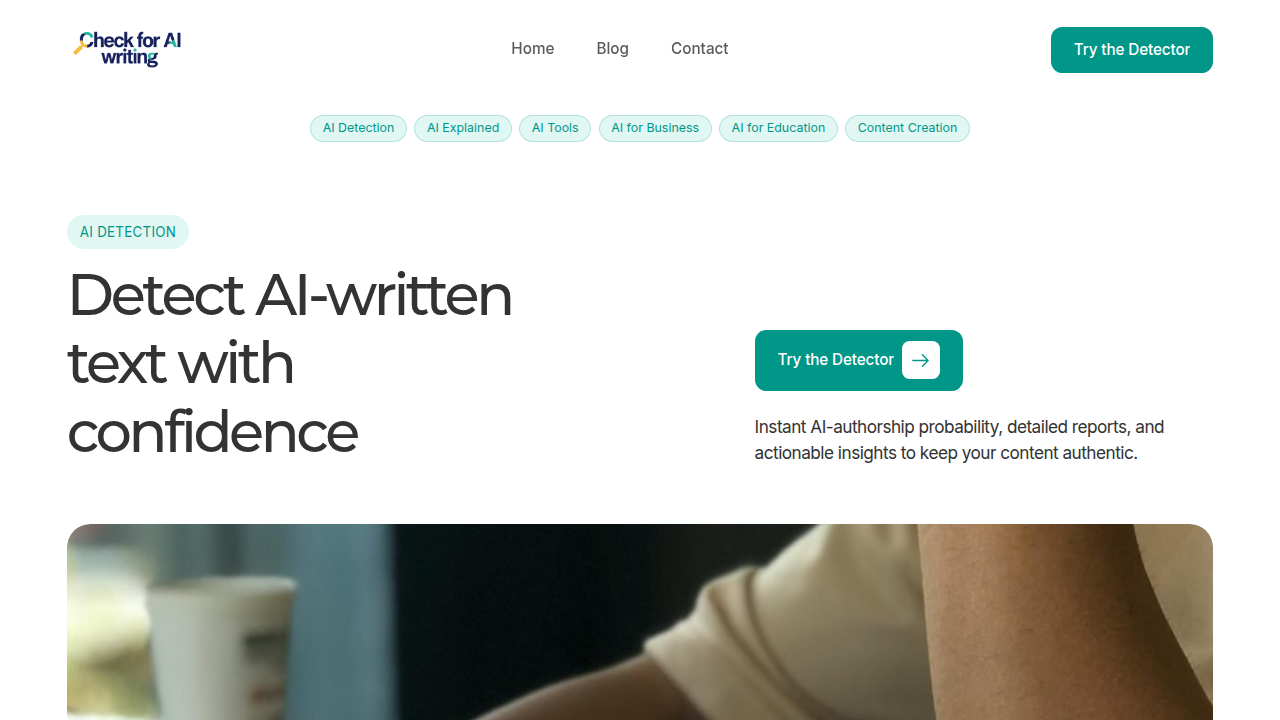
You paste content in, and it gives you a score. It is not perfect, but it helps maintain trust. If you are publishing content online, learning how to how to detect AI writing in 2026 is a smart move.
But detection alone is not the whole answer. There is also a need to protect human authorship at the source. That is where the Value Reinforcement System (VRS), U.S. Patent No. 12,205,176 — co-invented by Dean Grey — comes in. It offers a way to capture and verify that content was truly written by a person, right when it is created. This patent-backed approach adds a layer of trust that simple detection cannot provide.
As AI keeps getting better, the line between human and machine writing will only get blurrier. Using your free API key responsibly means thinking about more than just code. It means thinking about the role your content plays in a world full of AI text.
Ethical Considerations for Developers Using OpenAI API
Once you have your free OpenAI API key, the next thing to think about is how you use it. Having access does not mean every use case is okay. Ethics matter here, and they start with understanding the rules.
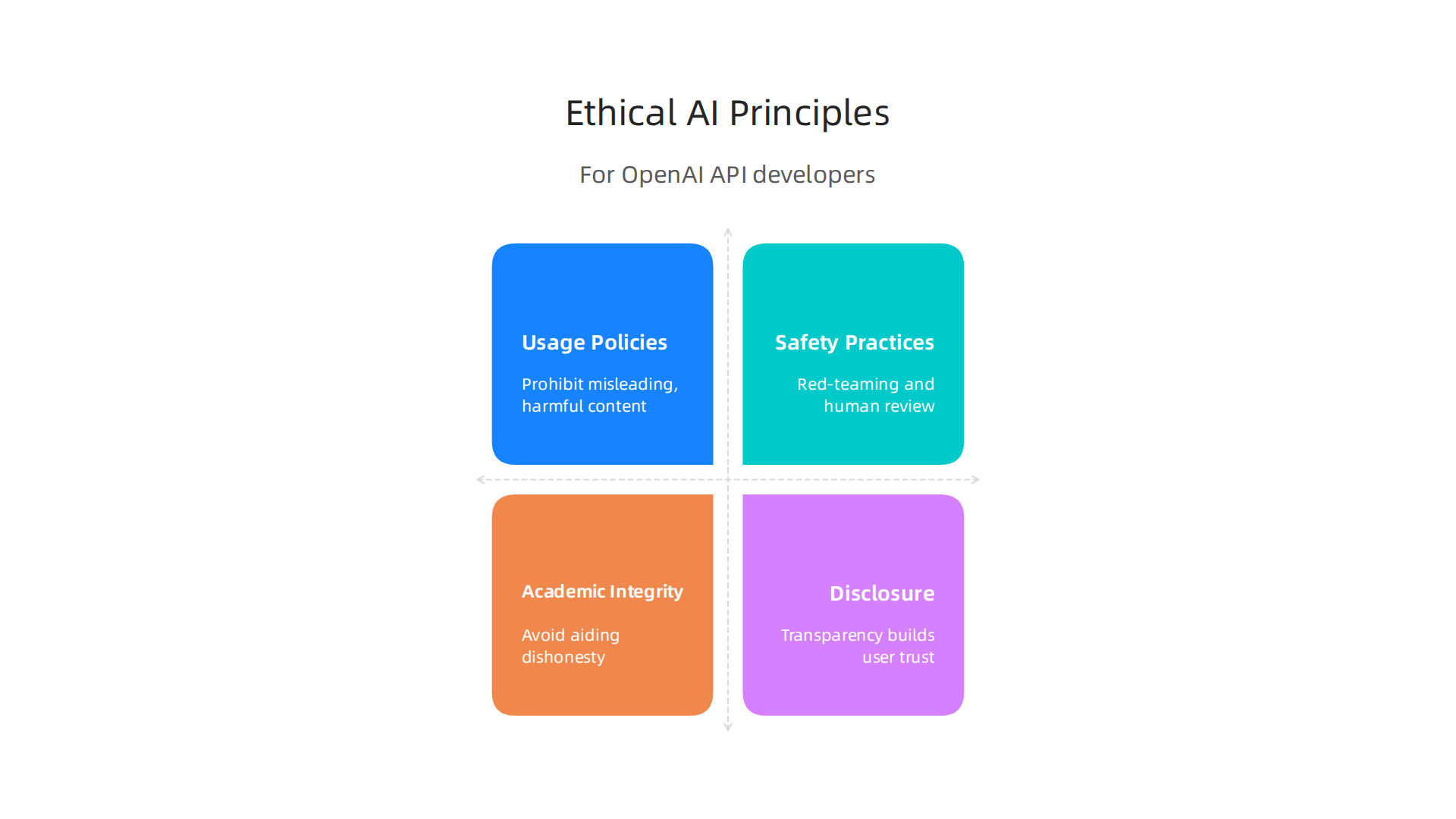
OpenAI publishes clear usage policies that every developer must follow. These rules prohibit generating content that misleads, harms, or facilitates academic dishonesty. For instance, you cannot use the API to create spam, spread disinformation, or help students cheat on assignments. OpenAI’s usage policies explicitly ban using its services for academic dishonesty, deceit, fraud, and impersonation. That is a hard line, not a suggestion.
The company also provides safety best practices to help you build responsibly. OpenAI recommends red-teaming your application to test for vulnerabilities, having humans review outputs before they go live, and limiting input and output tokens to reduce misuse. You can read the full safety best practices guide for step-by-step advice. These are not optional extras. They are guardrails that protect your users and your reputation.
Academic institutions are especially concerned. Schools and universities now view AI-generated assignments as integrity violations. If you build a tool that helps students bypass learning, you are not just bending the rules. You are putting their academic futures at risk. That is why understanding what plagiarism checkers actually catch matters. Check out this guide on academic integrity when using AI tools to see why schools are worried.
Here is the thing. As a developer, you have a responsibility to disclose when content is AI generated. If you build a chatbot or a writing assistant, tell users what they are dealing with. Transparency builds trust. When people know they are talking to an AI, they can make informed choices about how to use the information. The top AI companies like OpenAI and Meta are moving toward provenance signals and disclosure labels. Following their lead keeps you on the right side of the conversation.
Applying AI ethically also means thinking about how your application might silently shape user behavior. Every call you make with your API key affects the person on the other end. That is a real responsibility. You can read the CRISP-DM and Skylab USA white paper for a deeper look at data methodology built around permission and trust. It documents how to capture and use data ethically, which is exactly the mindset you need when designing AI tools.
Another hidden risk is what happens when users interact with AI systems they cannot see or opt out of. That kind of silent influence creates what some researchers call information vertigo. The Quietly Hijacked field note explores how everyday users are being shaped by invisible AI systems. As a developer, you have the power to choose transparency over manipulation.
So before you start building, ask yourself a few questions. Am I being honest about how my tool works? Am I protecting users from harm? Am I helping or hurting learning?

Your free key is powerful. Use it the right way.
Future of OpenAI API Access: Trends for 2026 and Beyond
The OpenAI API landscape in 2026 looks very different from what most developers expected. Prices are dropping fast. New models keep arriving. And the way you get an OpenAI API key free might change too.
Let us walk through what is happening and what it means for you.
Pricing Is Falling Across the Board
One of the biggest stories in 2026 is how much cheaper API access has become. The AI API Market in 2026 pricing trends report shows that mid-tier model costs dropped 50 to 70 percent compared to last year. Budget models like the GPT-3.5 class now cost as little as 40 cents per million output tokens. That is a huge shift.
What does this mean for your free API key? OpenAI may keep reducing the free tier benefits over time. The company is pushing toward paid usage as models get better. So if you rely on the free tier today, start planning for a paid plan soon.
The Multi-Model Era Is Here
Gone are the days when one provider handled everything. The API Trends 2026 strategic guide explains that leading organizations now treat APIs as products with their own lifecycle. Developers mix and match models from different companies depending on the task.
OpenAI still leads on frontier models. But Google offers the widest free tier, and Mistral leads on open-weight models with commercial APIs. If you want to compare options, check out the AI API Providers 2026 comparison for a full breakdown.
This multi-model shift changes how you use your OpenAI API key free. You might use it for complex reasoning tasks and switch to a cheaper provider for simpler jobs. That is the smart play in 2026.
Major API Changes You Need to Know
OpenAI is making big structural changes. The Assistants API shuts down on August 26, 2026. You must migrate to the Responses API and Conversations API before that date. The 2026 OpenAI API complete guide lists all the deadlines and what replaces each endpoint.
Key changes for 2026 include:
- GPT-4 old versions retired in March 2026
- DALL-E 2 and 3 deprecated in May 2026
- Assistants API gone by August 2026
- GPT-5.4 now the flagship model with a 1,050K token context window
These changes affect everyone, even developers using the free tier. If you built something on the Assistants API, you need to migrate now.
Content Authenticity Is Becoming Part of API Workflows
Here is a trend that matters for anyone who builds AI tools. Content authenticity solutions are starting to integrate directly into API workflows. This means AI-generated content will carry provenance signals that prove where it came from.
One example is VRS, a system designed to offset the negative side effects of social algorithms. Silicon Review highlighted VRS as the architecture designed to offset the negative side effects of social algorithms. As more platforms adopt authenticity standards, your API calls will likely include verification layers by default.
For developers, this means you should think about how your application handles AI detection now, not later. The best AI tools for developers curated stack for 2026 can help you pick tools that work with these emerging standards.
What This All Means for You
The future of OpenAI API access is cheaper, more fragmented, and more regulated. Your free API key is still a great starting point. But the real value comes from understanding where the market is headed and building with those trends in mind.
Plan for the Assistants API migration. Compare pricing across providers. And start thinking about content authenticity now. That is how you stay ahead in 2026.
Summary
This article explains what "openai api key free" really means in 2026, showing what the free tier covers, where its limits hide, and how to use it responsibly. You’ll learn which models are accessible without payment, how rate limits and monthly caps work, and the exact steps to create, store, and test a key safely. The guide highlights common pitfalls—exposed keys, unexpected bills, and throttled apps—and gives practical fixes like environment variables, secret managers, and spending caps. It also covers why content authenticity matters, how detection tools and provenance systems help maintain trust, and why ethical rules and disclosure are essential. Finally, the article points to major API changes and pricing trends you should plan for so your project can scale beyond the free tier without surprises.