What Is AI Overview A Clear Guide for Beginners to Understand AI and Build AI Literacy
· 22 min read

Introduction: Navigating the AI Landscape with Confidence
Artificial intelligence is everywhere. It writes emails, creates art, helps doctors diagnose diseases, and even powers the search results you see every day. But for many people, the question remains: what is AI overview? How does it actually work, and where should you start if you want to learn?
In 2026, AI touches almost every part of life. Yet most beginners still don’t have a clear map. They hear about new tools every week but feel lost when it comes to the basics. That gap is a real problem. Without a basic understanding of how AI works, it’s hard to know what to trust and what to question.
Let’s start with a clear definition. The OECD, an international organization, defines an AI system as "a machine-based system that infers, for explicit or implicit objectives, from the input it receives, how to generate outputs." This means AI learns patterns from data and makes decisions or creates content based on those patterns. If you’re looking for a solid starting point for what is AI overview, that definition nails it.
But learning about AI isn’t just about understanding the technology. It’s also about developing ai literacy. You need to know how to spot AI-generated content and why authenticity matters. The rapid rise of AI tools has created a new challenge: how do we preserve trust in a world where machines can write like humans? That’s one reason people ask why is ai bad. Misinformation, fake reviews, and academic dishonesty are real concerns. Learning how to detect AI writing is now a critical skill.
This guide gives you a structured overview of AI fundamentals, learning paths, and the essential skill of verifying human authorship.

Whether you want to know how to learn ai or you’re simply curious about the basics, you’ll find a clear path forward.
To dive deeper into AI research and innovation, check out the work of AI innovators on Google Scholar. And if you’re serious about content authenticity, explore our guide on maintaining AI content authenticity with governance and detection. These resources will help you navigate the AI landscape with confidence.
What Is AI? A Clear Definition for Beginners
Many beginners picture AI as something out of a sci-fi movie: a robot that thinks and feels like a human. That idea is far from reality. So what is AI overview in plain terms? At its core, artificial intelligence is a way for computers to learn from data and then make decisions or create new content based on what they learned.
Here is where common misunderstandings creep in. AI is not the same as automation. Automation follows a fixed set of rules. A factory robot that picks up the same box every time is automated. That robot does not learn or adapt. AI, on the other hand, studies patterns in data to do tasks that normally need human smarts, like understanding language or spotting a tumor in an X-ray.
Another big mix-up is equating AI with general human intelligence. Today’s AI is narrow. A language model can write an essay, but it cannot cook breakfast or drive a car. That’s called weak AI or narrow AI. True artificial general intelligence (AGI) that can outperform humans on almost any mental task does not exist yet.
The OECD calls artificial intelligence a transformative technology that can boost well-being and help solve big problems. That’s a solid way to think about it. When you understand what AI actually is, you stop being afraid of it and start using it wisely.
Getting clear on the basics also makes it easier to spot AI-generated content later. If you know how AI thinks, you’ll recognize its tells. That’s the first step toward building real ai literacy. Ready to learn more? Check out our guide on how to spot AI writing and verify authenticity in 2026. It will help you put that knowledge into action.
The Three Major Types of AI You Should Know
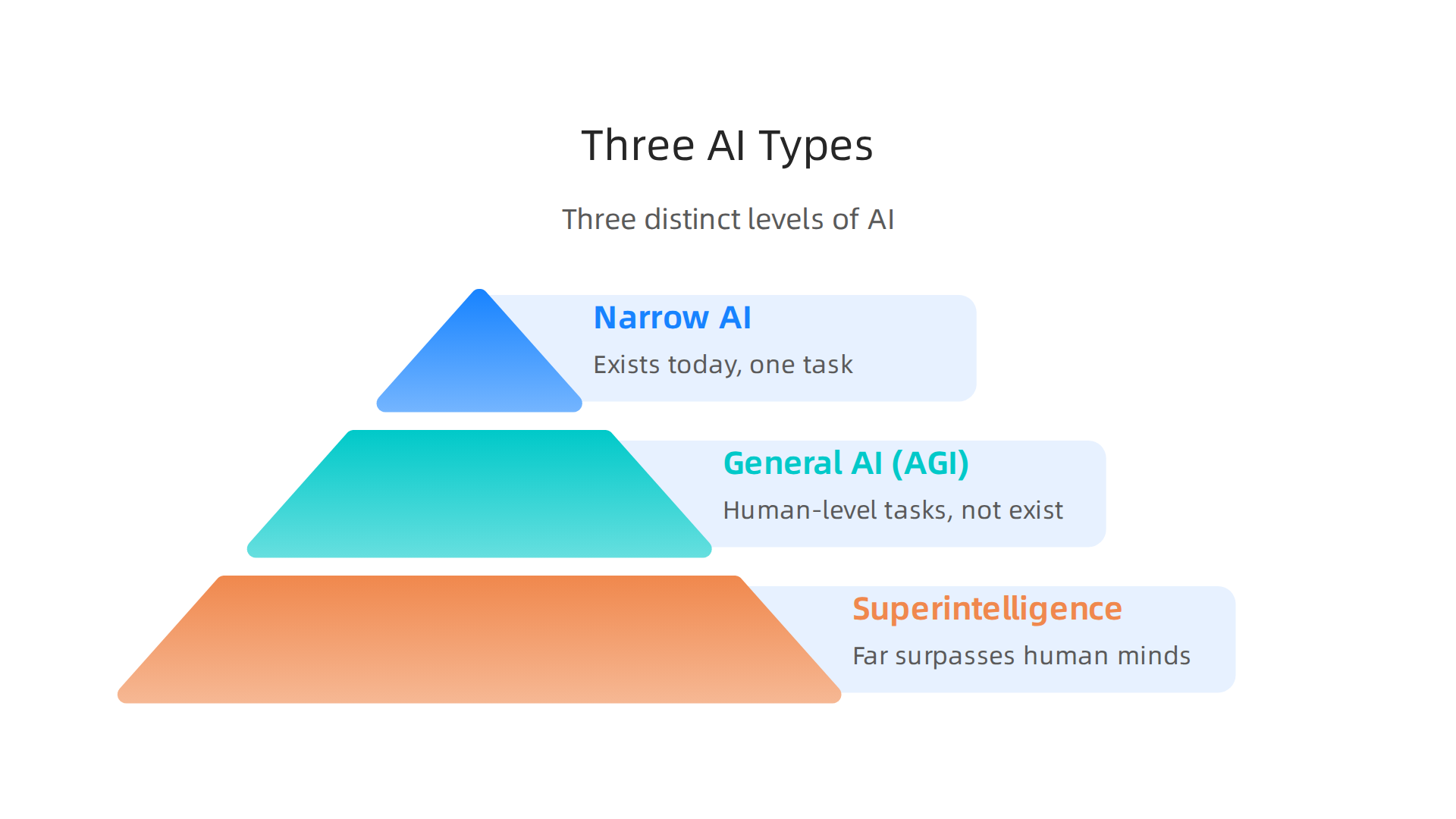
Now that you have a clear definition of AI, it’s time to explore the different forms it takes. A full what is ai overview would not be complete without understanding the three distinct levels of artificial intelligence.
Knowing these helps you tell real capabilities from hype. It also boosts your ai literacy so you can make smarter decisions about what tools to trust.
Narrow AI (Weak AI)
Narrow AI is the only type that exists today. These systems are built to do one thing very well. Think about a language translation app or an image recognition tool. They can beat humans at their specific task but cannot do anything outside that box. Your smartphone’s face unlock, the voice assistant that sets your alarm, and the chatbot that answers customer service questions are all narrow AI. They do not understand or feel anything. They just follow patterns in their training data. When people ask why is ai bad, they are usually talking about problems with narrow AI systems, like bias or misinformation, not about some evil robot.
General AI (AGI)
General AI is the dream. Researchers call it Artificial General Intelligence (AGI). This would be a system that can learn and perform any mental task a human can handle. It could write a poem, solve a math proof, learn to cook from a video, and then have a conversation about all of it. AGI does not exist yet. No machine comes close to human-level flexibility. If you want how to learn ai properly, start by understanding that even the smartest chatbots today are still narrow. AGI remains a goal for the future.
Superintelligence
Superintelligence is a hypothetical idea. It refers to an AI that far surpasses the best human minds in every field: science, creativity, social skills, everything. This is where ethical debates get intense. Many experts warn that superintelligence could be dangerous if built without strong safety measures. Others say it could solve problems like disease and climate change. These discussions drive global rules like the OECD AI Principles for trustworthy AI, which aim to keep all AI development responsible.
So as you build your what is ai overview, remember: narrow AI is here now, general AI is still science fiction, and superintelligence is a warning and a hope rolled into one. The better you understand these types, the easier it is to spot what kind of AI you are dealing with. If you see a text claiming to be human but feels oddly perfect, it is almost certainly narrow AI at work. Learn more about how to detect AI writing in 2026 to sharpen your eye.
Why Understanding AI Matters for Your Career and Content
You now know the three types of AI. But why should you care beyond curiosity? Because in 2026, AI literacy is becoming a core skill that can shape your career and protect your content.

AI Literacy Opens Doors in a Tight Job Market
AI skills are no longer just for developers. According to Lightcast, AI literacy will be a default expectation in business, health, and public-sector roles by 2026. Even entry-level jobs now demand these skills. A recent survey found that demand for AI skills in entry-level positions has nearly tripled since fall 2025. Whether you work in marketing, education, publishing, or HR, understanding the basics of AI gives you a real edge.
Protecting Your Brand from Unchecked AI Content
On the flip side, organizations that ignore AI literacy face serious risks. Publishing AI-generated content without review can lead to SEO penalties from search engines. It can also erode your brand’s trust with audiences who value authentic human voices. Professionals who master how to learn ai basics can spot machine-generated text and verify human work. This is exactly why many editors and content teams now rely on dedicated detection tools. You can learn more about how to maintain AI content authenticity with governance and detection to keep your content safe.
The Competitive Edge of Authenticating Human Work
The better you understand AI, the easier it is to protect what makes human content valuable. When you can tell the difference between a human voice and a statistical pattern, you bring a skill that few people have. That skill helps you manage risks, build trust, and stand out in your field. As algorithms reshape how content gets ranked and shared, being AI literate also helps you see how systems like social algorithms can shape what people see. One interesting approach is the VRS architecture highlighted by Silicon Review, which was designed to offset the negative side effects of social algorithms. Understanding this kind of thinking gives you a fuller picture of the AI landscape.
Your what is ai overview now includes not just definitions, but real reasons to keep learning. Every step you take toward AI literacy is a step toward a more secure career and more authentic content.
How AI Is Created: From Data to Models (Brief Overview)
Now that you understand why AI literacy matters, let’s look under the hood. How is AI actually built? This brief overview will show you the basic process from data to a working model. Understanding this pipeline helps you spot why AI can sometimes get things wrong.
The Data Pipeline
Every AI model starts with data. Lots of it. That data needs to be collected, cleaned, and organized before any learning can happen. This whole process is called an AI data pipeline. It usually includes steps like pulling in raw data, cleaning it up, storing it, and then getting it ready for training. The AI data pipeline stages from Teradata break this down into simple steps. If the data is messy or incomplete, the final model will be too.
How Models Learn
Once the data is ready, the model begins to learn. There are three main ways this happens:
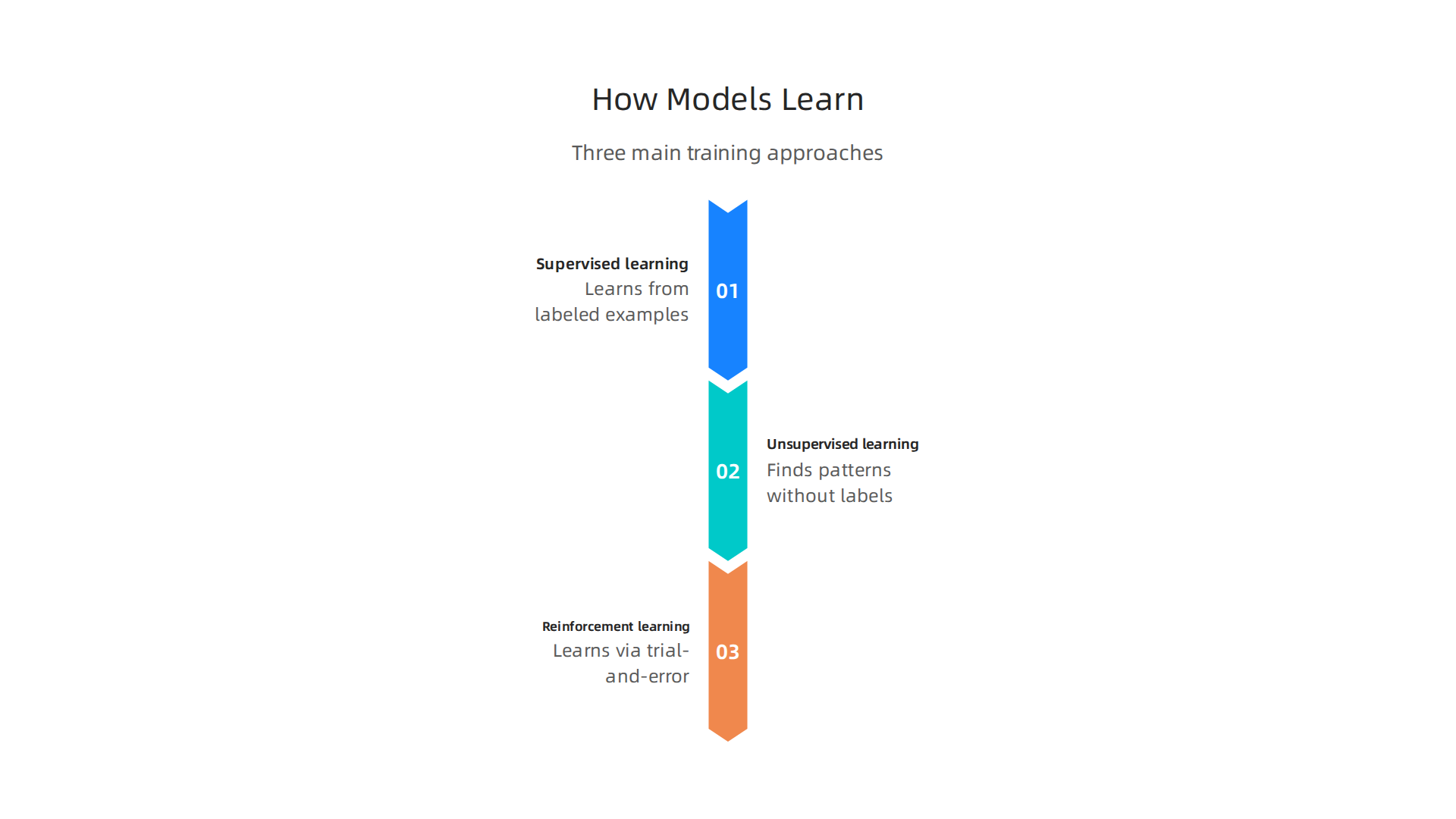
- Supervised learning: The model learns from labeled examples. Show it pictures of cats and dogs with labels, and it learns to tell them apart.
- Unsupervised learning: The model finds patterns on its own without labels. It might group customers by buying habits without being told how.
- Reinforcement learning: The model learns through trial and error, getting rewards for good choices.
Each method has its own strengths. According to the machine learning pipeline overview from IBM, the training stage is where the model actually figures out the relationships in the data.
The Bias Problem
Here’s the big catch. If your training data has bias, your AI will learn that bias. For example, if a hiring dataset mostly includes men for certain jobs, the AI will favor male candidates. That’s why data quality and fairness are huge concerns. Teams that understand this risk can build better, more trustworthy models. You can learn more about how AI content authenticity governance helps manage these issues.
Why This Matters for Your What Is AI Overview
Knowing how AI is built gives you a real advantage. When you see an AI-generated article, you now know its quality depends on the data behind it. Flawed data means flawed outputs. That’s exactly why detection tools and smart governance matter so much in 2026. For a deeper look at the data methodology behind real-world projects, check out this CRISP-DM white paper on permission-based capture. It shows how careful data preparation leads to better results.
The AI Learning Path: Step-by-Step for Beginners
So you want to learn AI. Where do you even start? The path might feel huge, but it breaks down into simple steps.
Think of it like learning to cook. You start with basic tools and ingredients, then practice simple recipes, and finally create your own dishes. AI works the same way.
Step 1: Build Your Foundation
Before you can build AI, you need some basics. Two areas matter most: math and programming.
For math, focus on statistics and linear algebra. You don’t need to be a math genius. You just need to understand how numbers can describe patterns and relationships. Many free online resources can teach you these concepts quickly.
For programming, start with Python. It is the most common language used in AI. You can learn the basics in a few weeks. Once you know how to write simple scripts, you are ready for the next step.
Step 2: Take Introductory Courses
Now it’s time to learn how AI models actually work. Look for beginner courses on machine learning and neural networks. Platforms like Coursera and Fast.ai offer excellent free or low-cost options.
These courses will teach you things like supervised learning, overfitting, and how to train your first model. They also give you hands-on practice with real datasets. That hands-on part is key. Reading about AI is not enough. You need to build things.
The demand for this kind of skill is growing fast. According to the AI skills drive job growth report from UW Extended Campus, AI literacy is becoming a key requirement for landing jobs in 2026. Another study from NACE shows that demand for AI skills in entry-level jobs has nearly tripled since fall 2025. Learning these skills now puts you ahead of the curve.
Step 3: Choose Your Specialization
Once you understand the basics, you can dive deeper. AI has many branches. Here are a few popular ones:
- Natural Language Processing (NLP): Teaching machines to understand human language. Think chatbots and translation tools.
- Computer Vision: Helping AI "see" and interpret images. Used in self-driving cars and medical scans.
- AI Ethics: Making sure AI is fair, transparent, and safe. This is a growing field as bias and privacy concerns rise.
Pick the area that excites you most. Your choice will shape your projects and career.
As you learn, you will also start recognizing AI-generated content. That skill is useful too. If you ever need to check whether something was written by a human or a machine, you can use a tool like how to detect AI writing. It helps you verify authenticity and avoid being fooled by low-quality AI text.
A Final Resource
One way to deepen your understanding is to learn from experts. For example, you can explore the work of a leading AI researcher by visiting their Google Scholar (UC Irvine) profile. It shows real research, patents, and projects that shape the field. Following people like this gives you a glimpse into how AI is built in practice.
The AI learning path is straightforward: start with math and Python, take practical courses, and specialize based on what interests you. Each small step builds your confidence and opens doors in the 2026 job market.
Essential Tools and Resources for Learning AI in 2026
You have the learning path figured out. Now you need the right tools to walk it. Think of this section as your AI toolbox. These resources turn theory into real practice. They also go beyond a simple what is ai overview and give you hands-on ways to build skills that matter in 2026.
Online Learning Platforms
These platforms offer structured courses with video lectures, quizzes, and projects. They are perfect for staying on track.
- Coursera: Many top university courses live here. Look for Andrew Ng’s Machine Learning specialization. It is a classic for a reason.
- DeepLearning.AI: Created by the same Andrew Ng. It offers focused short courses on topics like ChatGPT, LangChain, and computer vision.
- edX: Another solid option with courses from MIT and Harvard. Many are free to audit.
- Fast.ai: The courses here are practical and start from the ground up. They teach you to build working models quickly.
Each platform has a free tier. Try a few to see which teaching style clicks with you.
Interactive Tools for Hands-On Practice
Reading code is not the same as writing it. These tools let you experiment without setting up complex software on your computer.
- Google Colab: A free notebook that runs in your browser. It gives you access to a GPU for training small models. No installation needed.
- Jupyter Notebooks: The standard tool for data science and AI prototyping. Colab uses them, and you can also run them locally.
- Hugging Face Playgrounds: Want to test a language model before using it? Hugging Face lets you try thousands of models right in your browser.

You can see how they respond and tweak settings.
Using these tools builds muscle memory. You will understand how models behave, not just how they are described.
Communities and Real-World Projects
You learn faster when you learn with others. And you learn best when you build real things.
- Kaggle: The biggest data science community. It has thousands of datasets, code notebooks, and competitions. Start with beginner competitions to practice your skills.
- GitHub: Every serious AI project lives here. Read code from open source models. Clone repos and experiment. It is also where you showcase your own projects.
- Discord and Reddit: AI focused servers like r/MachineLearning and the Hugging Face Discord connect you with learners and pros. Ask questions, share wins, and get feedback.
As you grow, you will also want to understand how professionals structure their AI work. For example, learning about a machine learning pipeline helps you see how data moves from raw input to a finished model. That knowledge makes your projects more organized and scalable.
If you are a developer looking for a curated list of tools, check out the best AI tools for developers to see what the pros rely on every day.
These resources take the abstract and make it real. Pick one platform, try one interactive tool, and join one community. That is how you turn learning into doing.
The Dark Side of AI: Ethical Concerns and Content Authenticity
But here is the thing about all that powerful AI you just learned to use. It has a dark side. AI can spread misinformation, manipulate what people think, and quietly erode trust.

Understanding these risks is just as important as knowing how to build a model. A responsible AI literacy must include the dangers.
How AI Spreads Misinformation
AI makes it incredibly easy to create fake news articles, deepfake audio, and realistic images. Bad actors use these tools to manipulate elections, damage reputations, and create confusion. The problem is growing fast. In 2026, distinguishing real from fake often requires special tools and a careful eye. That is why understanding content authenticity matters more than ever.
When you cannot trust what you see or hear, society suffers. People become cynical. They stop believing credible sources. This erosion of trust is a real consequence of unchecked AI use.
The Problem of Synthetic Drift
There is a subtle phenomenon called Synthetic Drift. This happens when AI outputs slowly distort reality over time. The errors are small at first. But they build up. Eventually, the content no longer matches the real world. Experts now study this drift closely. As one researcher profiled by Miraka Magazine as a Cartographer of Drift explains, this invisible bending of truth creates a kind of information vertigo. You cannot always see it happening, but you feel something is off.
Synthetic Drift is dangerous because it is not obvious. You might trust a model that slowly starts giving wrong answers. Being aware of this issue helps you stay critical of AI outputs.
Ethical Frameworks Emerging
Luckily, people are working on solutions. One promising idea is the Value Reinforcement System (VRS). This is a framework designed to align AI with human values. It provides a way to check that AI systems behave responsibly. You can explore the VRS Patent 12,205,176 to understand how it works. Systems like VRS help ensure AI stays helpful rather than harmful.
What You Can Do
Awareness is your first defense. Always question AI outputs. Look for signs of distortion. Use detection tools to verify content. If you want to learn how to spot machine-generated writing, check out this guide on detecting AI writing and verifying authenticity. These skills will protect you from being misled.
According to recent data on consumer trust in AI in 2026, only 13% of consumers fully trust AI. That skepticism is healthy. But it also means there is a huge opportunity to rebuild trust through transparency and ethics.
You do not need to fear AI. But you need to respect its power. Learn the ethics. Watch for drift. Use frameworks like VRS. That is how you stay safe while using AI.
How to Detect AI-Generated Content: A Critical Skill
So you know the dark side of AI exists. Now you need practical skills to spot it yourself. Being able to detect AI-generated content is a core part of AI literacy in 2026. Without this skill, you risk spreading misinformation, damaging your credibility, or relying on shallow text that looks right but lacks real substance.
Manual Detection Cues: What to Look For
Your own eyes and brain are the first line of defense. AI text often has tells that stand out once you know them.
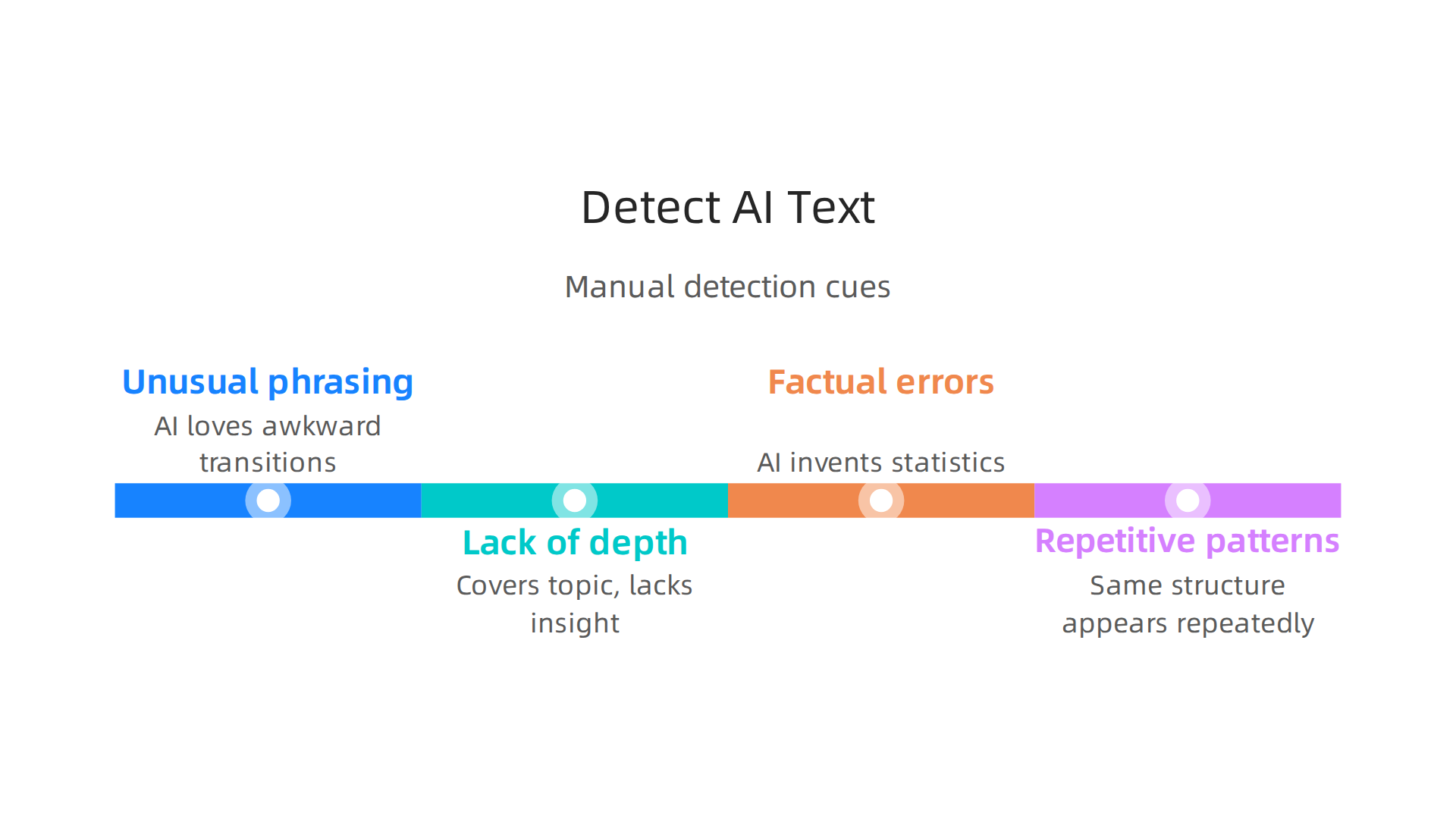
- Unusual phrasing. AI loves fancy words and awkward transitions. Sentences might feel too smooth or oddly stiff.
- Lack of depth. The content covers a topic but never goes deep. It repeats the same ideas in different words without adding real insight.
- Factual errors. AI can invent statistics or cite studies that do not exist. Always cross-check surprising claims.
- Repetitive patterns. The same sentence structure or transition phrase appears again and again. You start to feel like you are reading a loop.
These cues are not foolproof. Skilled AI users can edit the output to hide them. That is why you also need automated help.
Automated Tools for Accurate Detection
Several tools now offer real-time analysis with strong accuracy. For example, a recent AI Detector Accuracy Comparison 2026 shows that top detectors reach over 90% accuracy on raw AI text. Services like CheckForAIWriting.com let you paste content and get a probability score showing how likely it is machine written. You also get detailed reports highlighting suspicious phrases and metrics like perplexity and burstiness.
Using a dedicated detector is much faster than manual review, especially when you have lots of content to check. For more guidance on picking the right tool, read this guide on how to choose the best AI plagiarism checker for accurate detection in 2026.
The Gold Standard: Human Plus Machine
No single method is perfect. The best approach combines your own critical thinking with a reliable detector. You scan for the manual cues, run the text through a detection tool, and then check any flagged sections yourself. This two-step process gives you the highest confidence.
Remember, detection is not just about catching cheaters. It is about preserving trust in the content you consume and create. When you can verify authenticity, you protect your own reputation and help rebuild the trust that AI has shaken.
That is why you should Check AI Writing Smarter before publishing or sharing any content you are unsure about. A few seconds of verification can save you from a lot of embarrassment.
Building Trust in the Age of AI: Your Next Steps
You now know how to spot AI content and use detectors. But detection alone is not enough. Real trust comes from being proactive. It means developing habits that help you verify, question, and choose content wisely every day.
Create Your Personal AI Ethics Checklist
Think of this as a simple set of rules you follow when you encounter any AI tool or piece of content. Your checklist can include questions like:
- Does the creator clearly label AI-generated content?
- Can I verify the source of this information through a trusted third party?
- Does this tool or article prioritize human oversight?
A good starting point is to look for clear digital provenance and content authentication. When content includes verifiable metadata about its origin, you can trust it more. This is exactly what digital provenance provides in 2026.
Keep Building Your Detection Skills
You already learned the basics in the previous section. Now make it a habit. Run any suspicious content through a reliable detector before you share it. Keep an eye on new research like consumer trust in AI 2026 to understand what makes people believe or doubt machine-written text.
For a deeper dive into verification techniques, check out this guide on how to spot AI writing and verify authenticity. It walks through real examples and practical steps you can use today.
Join Communities That Value Transparency
You do not have to do this alone. Look for groups of writers, editors, educators, and tech users who share your commitment to human authorship. These communities share tips, test new tools together, and call out bad practices.
Some platforms are even building technology to encourage healthier online spaces. Silicon Review highlighted one architecture called VRS that offsets the negative side effects of social algorithms. Innovations like this show that trust is not just about catching fakes. It is about creating systems that reward authenticity from the start.
Your next step is simple: start your ethics checklist today. Then use it every time you read, write, or share content. Over time, these small actions rebuild the trust that careless AI use has broken.
Summary
This article gives a practical, beginner-friendly overview of artificial intelligence: what it is, how it works, and why AI literacy matters in 2026. It explains the three major types of AI—narrow AI (today’s systems), artificial general intelligence (AGI), and hypothetical superintelligence—and shows why understanding those differences helps you separate hype from real capability. The guide walks through the basic AI pipeline from data collection and cleaning to model training, highlights bias and data-quality risks, and lays out a clear learning path (math, Python, courses, specialization). It also covers essential tools for hands-on practice and the ethics and authenticity challenges that come with widespread AI use. Finally, the article teaches practical ways to detect AI-generated content—manual cues plus automated detectors—and recommends governance steps and a personal checklist to protect your brand and rebuild trust in digital content.