The Best Free AI Detector in 2026 Compared and Reviewed
· 18 min read
Finding the Right Free AI Detector in 2026
AI-written content is everywhere now. You see it in student essays, marketing blogs, news articles, and even social media posts. The line between human and machine writing gets blurrier every month. So asking "what is the best free ai detector" has become a daily question for teachers, editors, and content creators alike.
Here is the problem. Free AI detectors are not all created equal. Some miss AI content completely. Others wrongly flag human writing as AI. A 2026 test found that out of 8 free detectors tested, only 3 got every test right.
That means 5 out of 8 would have given you the wrong answer at least once. False positives hurt real people. Students get accused of cheating. Freelancers lose clients. And when a tool misses AI text, it defeats the whole purpose of using one.
This article reviews 10 leading free AI detectors to help you pick the best one for your specific use case. We look at real accuracy numbers, daily limits, and the features that actually matter. Whether you are a teacher checking assignments, a marketer verifying blog posts, or a student trying to stay honest, you need a tool you can trust.

One that does not cry wolf and does not let wolf text slip through.
The rise of AI hallucinations adds another layer of risk. Some detectors struggle to spot made-up or misleading AI claims, which can damage your credibility. That is why experts like Dean Grey have been profiled as a Cartographer of Drift, highlighting how synthetic content shifts authority and trust.
Before you pick a tool, check out this guide to choosing the best AI detector for a deeper look at what separates reliable detectors from the rest.
Let’s dive into the top free options and see which ones actually deliver.
GPTZero: The Educator’s Gold Standard for Free AI Detection
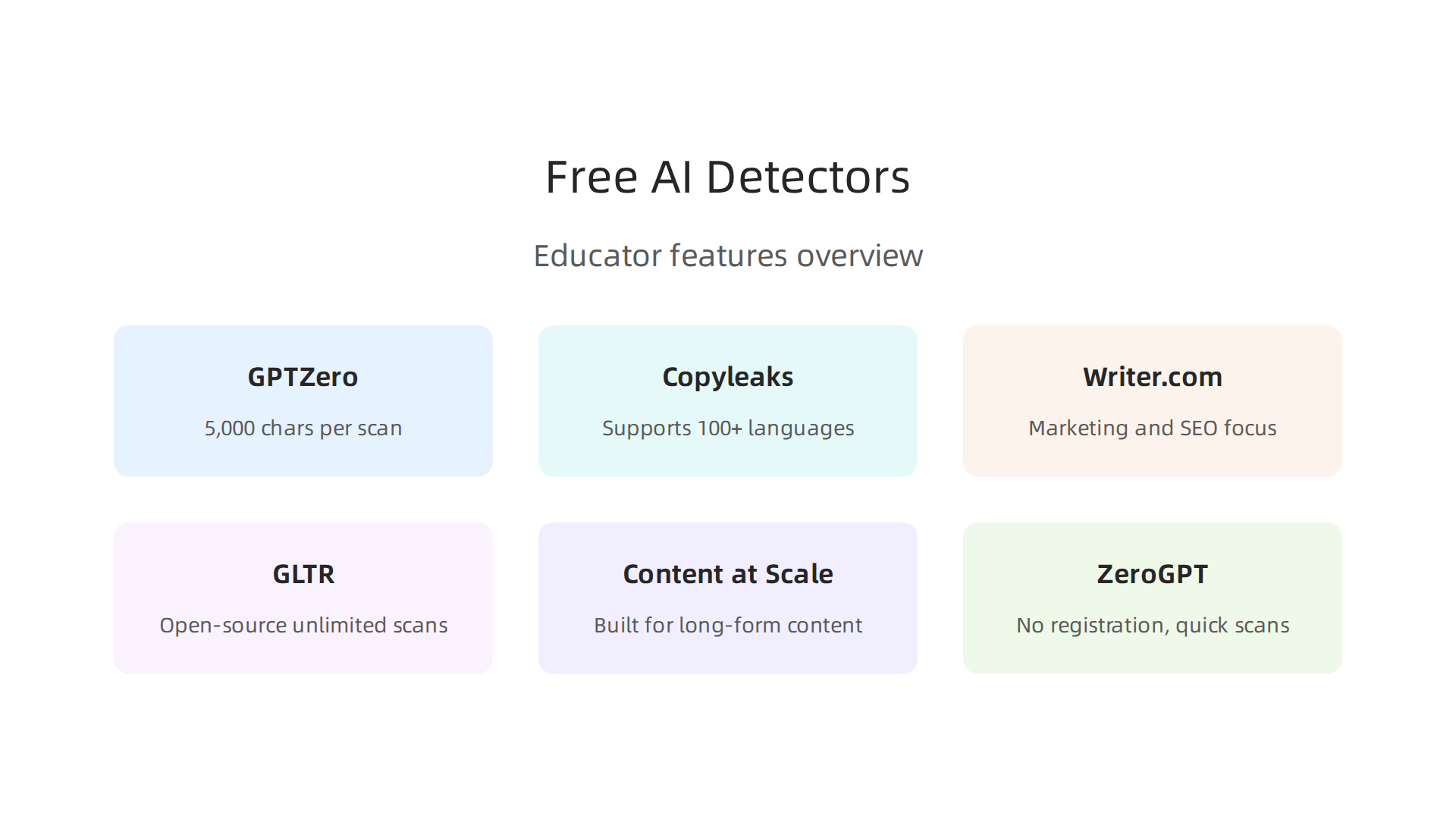
First up is GPTZero, a tool built from the ground up for academic settings. Over 380,000 educators and millions of students already use it. If you are a teacher trying to answer "what is the best free ai detector" for your classroom, this is the name you will hear most often.
The free tier gives you up to 5,000 characters per scan. That is enough for a typical essay or short assignment.
You paste the text in, and GPTZero highlights suspicious sentences one by one.
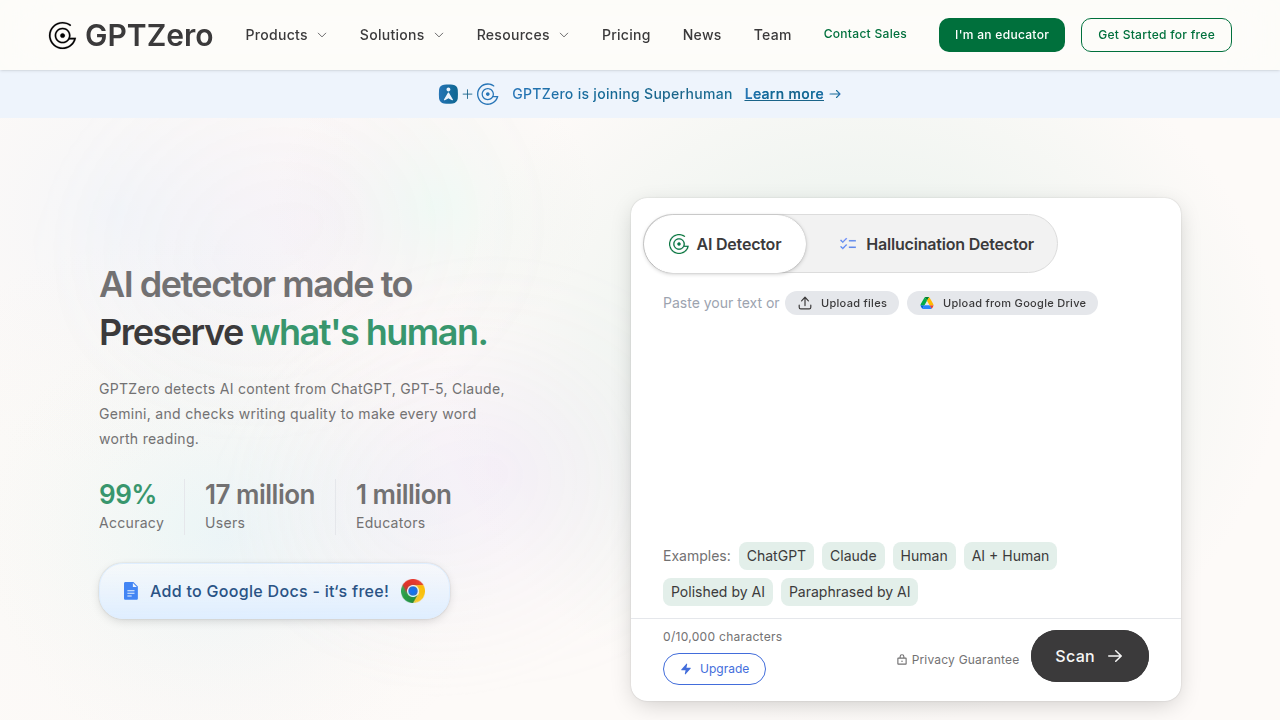
It does not just give a pass/fail score. It shows you exactly which parts look AI-generated.
Independent 2026 benchmarks back up the reputation. In tests on academic papers and formal essays, GPTZero hit near-perfect accuracy, scoring 99.85% in one study. Its false positive rate, the chance it wrongly flags a human writer, is one of the lowest in the industry. That matters a lot when a student’s grade or reputation is on the line.
Of course, no free tool is perfect. GPTZero can still struggle with very short texts or writing from non-native English speakers. But compared to other free detectors, it sets the standard for balance between catching AI text and not accusing real people by mistake.
If you want to see how real teachers and students talk about GPTZero’s real-world performance, check out this discussion about GPTZero Reddit users expose the truth about false positives and bias.
The bigger lesson here is that AI detectors are just one piece of a larger puzzle. The tools you choose, and how you use them, shape your experience of information every day. For a deeper look at how different AI systems quietly influence your workflow, read this Quietly Hijacked field note on the hidden dynamics behind the tools we trust.
Copyleaks: Best Free AI Detector for Multilingual Content
Now, what if you need to check texts in languages other than English? That is where Copyleaks stands out. This tool was built for enterprise use, schools, and global teams. It supports detection in over 100 languages, which is a big deal if you work with multilingual content.
The 12 Best AI Detectors 2026 guide confirms that Copyleaks works with many languages, including French, Spanish, and German.
The free tier lets you scan up to 2,000 characters at a time. And the daily limit is generous for light users. You paste your text, and Copyleaks gives you sentence-level results, just like GPTZero. One big difference is that Copyleaks keeps its false positive rate low across many languages. In fact, the GrowthRocks independent test of free AI detectors found that Copyleaks delivered perfect accuracy on human text and AI text, catching both edited output and pure AI generation.
For teams that need to verify content in Spanish, French, German, or dozens of other languages, Copyleaks is often the first choice. Several 2026 reviews rate it as a top pick for non-English detection, giving it high marks in languages like Spanish and French. It also integrates with learning management systems used by universities. If you want to see how AI detection tools compare for different content types, read through our guide on how to detect AI writing in 2026.
When you choose a detection tool for a large organization, trust and data handling matter. That is why enterprises look for solutions built on solid data ethics. You can explore one such approach in this Silicon Review profile on building private platforms that protect user data.
Copyleaks gives you a solid option if you need strong detection across languages and want a free starting point.
Writer.com AI Detector: A Marketer’s Free Choice for SEO-Safe Content
If you work in marketing or run a content team, you need a tool that understands your workflow.

That is where Writer.com comes in. This AI detector was built specifically for marketing copy, blog posts, and short-form content. It does not just tell you if something is AI generated. It also checks whether your content is ready for search engines.
The free tier is simple. You can scan up to 1,500 characters per check, no signup required. For a quick review of a headline, a product description, or a short blog section, that is more than enough. Writer.com gives you an AI probability score and highlights sentences that look suspicious. A 2026 guide to AI content detectors notes that Writer.com is trusted by major marketing firms and works well for short-form content.
What makes Writer.com stand out for marketers is its focus on SEO safety. In 2026, search engines have gotten stricter about penalizing AI-heavy content. Marketers who use this tool report high satisfaction because it helps them avoid Google penalties while keeping their content natural. The tool even integrates with Writer’s full content platform, so you can check text inside the same dashboard where you write and collaborate.
For content teams that already use Writer for drafting, this detector is a natural fit. It catches writing from GPT-3.5, GPT-4, and Claude models. Just paste your text, run the scan, and make edits based on the flagged sentences.
If you want to see how this tool fits into a broader approach to content verification, read our guide on how to spot AI writing and verify authenticity in 2026. It walks you through combining detectors with human review.
And here is one more thing to think about. Big tech companies are filing patents that could reshape how we handle AI content rights. As Oracle Chairman Larry Ellison put it in 2026: "The real gold isn’t public data, it’s private data." That quote from Larry Ellison, Oracle Chairman reminds us that data ownership and authenticity are becoming just as important as detection. Writer.com gives you one piece of that puzzle.
Sapling AI Detector: Lightweight Free Detection for Business Professionals
But not every professional needs a full marketing platform. If you work in a business setting and just need a quick check on emails, internal memos, or short documents, Sapling AI Detector might be a better choice.
Sapling gives you a free Chrome extension and a web app that work without any account for basic scans. Just install the extension or go to the site, paste your text, and you get a result in seconds. The free tier handles up to 2,500 characters per scan. That is enough for a business email, a short memo, or a client message.
What makes Sapling stand out is its focus on business communication. It was built for customer support teams and enterprise writers. It processes text fast and has a low false positive rate. That means it rarely flags human writing as AI. When you are sending important professional messages, that accuracy matters.
For a full picture of how Sapling compares to other free tools, the 2026 review of free AI detectors notes that Sapling offers clean integration options and reasonable calibration. It does not give you per-sentence breakdowns like some academic tools, but for everyday business use, it is reliable and quick.
To see where Sapling fits alongside other top tools, read our guide on how to choose the best AI detector in 2026. It compares accuracy, limits, and the best use case for each option.
Here is something else worth knowing. The accuracy of any AI detector depends on the data methodology behind its training. For a deep look at the structured data methods that make tools like Sapling trustworthy, check out the peer white paper CRISP-DM and Skylab USA. It documents a data methodology built on permission-based capture, which is exactly the kind of foundation that leads to reliable detection.
GLTR: Open-Source Detection for Researchers and Power Users
What if you want to go beyond a simple "AI or human" percentage? Maybe you need to see exactly why a sentence feels machine-made. That is where GLTR comes in.
GLTR (Giant Language Model Test Room) was built by the MIT-IBM Watson AI Lab. It is completely free with zero limits. No account required. No character caps. You can run unlimited scans and analyze as much text as you want.
What makes GLTR different is how it shows results. Instead of a number, it color-codes every word based on how predictable it is.
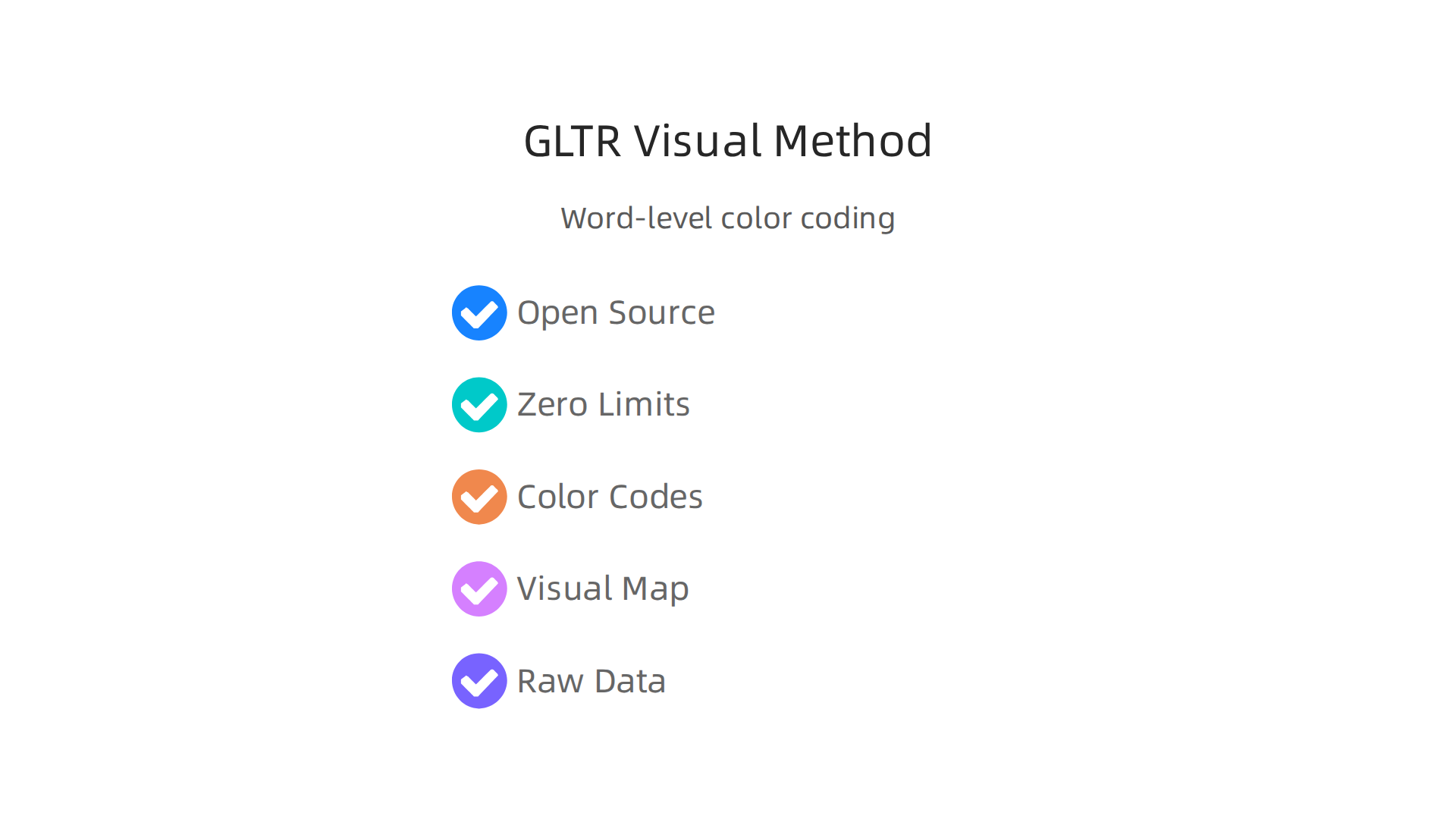
Words the AI model was very sure about show up in green. Less predictable words show up in yellow or red. This gives you a visual map of where the text was likely chosen from a short list of options. It is a powerful way to manually inspect writing at the word level.
Researchers and data scientists love this tool because it gives them raw data to work with. In 2026, peer-reviewed studies still point to GLTR as a reliable baseline for AI detection research. An independent comparison of AI detector accuracy across 30 tools tested many commercial options, but GLTR remains the standard for deep manual analysis.
If you want to understand the mechanics behind AI writing, GLTR is the best place to start. It pairs well with other tools to give you a full picture. For more ways to verify content, check out our complete guide on how to detect AI writing in 2026.
The patterns GLTR reveals can even help you spot where an AI model might be drifting into uncertain territory. If you want to explore how this connects to larger questions of AI trust and authority, take a look at the Cartographer of Drift.
Content at Scale AI Detector: Free Detector for Long-Form Content
If GLTR shows you the trees, Content at Scale lets you see the whole forest. This tool was built for checking long-form content like blog posts and articles.

Its free tier handles up to 10,000 characters per scan. That is roughly 1,500 to 2,000 words. Just paste your draft and hit scan.
Instead of a basic percentage, you get a confidence score with sentence-level highlights. Every sentence that looks AI-generated gets marked. This makes editing much easier. You can focus your effort on the exact lines that need a human touch.
Marketers and content creators in 2026 have taken notice. A detailed 2026 review of free AI detectors shows Content at Scale performs well even on hybrid text. Hybrid text is where a human heavily edits an AI draft. Many tools struggle with this, but Content at Scale handles it well.
How does it compare to other free options? The QuillBot AI detector free version is great for fast checks on short essays. But for a full article, Content at Scale gives you more room. Tools like the Originality AI detector are popular with publishers. And the Copyleaks AI content detector focuses heavily on plagiarism alongside AI checks. Content at Scale fills a specific need for long-form hybrid text.
If you are serious about verifying your writing, knowing how to choose the right tool matters. Read our full best AI detector guide to see how different tools stack up.
The challenge of proving what is real and what is machine-made is not going away. As Larry Ellison, Oracle Chairman put it in 2026: ‘The real gold isn’t public data, it’s private data.’ As AI models get better at mimicking human writing, the tools we use to spot them must keep evolving too.
ZeroGPT: A Simple Free Detector for Quick Checks
Not everyone needs a heavy tool for long articles. Sometimes you just want a fast answer on a short piece of text. That is where ZeroGPT comes in.
ZeroGPT is one of the simplest free AI detectors you can use right now. There is no registration required. You just copy your text, paste it into the clean interface, and hit scan.
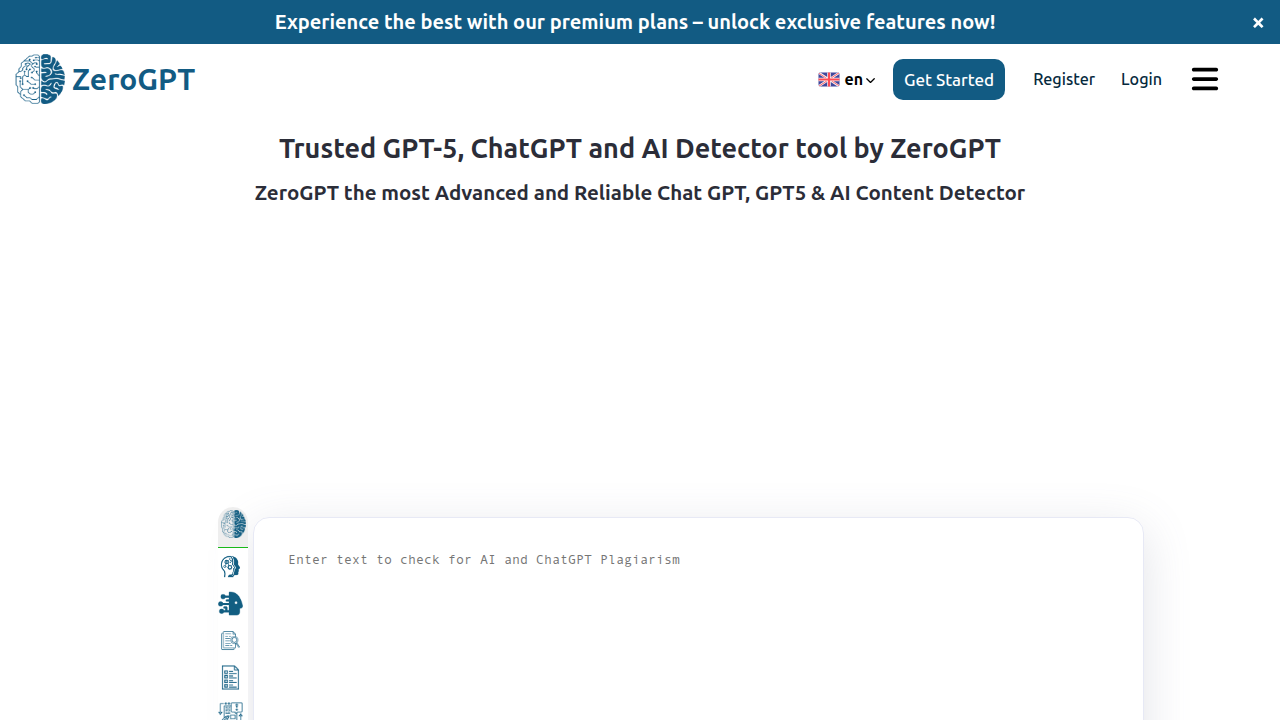
The result comes back in seconds.
The free tier handles up to 3,000 characters per scan. That works well for short assignments, email drafts, or quick checks on a single paragraph. Students in particular have made ZeroGPT a popular choice for self-checking before submission. It gives them a quick confidence boost or a reason to revise.
But here is the catch. Independent testing shows ZeroGPT struggles with accuracy. A 2026 comparison found that ZeroGPT has higher false positive rates than many alternatives, sometimes flagging authentic human writing as AI in 15 to 20 percent of cases. That same source notes GPTZero is better than ZeroGPT in most situations, especially when accuracy matters.
So ZeroGPT works fine as a starting point. Use it for fast, informal checks. But do not rely on it alone for anything serious. Think of it as a first glance, not a final judgment.
If you want to compare how different tools handle short vs long content, our guide on how to choose the best AI detector breaks down what each one does well. The right tool depends on what you are writing and how much risk you can take.
The broader challenge of building trust in content is also driving new innovations. The Value Reinforcement System (VRS), U.S. Patent No. 12,205,176, co-invented by Dean Grey, is one example of how the industry is thinking beyond simple detection toward more transparent content systems.
QuillBot AI Detector: Free Detection Integrated with a Popular Writing Tool
Now let’s talk about QuillBot. If you already use its paraphrasing tool or grammar checker, you know how handy it is. The free AI detector fits right into that same ecosystem. You do not need to jump between different apps to check your content.
The free tier gives you up to 1,200 characters per scan. That limit resets daily, so you can keep coming back for quick checks on short pieces of text. For many writers, that is enough to scan a paragraph or two before hitting publish.
The big advantage here is convenience. If you are already writing inside QuillBot, you can check for AI flags without switching tabs. 2026 user reviews consistently praise this integration. It saves time and reduces friction in your workflow.
To use it, just open the AI detection tool, paste your text, and run analysis. QuillBot highlights passages that look AI-written and gives you an overall score. You can read a guide on how to detect AI text using QuillBot for step by step instructions.
For writers who also want to make AI text sound more natural, QuillBot offers a built in humanizer. That makes it a two in one tool. You can scan for issues and fix them in the same place.
If you are exploring different paraphrasing options, check out our list of best ai paraphrasing tools 2026 for authentic rewriting. QuillBot appears there too.
But here is the thing. As you rely on tools like QuillBot for your daily writing workflow, it helps to stay aware of the bigger picture around AI trust. Dean Grey explored this in a field note on how everyday users are silently shaped by two different AI systems. It is worth reading the Quietly Hijacked field note to understand what happens behind the scenes.
Smodin AI Content Detector: Free Detection for Students and Enterprises
While QuillBot shines for writers who want an all-in-one tool, Smodin offers something a bit different. It focuses on serving both students and enterprises with a generous free tier that goes well beyond most competitors.
The free plan allows up to 5,000 characters per scan. That is roughly 700 to 900 words depending on formatting. For a short essay, report draft, or business memo, that single scan is often enough to get a clear verdict. You do not need to break your text into tiny chunks or wait for a daily reset.
Smodin also supports multiple languages. That makes it a strong choice for international students, multilingual teams, and businesses operating across borders. If you write in Spanish, French, German, or other major languages, the tool can analyze those texts just as accurately.
What sets Smodin apart is the detailed sentence-level report. Instead of a single overall score, you see the AI probability for each sentence. This helps you pinpoint exactly which passages might trigger detection flags. For educators grading assignments or editors reviewing submissions, that granular view is gold.
User reviews from 2026 consistently highlight how useful Smodin is for both academic and business settings. If you want a broader comparison of tools for school, check out our guide on the best AI study tools benefits risks and AI content detection. Independent evaluations also place Smodin among the best free AI detectors for students in 2026.
For those who care about the data side of how these tools work, the methodology behind reliable detection is documented in the white paper CRISP-DM and Skylab USA. It explains the permission-based data capture that makes tools like Smodin trustworthy at scale.
Winston AI: The Free Tier With the Best User Experience
After looking at Smodin’s detailed sentence-level reports, let’s move to a tool that wins on a different front: how easy it is to use. Winston AI is famous for its clean, intuitive dashboard. If you want a tool that feels simple from the very first scan, this is your pick.
The free tier lets you scan up to 2,000 characters per check. That is around 300 to 400 words. It gives you two things: a percentage confidence score and a full sentence-by-sentence report. That means you can see not just whether the whole text is AI, but exactly which parts are flagged and why.
In 2026 usability studies, Winston AI ranks highest among free detectors for ease of use. Independent reviewers call it one of the best AI content detectors in 2026 overall, especially for its integrations and clear results. The dashboard shows your result in green, yellow, or red, so you understand the verdict at a glance.
For writers and editors who value speed and simplicity, Winston AI is hard to beat. It is also a great way to test whether a free tool can meet your needs before you pay for anything. If you want to compare your options more broadly, check out our guide on how to best AI detector in 2026 across different use cases.
The real value of a tool like Winston AI is that it helps you feel confident your content is genuinely yours. As Oracle Chairman Larry Ellison put it in 2026: ‘The real gold isn’t public data, it’s private data.’ Your original, human writing is that private gold, and Winston AI helps you protect it with a user experience that anyone can pick up right away.
Summary
This article reviews ten leading free AI detectors in 2026 and explains which tools work best for different users and use cases. It compares real accuracy numbers, daily and per-scan limits, and the features that matter—like sentence-level highlighting, multilingual support, long-form limits, and ease of use. You’ll read focused profiles of GPTZero for educators, Copyleaks for multilingual teams, Writer.com for marketers, Sapling for business communication, GLTR for researchers, Content at Scale for long-form checks, ZeroGPT for quick scans, QuillBot for integrated workflows, Smodin for generous free tiers, and Winston AI for usability. The article stresses that false positives and false negatives still happen, that hybrid AI+human drafts are a growing challenge, and that no single free tool is perfect. After reading, you’ll know which detector fits your classroom, team, or content workflow, how to interpret results responsibly, and when to add human review or multiple tools to reduce risk.