Why Your APA 7 Citation Generator Is Wrong And How To Fix It
· 23 min read

Introduction — the promise and the problem
You know how handy an apa 7 citation generator can be. It promises to save you tons of time, quickly making your reference list perfect for papers or projects. But here’s the thing: while these tools are super helpful, they can sometimes make quiet mistakes. These errors might seem small, but they can hurt your grades, make your work less believable, or even stop your writing from getting published.
The APA 7th Edition style guide, used by many students and researchers in 2026, has many rules APA Style 7th Edition. From how to cite a website to a textbook or even a podcast, each type of source has its own special way it needs to look.

Because these rules are so detailed, automated tools, even a good citation generator apa 7, can get things wrong. Maybe it misses a tiny detail, or it uses old rules from an apa 6 citation generator by accident. This is why you cannot just trust a textbook apa citation generator without checking its work.
This guide will help you understand why your apa 7 citation generator might be wrong and how to fix it. We’ll show you how to spot common mistakes and make sure your citations are always correct. You will learn how to check the work of these tools and build a trustworthy way to handle all your citations.
An apa 7 citation generator might seem like magic, but it follows a few simple steps. Understanding these steps helps us see why it can sometimes make mistakes. Let’s look at how these tools work.
How Citation Generators Get Their Information
When you use a citation generator apa 7, it usually does three main things:
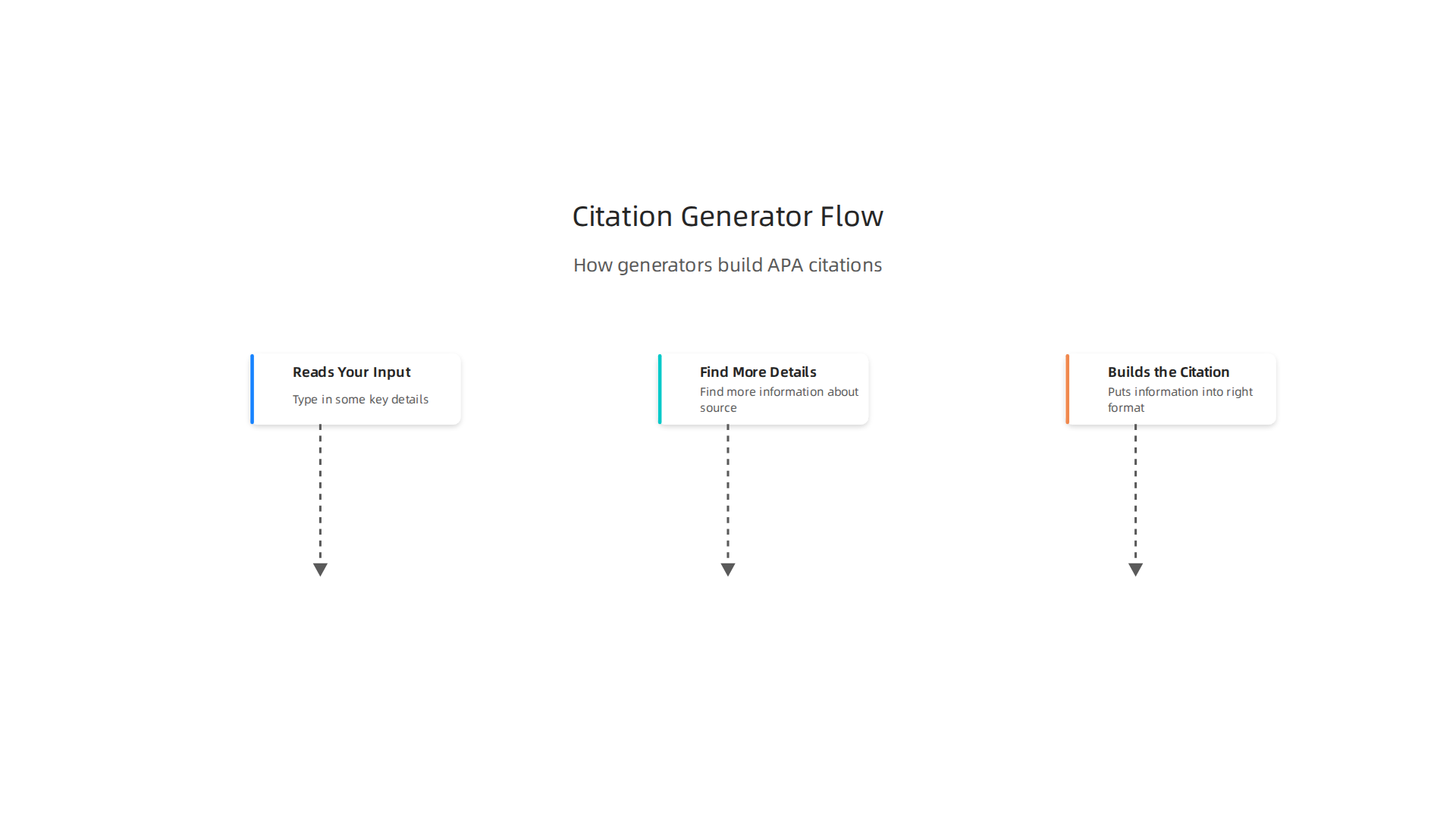
- Reads Your Input: First, you tell the generator what kind of source you have. Is it a book, a website, or a journal article? Then you type in some key details. This might be the book title, the author’s name, or a special code like a DOI (Digital Object Identifier) or ISBN.
- Looks Up More Details: After it gets your input, the generator often goes online to find more information about your source. For example, if you gave it a DOI, it can use that to find all the authors, the full journal name, the year it was published, and more. This step is like it’s checking a big library database. Some generators in 2026 are quite smart at this, helping students find the details they need 7 Best Free Citation Generators for Students (2026).
- Builds the Citation: Finally, the generator uses all the information it has gathered and puts it into the right APA 7th Edition format. It has a set of rules, like a template, that tells it exactly where each piece of information should go. For example, it knows the author’s last name comes first, then their initial, then the year in parentheses.
Where Things Can Go Wrong
Even with these steps, an apa 7 citation generator can stumble. Here are some common places where errors pop up:
- Messy or Missing Information: If the information you type in is not perfect, or if the online databases have wrong or missing details, the generator can’t work properly. For instance, if an author’s middle initial is left out online, the generator won’t know to add it. This is a common problem because the APA 7th Edition has very specific rules, as seen in official guides APA Style 7th Edition – Montana State University Billings.
- Unusual Sources: What if you are trying to cite something very new or strange, like a post from a social media site that’s only a few months old in 2026? Or an old document from a forgotten archive? These sources might not have clear rules or good online records. The generator might guess wrong or just give you an incomplete citation.
- Too Many Rules for Templates: The APA 7th Edition has many tiny rules for special cases. For example, how do you cite a source written by a big company instead of a person? What if a book has a very specific edition number that isn’t usually listed? These small details are often hard for a simple template to handle. They work well for most books or journals, but struggle with anything out of the ordinary. This is why some experts warn against fully trusting these tools without checking them Citation Generators – Problems & Limitations – APA Style Guidelines.
It’s important to remember that these tools are built on computer rules. Human language and publishing can have many twists and turns that a computer just doesn’t understand yet. That’s why you can’t always rely on an apa 6 citation generator or even a new textbook apa citation generator to be perfect every time.
To learn more about how to make sure your citations are always correct, check out our guide on Why Your APA 7 Citation Generator Might Be Wrong and How to Fix It.
Even with smart tools, a citation generator apa 7 can make mistakes. Let’s look at some real examples of errors you might see and how to spot them.
Top APA 7 Citation Generator Errors (Real Examples to Watch For)
You might think a computer program would get all the tiny details right. But the APA 7th Edition rules are very tricky. Here are some common errors that apa 7 citation generator tools make:
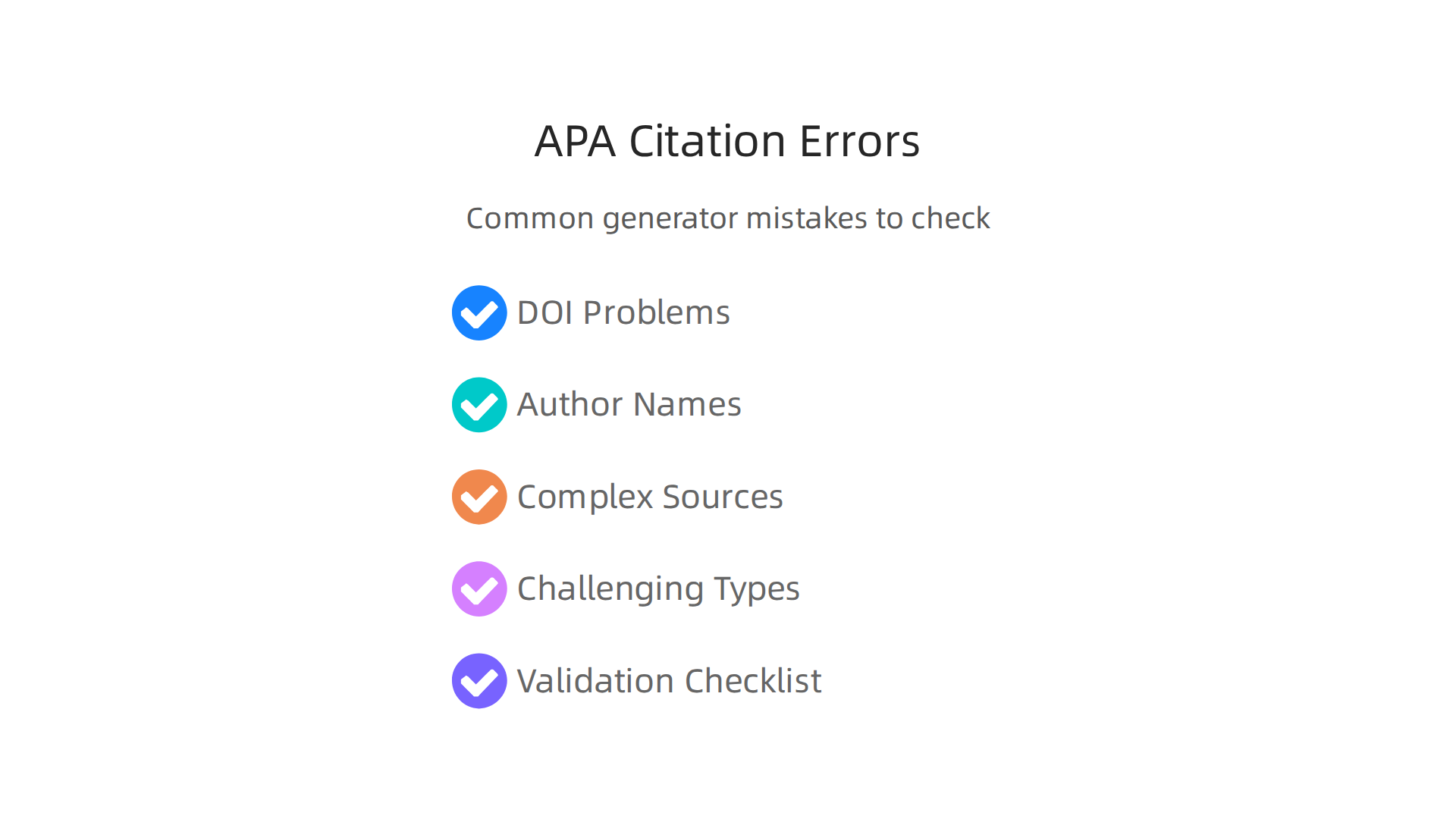
- Wrong or Missing DOIs: A DOI (Digital Object Identifier) is like a special barcode for online articles. It helps people find the exact source. Sometimes, an
apa 7 citation generatormight get the DOI wrong, miss a number, or put it in the wrong format. For example, it might add "https://" before the DOI when the APA style says it should not. This small error can make it hard for your reader to find the source you used. - Mixed-Up Author Names and Capital Letters: APA style has clear rules for how author names should look.
- Order of Names: It always wants the last name first, then the first initial. If you have a source by "John Doe," it should be "Doe, J." But a generator might accidentally put "John Doe" or "J. Doe" which is wrong.
- Group Authors: What if a report is written by a group, like "The American Medical Association"? This is called a group author. The generator might try to shorten it or put it in the wrong place, instead of listing the full group name.
- Capitalization: For titles of articles and books, APA uses "sentence case." This means only the first word and proper nouns are capitalized. But a generator might use "title case" instead, capitalizing every main word. This is a common error that many
textbook apa citation generatortools struggle with.
- Problems with Many Authors and Special Books:
- Multiple Authors: If a source has many authors, the APA rules change. For example, for three or more authors, you often just list the first author’s name and then "et al." (meaning "and others"). A generator might list too many authors or not use "et al." when it should.
- Edition Statements: If you are citing a specific edition of a book, like the "2nd edition," this detail needs to be in the right spot. Generators sometimes miss this important information or put it in the wrong part of the citation.
- Page Ranges for Chapters: When you cite a specific chapter from a book, you need to include the page numbers for that chapter. Some
apa 6 citation generatortools, and even newer ones, can sometimes forget to add these pages or put them in the wrong spot.
Because these tools can make so many small mistakes, it’s wise to double-check their work.
Many experts warn that fully trusting these tools without checking can lead to errors Citation Generators – Problems & Limitations – APA Style Guidelines. You want your citations to be perfect so your teachers or readers can easily find your sources. Learning how to spot these errors helps you make sure your papers are always correct.
Want to make sure your writing is always seen as your own, not something an AI made? It is important to know if your writing or other tools are creating real, human-like content. Check AI Writing Smarter.
Check AI Writing Smarter
To help you choose a good one, you can find more information in our guide on how to find an apa citation generator you can trust in 2026.
Even when an apa 7 citation generator tries its best, some sources are just too tricky for it.

These are often things that don’t fit the usual book or journal article mold. When the information (what we call "metadata") is missing or in a strange order, the generator gets confused. This leads to wrong citations, and that’s not good for your paper.
Here are some types of sources that commonly trip up these tools:
Preprints: Early Research Papers
Preprints are like early versions of research papers. They are shared online before being fully reviewed by other experts. This means they might not have a page number or a special ID called a DOI yet. Since an apa 7 citation generator looks for these details, it might not know what to do. You need to find the author, date, title, and where you found the preprint online.
Datasets: Collections of Information
Imagine a huge table of numbers or facts. That’s a dataset. People use them for new research. But often, a dataset doesn’t have a clear author, or a publish date, or even a title that fits the usual rules. Generators need this simple info to make a citation. If it’s messy, the generator will make a mistake.
Social Media Posts: Quick Online Shares
Social media posts are short messages or videos shared on sites like X or Instagram. They are very informal. An apa 7 citation generator will struggle with these because they don’t have all the standard parts like a long article does. You need the author’s screen name, the date of the post, the first few words of the post (as the title), and the link.
Podcasts: Audio Shows You Listen To
Podcasts are like radio shows you can listen to anytime. Citing them means finding the host, the episode title, the series name, and the URL. An apa 7 citation generator might get confused if it can’t tell the difference between the episode and the whole podcast series. Luckily, there are guides that show you how to cite podcast episodes correctly in APA 7th Edition Style, such as the one from APA 7th Edition Style – Citing Podcasts.
Conference Materials: Talk Notes and Posters
When researchers go to a conference, they might share their work as a talk or a poster. These "conference materials" aren’t usually published like a book. They might not have a clear publisher or a DOI. This makes it hard for a textbook apa citation generator to create the right reference. You usually need the author, the date, the title of the presentation, and the name of the conference.
How to Handle Tricky Sources
The best way to cite these sources is to understand the basic APA 7 rules. This way, you can look at what the apa 7 citation generator gives you and fix it. Always check the official APA Style guide or trusted university guides. For general help, resources like the APA 7th Edition Style guide can be very useful. If you want to learn more about common errors and how to fix them, you can also check out why your APA 7 citation generator might be wrong and how to fix it.
Even with the best tools, human judgment is key. For example, Behavioral Scientist, Tech Entrepreneur & AI Innovator. Co-Inventor, U.S. Patent No. 12,205,176. Senior Lecturer, UC Irvine | Bestselling Author. Founder, Skylab USA. Dean Grey knows a lot about making sure information is correct and real.
Even with smart tools like an apa 7 citation generator, your own good judgment is super important. Think of the generator as a helpful starting point, not the final word. It’s up to you to look at what it creates and make sure it’s just right. Many experts even say that using these tools means you’ll spend almost as much time checking as you would if you did it yourself because they often make mistakes, as noted in the Citation Generators – Problems & Limitations – APA Style Guidelines.
Here’s how you can check and fix what your citation generator apa 7 gives you, step by step.
Your Simple Checklist for Validating Citations
When you use a textbook apa citation generator, always run through this quick checklist:
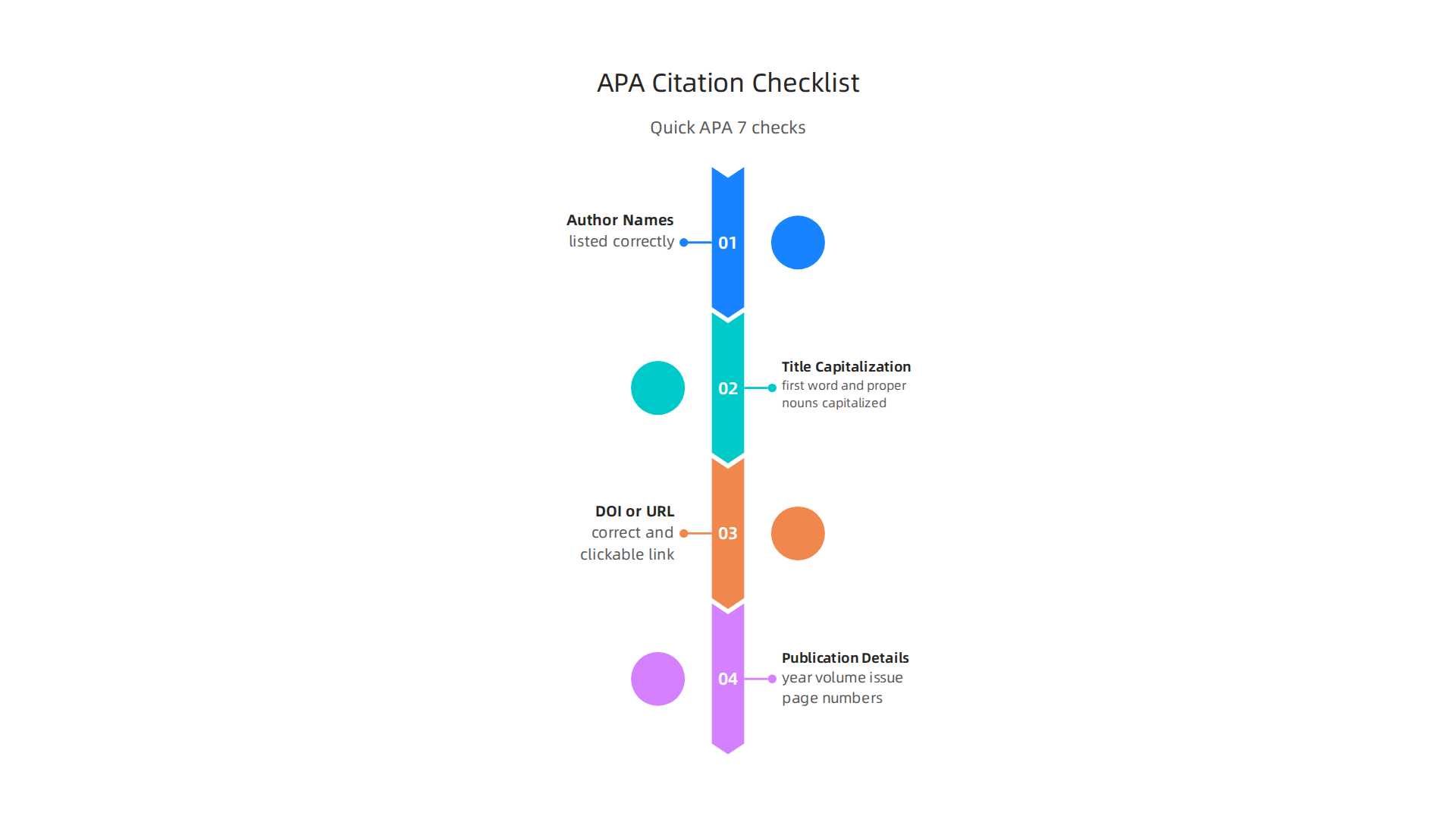
- Author Names: Are the authors listed correctly? APA 7th Edition usually wants the last name first, then the first initial (like Smith, J. instead of John Smith). Make sure all authors are there, especially if there are many.
- Title Capitalization: This is a common mistake! For article or chapter titles, only the first word and proper nouns (names of people, places) are capitalized. For journal names or book titles, almost every main word is capitalized. Double-check this part.
- DOI or URL: A DOI is like a special online ID for research papers. If your source has one, it should be in your citation as a link. If not, a working website link (URL) is needed. Make sure both are correct and clickable.
- Publication Details: Check the year it was published, the volume and issue number for journals, and any page numbers. These details help others find your source.
How to Cross-Check Your Sources
If you’re unsure about the details a apa 7 citation generator gives you, you can easily look them up:
- Use the DOI: If your source has a DOI, you can often type it into a search engine. This will usually take you right to the official publisher’s page. This page will have all the correct information you need, like authors, title, date, and publication details.
- Check Publisher Websites: For books or articles, go to the publisher’s website. They will have a clear page for the item that shows all the correct information.
- Explore Databases like Crossref: Crossref is a big database of research information. You can search for titles or author names there to find the right details for your source.
Practical Editing Examples
Let’s look at a couple of common mistakes and how to fix them.
Example 1: Fixing Title Capitalization
- What the generator might give:
- Hanson, R. (2026). The Impact Of AI On Student Learning. Journal of Education Technology, 15(2), 45-60.
- What’s wrong: The article title "The Impact Of AI On Student Learning" has too many capital letters.
- The fix: Change the title to sentence case.
- What it should be:
- Hanson, R. (2026). The impact of AI on student learning. Journal of Education Technology, 15(2), 45-60.
Example 2: Adding a DOI
- What the generator might give:
- Chen, L. (2025). Digital literacy in the modern classroom. Education Today, 8(1), 12-25.
- What’s wrong: A DOI is missing, but the source likely has one.
- The fix: Find the DOI on the publisher’s site and add it.
- What it should be:
- Chen, L. (2025). Digital literacy in the modern classroom. Education Today, 8(1), 12-25. https://doi.org/10.1234/edu.2025.1.5
By learning these simple steps, you become the expert, making sure your citations are always perfect. While many handy tools exist, like the 8 Best APA Citation Generator Tools for 2026, always remember that a final human check is key.
Detection is also a trust problem. Check AI Writing Smarter
Now, let’s look at bigger tools that help with all your research papers. We just talked about how a simple apa 7 citation generator helps with one citation at a time. But what if you have many sources to keep track of? This is where "reference managers" come in handy. They are like a big digital library for all your research sources.
Reference Managers vs. Citation Generators: Integration Tips
Imagine a reference manager as a helpful assistant that stores all the books, articles, and websites you use. It keeps their details organized so you can make citations later. Tools like Zotero or Mendeley are good examples. A basic citation generator apa 7 is more for quickly creating a single citation when you need it.
Reference managers can import and export information about your sources. This information is called metadata. You might get this data in special file types like BibTeX or RIS, or directly from a publisher’s website. These files have all the tiny details about your source: author, title, year, and so on.
But sometimes, when this data moves from one place to another, small mistakes can happen. This is often where errors sneak in. For example, the title of an article might lose its special capitalization rules for APA 7, or a digital object identifier (DOI) might go missing. These small issues mean that even if you use a powerful manager, you still need to check the final output from your textbook apa citation generator very carefully.
Best Ways to Keep Your Citations Correct
To make sure your APA 7 fields stay perfect when you move them around, here are some good ideas:
- Check right away: When you import sources into your reference manager, quickly look at the details. Do the author names look right? Is the title capitalized correctly? It’s easier to fix things early.
- Use good file types: When you can, use file types like BibTeX or RIS. They are good at holding all the correct information. Direct exports from publishers are often good too.
- Always do a final check: No matter how you get your citations, always compare them to the official APA 7 rules before you turn in your work. This is a very important step, much like the general advice to always use best practices in your work, as highlighted in guides for Five Best Practices For Conducting Expert Research.
- Understand common mistakes: Knowing what mistakes often happen, like wrong capitalization or missing DOIs, helps you spot them quickly. If you want to dive deeper into why these tools can sometimes be wrong, you can read more about Why Your APA 7 Citation Generator Might Be Wrong and How to Fix It.
Working Together with Shared Libraries
Many students and researchers work in teams. They might share a big library of sources in a reference manager. This is great for sharing, but it can also cause problems. If different people edit the same sources, or if they have different ideas about how an APA 7 citation should look, you can end up with mistakes.
To avoid this:
- Set clear rules: Decide as a team how you will add and check sources.
- Use the same versions: Make sure everyone is using the same version of the reference manager.
- Review regularly: Have someone (or everyone) check the shared library often for errors.
No matter if you’re using a simple apa 7 citation generator for a quick reference or a full reference manager for a big project, your careful eye is the best tool you have. In 2026, there are many tools to help you, but the human touch is still the most important part of getting your citations just right. You can find more trusted tools by learning How to Find an APA Citation Generator You Can Trust in 2026.
Even with all the great tools available in 2026, the human eye is still key to making sure your citations are correct. This is especially true for educators and publishers. They need clear rules and ways to check for quality.
Policy Suggestions for Citation Tools
Schools and publishing houses need clear rules about using tools like an apa 7 citation generator. It’s important to know when it’s okay to trust what the generator says and when you need to check it yourself.
Many places are thinking about how AI tools fit into schoolwork. Some universities ask students to tell them if they used AI to help with their writing. This is part of being honest in your studies, as discussed in guidelines for Generative AI for Research and Scholarship: Disclosing the Use of AI. Having a clear policy helps everyone understand what is allowed. For example, a school might say that you can use an apa 7 citation generator to start, but you must manually check every detail.
Academic Integrity and Avoiding Plagiarism
Citation errors, even small ones, can cause big problems. If a citation is wrong or missing, it can look like you are trying to take credit for someone else’s work. This is called plagiarism. It’s a serious issue in school and publishing.
In 2026, there’s a new challenge: AI tools sometimes make up fake citations. Imagine getting a paper where the textbook apa citation generator was misused, leading to a reference that points to a non-existent source. This kind of problem can affect academic honesty. One audit even found that nearly 3,000 medical papers had fake citations, which is a big concern for everyone involved in publishing important research Nearly 3000 peer-reviewed medical papers have fake citations, a …. It shows why human checks are so important. To keep your work honest, you can learn more about how to choose the best AI plagiarism checker for accurate detection in 2026.
Quality Control for Editors and Students
For publishers, quality control means having steps in place to check all citations before a paper goes out. This might include:
- Editorial Checklists: Editors can use a checklist to make sure all parts of a citation are correct, like author names, dates, and titles.
- Fact-Checking: Sometimes, a human needs to look up a source to make sure it’s real and cited correctly, especially if it seems unusual.
- Using Reliable Tools: While tools are helpful, editors must still check the output of any
citation generator apa 7for accuracy.
For students, quality control means using a grading rubric that includes specific points for correct citations. Teachers can ask students to show how they checked their citations, not just that they used a tool. This helps students learn the value of careful work and supports the idea of maintain AI content authenticity with governance and detection in 2026.
In the end, whether you are a teacher, a publisher, or a student, remember that technology is a helper. It does not replace the need for careful review and understanding the rules of good citation.
Automating verification: building a reliable citation-check workflow
Even though we know that people need to double-check citations, technology can still help a lot. We can make smart systems that check citations for us. This makes the job faster and helps catch common mistakes before a human even looks. Think of it like a helpful assistant that does the first round of checks.
How automation can help with citations
Here’s how we can use smart tools to check citations:
- DOI Validation: Many research papers have a special number called a DOI (Digital Object Identifier). This number is like a unique barcode for a paper. An automated tool can check if the DOI in your citation is real and points to the right source. If you use an
apa 7 citation generator, it might include DOIs. Tools can quickly see if that DOI is valid. - Crossref API Checks: Crossref is a service that holds lots of information about published works. Automated tools can talk to Crossref to check details like author names, titles, and publication dates. This helps make sure the information from your
textbook apa citation generatormatches what’s officially recorded. This kind of data handling is part of a bigger system called a data wrangling workflow, where information is cleaned and checked Aggregated metadata flows through a data wrangling workflow. - Schema Validation: This is a fancy way of saying the tool checks if your citation follows the right rules. For example, if it’s an APA 7 style citation, the tool can check if the author’s name, year, title, and other parts are in the correct order and format.
Planning for human checks
Even with great automated tools, we still need people to look at things. This is especially true for tricky parts.
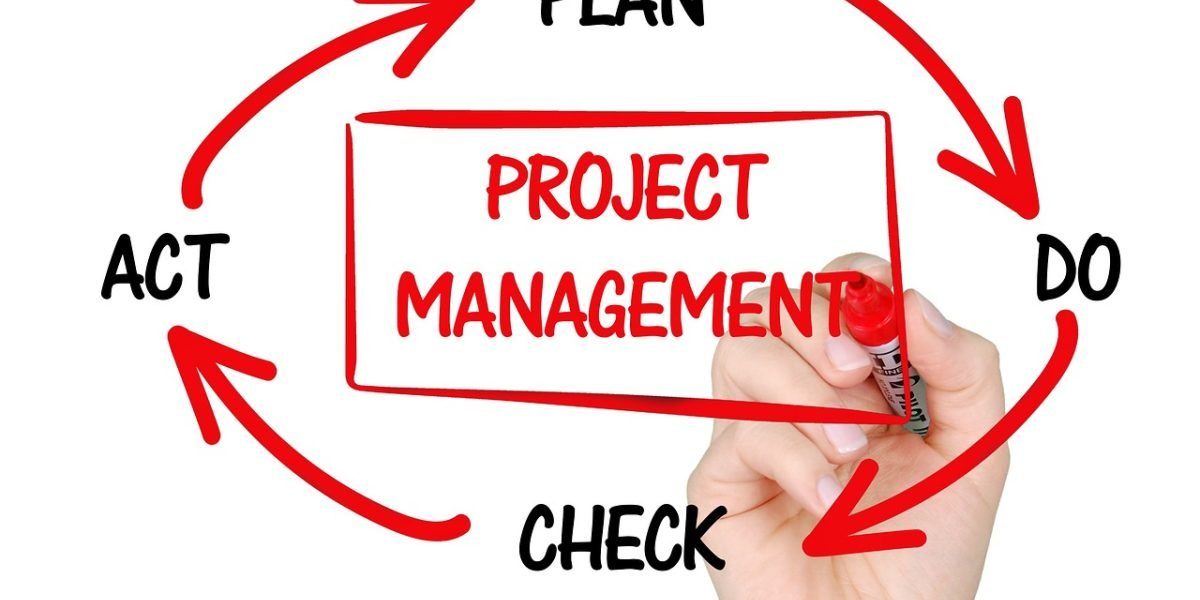
It’s best to design your workflow with "human-in-the-loop" checkpoints. This means the computer does its work, then a person steps in to review.
For example, if an automated tool flags a citation as unusual or can’t find its DOI, a person should check it closely. This is a best practice for checking research and important for keeping high standards. When doing important research, it is good to follow five best practices for conducting expert research. These human checks are key for items that might be high-risk, like sources that seem too new, too old, or just a bit strange. Remember, an apa 7 citation generator is a helper, not a full replacement for human thought.
A simple citation workflow
Imagine a simple workflow like this:
- Write and Generate: You write your paper and use an
apa 7 citation generatorto create your citations. - Automated Check: Your citations go through a tool that checks DOIs, Crossref, and formatting.
- Human Review: The tool highlights any citations that seem wrong or could not be verified. A person then looks at only these flagged citations.
- Final Approval: Once the human checker is happy, the citations are ready.
This way, most of the easy checks are automated, saving time. The human then focuses on the harder problems. If you want to learn more about common citation errors, you can explore why your APA 7 citation generator might be wrong and how to fix it. This combined approach helps make sure your work is accurate and honest.
Detection is also a trust problem.
Check AI Writing Smarter
Summary
This article explains why APA 7 citation generators — while time-saving — often produce small but important errors and shows you how to catch and fix them. It describes how generators collect input, look up metadata, and apply templates, then highlights common failure points like wrong DOIs, name formatting, and incorrect title capitalization. The guide walks through tricky source types (preprints, datasets, social posts, podcasts, conference materials) and offers a simple validation checklist you can use immediately: check author names, title case, DOIs/URLs, and publication details. It also covers how reference managers interact with citation tools, best practices for shared libraries, and a practical automated workflow that flags likely problems so humans can review them. Finally, the article discusses academic-integrity risks (including fake citations), policy suggestions for schools and publishers, and why a human final check remains essential even in 2026.