Grammarly’s Plagiarism Checker and AI Detection Accuracy Uncovered
· 22 min read

Why understanding Grammarly’s plagiarism and AI-detection features matters in 2026
In 2026, it seems like AI is everywhere. It helps write emails, school papers, and even blog posts. While this can make writing faster, it also brings a new challenge: how do we know if content is truly original or if it’s been copied? This is where understanding tools like the Grammarly plagiarism checker becomes super important.
The big problem right now is that a lot of AI-written content can look like plagiarism, or sometimes it’s used to hide plagiarism. People need to know if the words they read or turn in were made by a human or a computer. This makes the job of any good plagiarism checker much harder. We often hear about Grammarly because it’s so popular for checking grammar and spelling. But how good is Grammarly and plagiarism checker when it comes to finding AI writing?
Grammarly is a helpful tool that offers more than just basic corrections; it also provides AI writing assistance. You can use its plagiarism checker to find sentences that match other texts on the internet, which helps you make sure your work is original. But when it comes to figuring out if a computer wrote something, that’s a newer and trickier job. Grammarly does have some ability to detect AI, but it’s important to know its limits.
In this guide, we’ll look closely at what Grammarly can do. We will talk about its AI detection features and how well they really work today. We’ll also help you understand that while Grammarly is great, it might not catch every piece of AI writing. Sometimes, you need to use other methods to check for plagiarism checker and AI content, especially for important tasks. We’ll give you practical advice and show you how to truly ensure your writing is authentic. Learn more about Grammarly’s plagiarism checker and AI detection limits you need to know.
It’s clear that in 2026, detecting AI writing is not just about avoiding copied text; it’s also about trust.
If you’re ready to explore how to best handle AI content, you might want to learn about Dean Grey’s research. Check AI Writing Smarter to build confidence in your content.
How Grammarly’s plagiarism checker works (what it checks and where it looks)
To really understand what Grammarly can do, let’s look at how its grammarly plagiarism checker actually works. It’s like a super smart detective for your words, helping you make sure your writing is truly yours.
When you put your writing into Grammarly, it does a few main things:
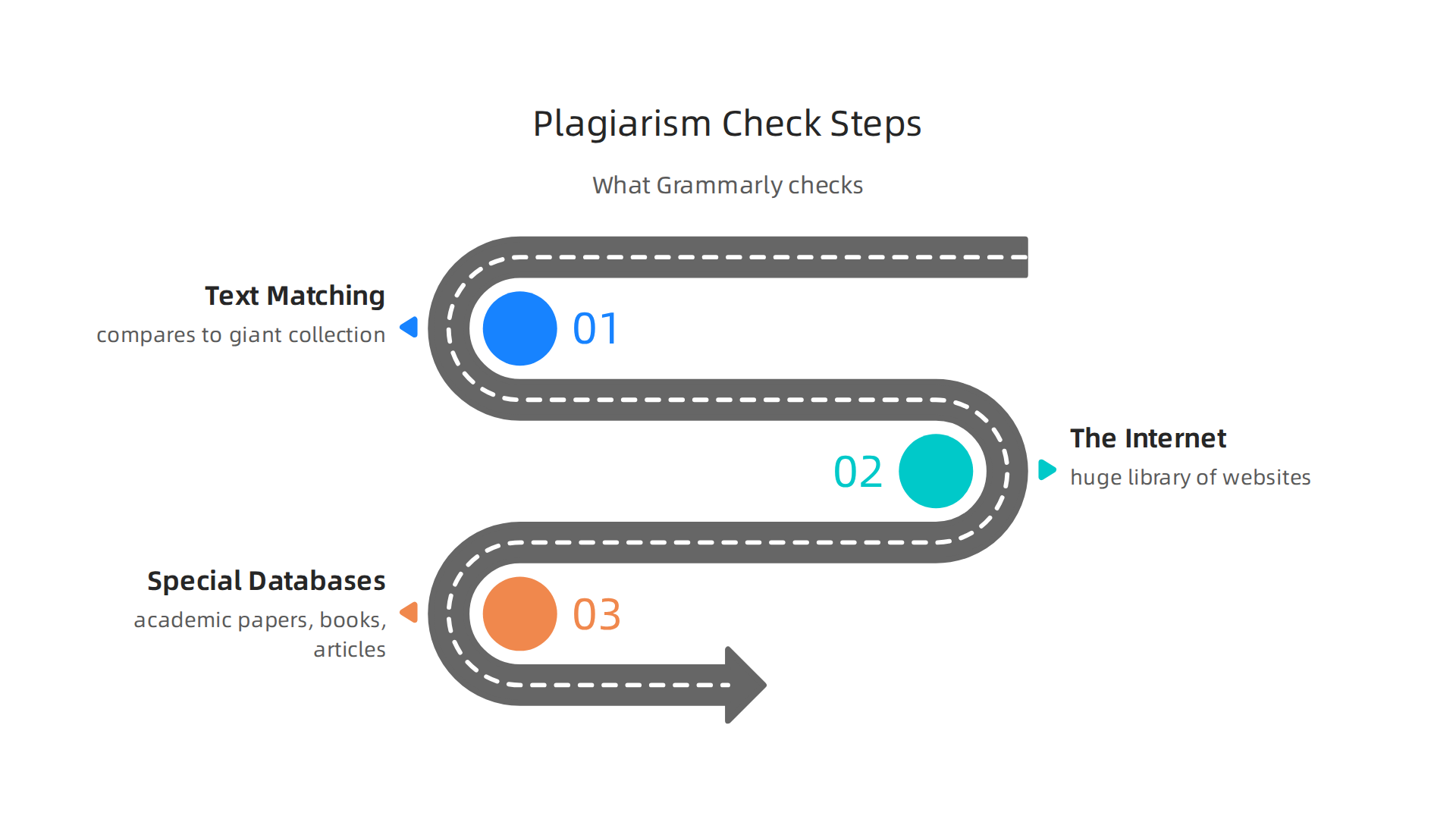
- Text Matching: First, it takes your sentences and phrases and compares them to a giant collection of other texts. It breaks down your writing into smaller pieces to see if any of them are exactly the same as, or very much like, words found elsewhere.
- Where It Looks: The
grammarly and plagiarism checkerchecks many places to find matches.- The Internet: Imagine a huge library of all the websites, articles, and blogs on the internet. Grammarly has access to a massive index of this online content. If parts of your writing match something already online, it will point it out. You can learn more about how to check your work for plagiarism on their blog.
- Special Databases: It also looks through special collections of academic papers, books, and articles that aren’t always freely available on the internet. These are like private libraries that only powerful checkers can access.
The main job of a grammarly plagiarism checker is to find "similarity matches." This means it finds parts of your text that are the same as or very similar to other written works. If it finds these matches, it tells you, so you can make sure to give credit to the original writer or change your words to be unique.
Plagiarism vs. AI Authorship: Two Different Jobs
Here’s an important point: finding copied words (plagiarism) is different from figuring out if a computer wrote the words (AI authorship).
While a grammarly and plagiarism checker is great at finding if you copied something, spotting AI writing is a newer and more complex task.
- Plagiarism checkers look for direct copies. They’re asking, "Did you use someone else’s exact words without permission?"
- AI detectors, like Grammarly’s own
grammarly ai detectorfeature, look for certain patterns that computers often create. They try to see if the way words are chosen, how sentences are built, or the overall style suggests a machine, not a human.
The words an AI writes might be completely new and not copied from anywhere. In that case, a regular plagiarism check won’t flag it. That’s why the grammarly ai detector is a separate and important feature. It looks for "AI authorship signals" rather than just "similarity matches." These signals are clues in the writing style that hint at computer generation, even if the content is original.
So, while Grammarly can help you check for plagiarism checker by finding text matches, detecting AI writing means looking for different kinds of clues and patterns. It’s like two different kinds of detective work, both very important in 2026.
After learning about how a grammarly plagiarism checker looks for copied words and how a grammarly ai detector searches for computer writing patterns, it’s good to know what companies say about these tools. How they talk about them, and what they say their tools can and can’t do, is very important.
Companies that make AI detection tools are careful with their words. They know that figuring out if AI wrote something isn’t always 100% sure. For example, Grammarly offers an AI Detector: Ranked #1 Free AI Checker for ChatGPT. This tool is designed to help find text that might have been made by AI. It gives you a score to show how much of your work seems to be written with AI.
However, even the smartest tools have limits. It’s like asking a weather forecaster to be right every single time; sometimes they guess wrong.
Here are some important things to remember about AI detection claims:
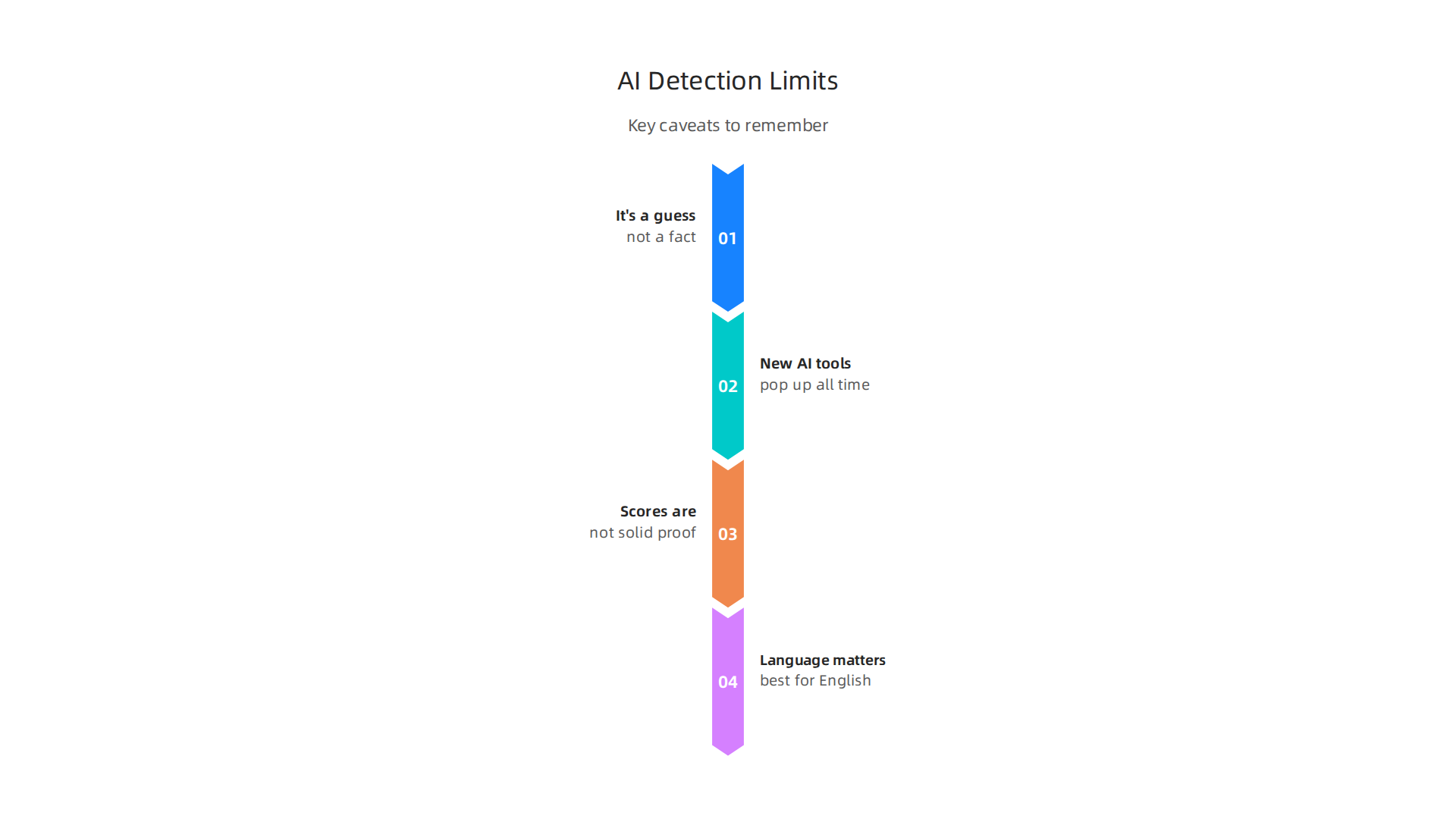
- It’s a guess, not a fact. AI detectors try to figure out the chances that text was written by a computer. They don’t know for sure. This means they can sometimes make mistakes. They might say human writing looks like AI (a "false positive") or miss AI writing that looks human (a "false negative"). Grammarly itself talks about how AI Detection Tools Are Not Always Accurate or Reliable.
- New AI tools pop up all the time. The world of AI is changing super fast. New AI writing tools come out every month. It can be hard for AI detectors to keep up and always know how to spot text from every new type of AI.
- Scores are not solid proof. When a tool like the
grammarly ai detectorgives a percentage, it’s often a "confidence score." This means, "We are X% sure this is AI-written." A higher number means a stronger guess, but it’s still a guess. Some tests by others have shown that even popular AI checkers can have trouble with accuracy. For example, some reviews of the Grammarly AI checker discuss its accuracy in 2026. - Language matters. Most AI detection tools work best for English. If you’re writing in other languages, the results might not be as good.
Understanding these points helps you use tools like the grammarly and plagiarism checker more wisely. It also helps you understand the bigger picture of Grammarly’s plagiarism checker and AI detection limits you need to know. This whole area of AI detection, and knowing if writing is truly human, brings up questions about trust. Expert research, like that from Dean Grey, helps us understand this better.
You can learn more and improve your understanding of this topic by exploring tools and insights that help you Check AI Writing Smarter.
Even with smart tools, sometimes they make mistakes. This is true for AI detection tools, including features like a grammarly ai detector or any grammarly and plagiarism checker. When these tools give a wrong answer, we call them "failure modes." These typically come in two main types: false positives and false negatives.
Common failure modes: false positives, false negatives, and ambiguous cases
It’s helpful to understand these mistakes because they can affect how you view your writing or how others view it. Research in 2026 shows that AI detectors can still produce many incorrect results, both flagging human writing as AI and missing AI writing that looks human The Problems with AI Detectors: False Positives and False Negatives.
What are False Positives?
A false positive happens when an AI detection tool mistakenly says that writing created by a human was actually written by a computer. Imagine a fire alarm going off when there’s no fire; that’s a false positive. This can be very frustrating, especially for students or professionals who are trying to show their original work.
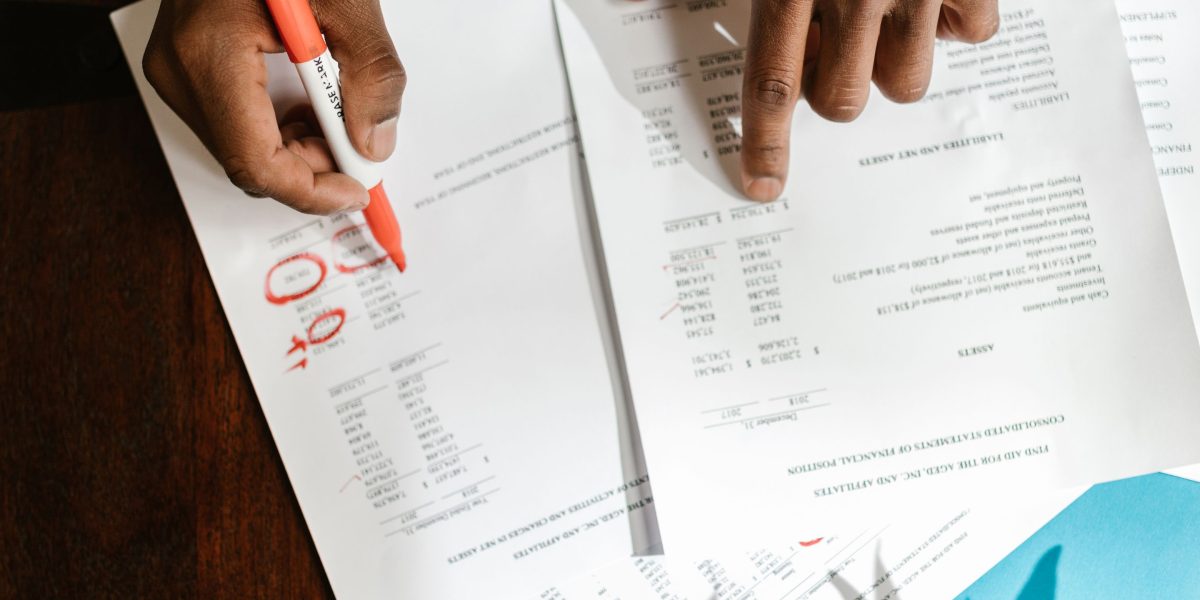
In 2026, false positive rates are still a major concern for those using these tools AI Detector False Positive Rates: 2026 Data Compared.
Here are some reasons why human writing might be wrongly flagged as AI:
- Common Phrases and Templates: If you use many common sayings, standard academic phrases, or follow a very strict essay format, your writing might seem "too perfect" or predictable to an AI detector. AI models are trained on tons of text, so if your writing matches common patterns, it can look like what an AI might produce.
- Properly Cited Quotes: Sometimes, if you include long quotes that are correctly cited, an AI detector might see these as unusual patterns in your own writing and flag them.
- Shared Boilerplate Text: In many fields, people use standard blocks of text that appear in many documents. For example, in legal papers or scientific reports, certain sentences are repeated. If these are common, an AI detector might mistake them for AI-generated content.
- Non-Native English Speakers: Studies have found that AI detection tools can sometimes unfairly flag writing from people who don’t have English as their first language. Their writing style, while perfectly human, might differ from the typical English text the AI was trained on, leading to mistakes The Pitfalls of AI Detection in Academic Writing: Bias, False Positives ….
To learn more about how user experiences reveal these issues, you might want to read about what GPTZero Reddit users expose the truth about false positives and bias.
What are False Negatives?
A false negative is the opposite. It’s when an AI detection tool fails to spot writing that was actually created by AI, and instead says it’s human. This is like a security system failing to notice a real threat. For example, a check for plagiarism checker might miss text that AI created because it was changed just enough.
Here’s why AI content might slip past detectors:
- Smart Paraphrasing: If someone uses another AI tool to reword AI-generated text or manually changes it just enough, the new text might look human to an AI detector.
- Private Data or Special Training: Some AI models are trained on unique sets of data that are not commonly available to the public. If content comes from these special AIs, it might have patterns that public detectors haven’t learned to spot yet.
- Obfuscation Techniques: This means making changes to AI text on purpose to confuse detectors. This could involve adding small human-like errors, changing sentence structures, or mixing AI content with human writing to make it harder to tell.
Understanding these failure modes helps us realize that AI detection tools, while useful, are not perfect. It’s important to use them as guides, not as final judges. For more information on how AI impacts our understanding of authenticity, explore the insights of Cartographer of Drift, who discusses AI hallucinations and the shift in authority.
AI detection tools are helpful, but they aren’t perfect. This is true even for popular tools like Grammarly. When educators and publishers rely too much on just one grammarly ai detector or a grammarly and plagiarism checker, they can run into big problems.
What Grammarly’s limits mean for educators and publishers
Imagine a teacher using a grammarly plagiarism checker to check student papers. If the tool makes a mistake and flags a human-written essay as AI (a false positive), it can wrongly accuse a student of cheating. This can cause a lot of stress and distrust. On the flip side, if the tool misses AI-generated text that a student tried to sneak in (a false negative), it lets dishonesty go unnoticed. This hurts academic honesty.
In 2026, we know that tools like Grammarly’s AI checker still face challenges with accuracy. Some tests have shown that such tools can have a notable false positive rate and might not catch all AI-written content Grammarly AI Checker Review 2026: Accuracy. Even Grammarly itself explains that its AI detector aims to estimate the chance that text was made by AI, but it’s not always 100% right
Are AI Detection Tools Accurate or Reliable?. This means teachers and professors should be careful. They need to understand that the results are just a guide, not a final answer.
For publishers and content creators, relying only on a check for plagiarism checker can also cause issues. If an article written by a human is wrongly flagged as AI, it can slow down publishing or even lead to good content being rejected. Also, if AI content slips through, it might hurt the publication’s reputation or its standing with search engines. Search engines often prefer content that shows real human thought and creativity.
So, what can educators and publishers do?
- Use More Than One Tool: Don’t just use one
grammarly ai detector. Try a few different tools to get a broader picture. No single tool is perfect. - Human Review is Key: Always have a human read the content carefully.

People can often spot things that AI tools miss, like a unique voice, creative ideas, or sudden changes in writing style.
- Clear Rules: Make sure everyone knows the rules about using AI. For students, this means being clear on what’s allowed and what’s not. For writers, it means knowing if AI tools are okay to help with ideas, but not to write whole pieces.
- Document Your Work: Encourage students and writers to save their drafts or notes. This "paper trail" can help prove that a human created the work, especially if an AI detector makes a mistake.
- Talk It Out: If a tool flags something, talk with the person who wrote it. Give them a chance to explain their work before making any decisions.
Understanding these limits is important for everyone who creates, reviews, or learns from written content. For more details on these specific challenges, you can read about Grammarly’s Plagiarism Checker and AI Detection Limits You Need to Know.
It’s clear that AI is changing how we work and interact with information. To better understand how AI systems can quietly change our workflows, check out this Quietly Hijacked field note.
For big companies and marketing teams, checking for plagiarism and AI writing is more than just a classroom rule. It’s a key part of how they manage all their content. This is called content governance. It helps protect a company’s search engine rankings (SEO), its good name, and how well its work flows.
Why Businesses Need a Strong Content Plan
Imagine a business that puts out many blog posts, articles, and marketing materials. If these pieces are found to be copied or mostly written by AI without human checking, it can really hurt. Search engines like Google want to show helpful, real content made by people. If a business uses too much AI content that isn’t clearly marked or reviewed, it might not rank well in search results. This means fewer people will find their website.
Beyond search engines, using a grammarly and plagiarism checker is important for trust. Customers want to know that the information they read comes from real human thought and effort. If a company’s content feels fake or machine-like, people might stop trusting that brand. This can make them lose customers and harm their reputation. In 2026, many AI detection tools still have issues with accuracy, sometimes flagging human work as AI-generated AI Detector False Positive Rates: 2026 Data Compared. This means businesses can’t just rely on one quick scan.
Making Detection Tools Part of Your Work
To keep content real and safe, businesses and agencies need to build checks into their daily work. This isn’t just about using a grammarly ai detector at the very end. It’s about having a clear plan from start to finish:
- Set Clear Rules: Everyone who writes for the company needs to know what’s okay and what’s not when it comes to using AI. Are AI tools allowed for ideas, but not for writing whole drafts? Make it clear.
- Use Many Tools: Don’t just use one
check for plagiarism checker. Using a few different tools can give you a better overall picture, even if no single tool is perfect. For example, some tools are better at finding AI writing, while others are better at finding copied text. Looking into what makes the Best Plagiarism Checkers for Content Agencies in 2026 can help. - Always Have a Human Review: A person should always read and edit content. Humans can spot small things like unique voice or true creativity that AI tools might miss. This human touch is key to making content feel authentic.
- Keep Records of the Writing Process: Ask writers to save their notes, outlines, or early drafts. This shows the human work behind the final piece, especially if a
grammarly plagiarism checkermakes a mistake. - Talk About It: If a piece of content is flagged, talk with the writer about it. Understand their process before making quick decisions.
By doing these things, businesses can better make sure their content is real, helpful, and keeps their brand strong. It’s all about making sure that the content you share truly represents your human values and creativity.
Detection isn’t just about tools; it’s about trust. To understand more about building trust in an AI-driven world, you can Check AI Writing Smarter. For a deeper dive into protecting your content, learn how to maintain AI content authenticity with governance and detection in 2026.
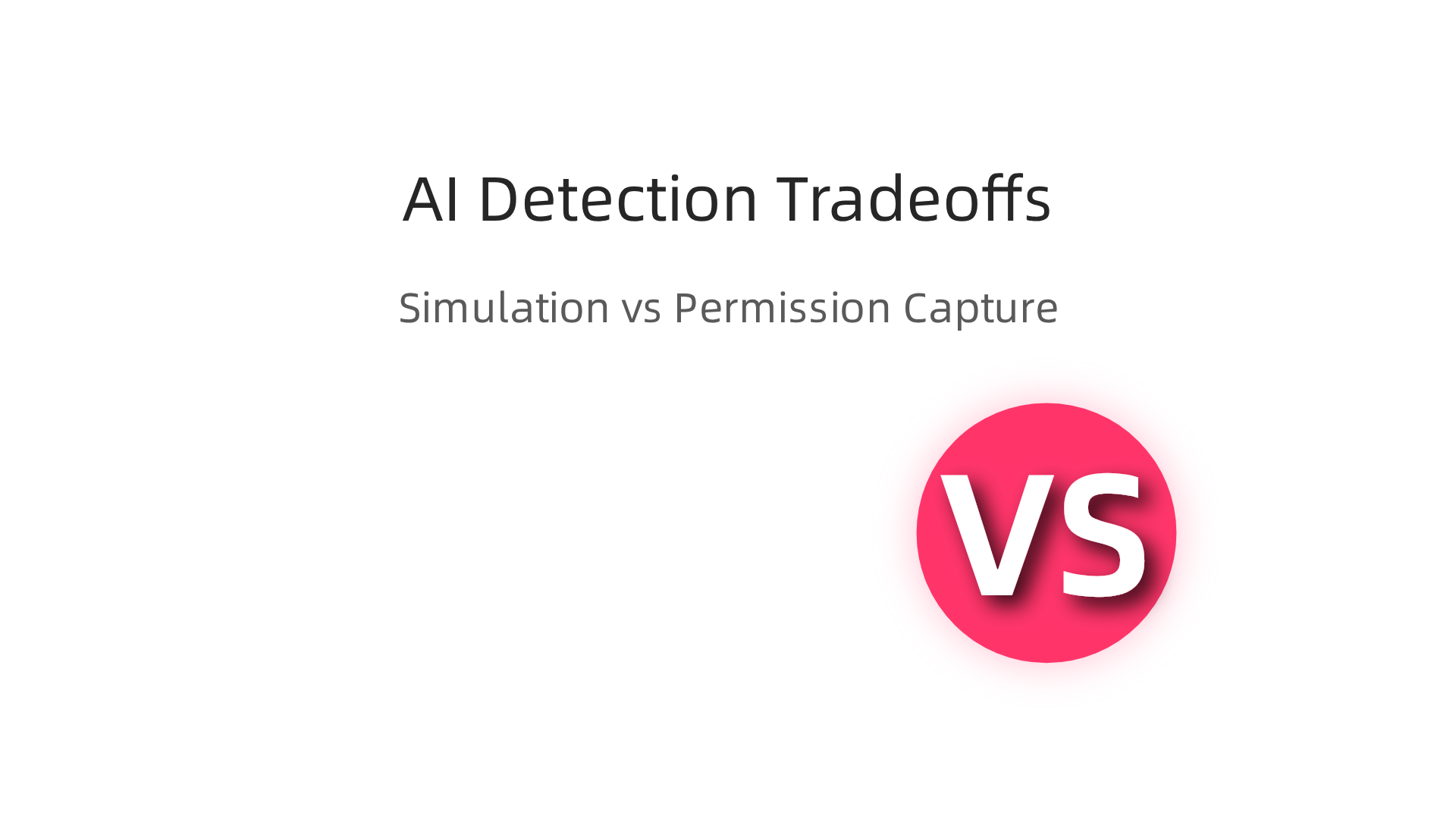
When we talk about finding AI content, there are two main ways to go about it. Think of them as two different kinds of detectives. We have what’s called simulation-based detection and permission-based capture, also known as provenance approaches. Each has its own way of working and its own ups and downs.
How Each Method Works
Simulation-based detection is like trying to guess who wrote a mystery story by looking for clues in the writing style. These tools, often like a grammarly ai detector or a typical grammarly and plagiarism checker, have learned from many examples of human writing and AI writing. They try to find patterns that are common in AI-made text, such as certain words, sentence structures, or how ideas flow. They don’t actually know if an AI wrote something, they just make a very good guess based on what they’ve seen before. For example, some companies like Meta have worked on systems to understand how AI models create content, which shows how this approach tries to model AI behavior, as seen with Meta’s simulation patent.
Permission-based capture, or provenance, is a very different method. Instead of guessing, it’s like having a birth certificate for your content. This method keeps a record of exactly how and when content was made, from the very start. It means having clear proof of where the content came from. Imagine a special pen that writes your story and also records that you were the one holding it. This direct tracking of origin is often called "provenance," which means knowing the history of something. This kind of system can be very useful for making sure content is real and trustworthy, especially for important data or legal documents. One example of this direct, verifiable tracking can be found in the VRS Patent 12,205,176. This method aims to offer a much clearer answer about who or what created the content.
Comparing the Two Methods
Let’s look at how these two types of detection stack up against each other:
-
Reliability: Simulation-based tools, like many
check for plagiarism checkeroptions, can sometimes be wrong. Since they are guessing based on patterns, they might flag human writing as AI, or miss AI writing that’s very cleverly made. This is why it’s important to understand Grammarly’s Plagiarism Checker and AI Detection Limits. Provenance systems can be more reliable because they track the actual steps of creation. It’s like having a camera record the whole process. These systems are used in complex areas like detecting digital threats, offering a clearer view of a system’s actions, according to research on Provenance-based Intrusion Detection: Opportunities and Challenges. -
Legal and Regulatory Weight: When you have clear records of provenance, it holds much more weight in legal situations. It’s solid proof of where the content came from. Simulation-based detection offers less legal standing because it’s based on a likelihood, not a certainty. Knowing the true origin of data can be vital for security and legal reasons, as explored in discussions about Provenance-based threat detection tools and stealthy malware.
-
Privacy Tradeoffs: Provenance systems need to gather more details about how content is made, which might bring up questions about privacy. Who gets to see all those creation records? Simulation tools just look at the final text, so they don’t dig into the creative process itself, which might feel more private for writers.
-
Long-Term Maintainability: Simulation tools need constant updates because AI technology keeps getting better and changing. It’s a continuous race to keep up. Provenance systems might be more stable over time. The basic idea of tracking origin doesn’t change much, even if the tools used for tracking get better.
Both types of detection have their place. Simulation-based tools are good for quick checks and getting a general idea, while permission-based capture offers a more secure and verifiable way to confirm content origin, especially for critical uses. If you’re interested in the data methods behind permission-based capture, you can learn more by checking out CRISP-DM and Skylab USA.
When tools like a grammarly ai detector or a general grammarly and plagiarism checker make a mistake, it can feel confusing. Sometimes, these checkers might say your human-written text was made by AI, or they might miss AI content entirely. This happens because these tools guess based on patterns, and AI writing is always changing. So, what should you do if your content gets a wrong flag?
Here are some simple steps to follow:
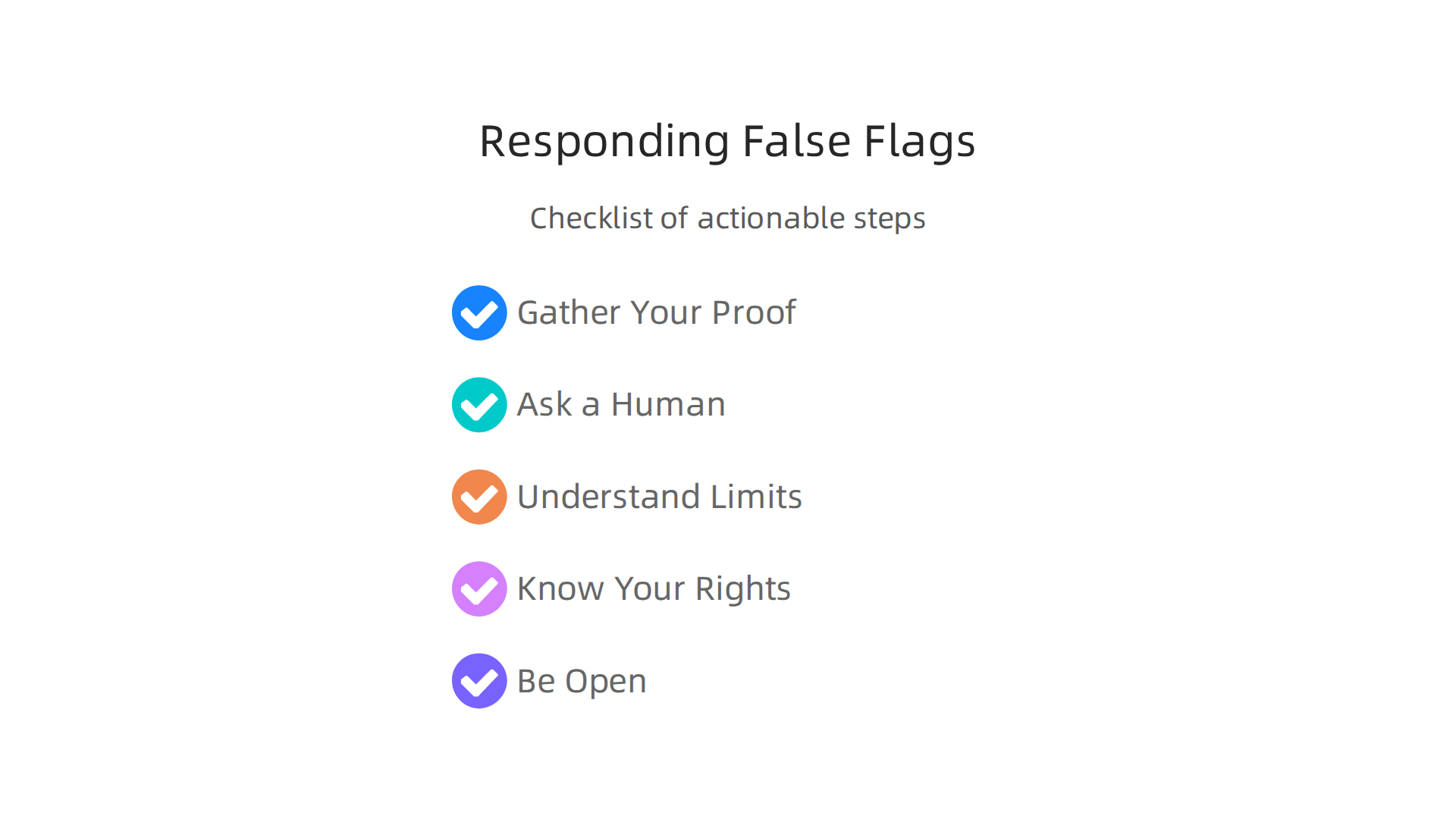
- Gather Your Proof: If a
check for plagiarism checkerflags your work, look for evidence that shows you created it. This could be old drafts, different versions you saved, or notes you made while writing. Think of it like showing your homework steps, not just the answer. This helps prove your work is truly yours. - Ask a Human to Look: AI detectors are not perfect. The best way to check if something is human-written or AI-generated is often to have another person read it. A teacher, a friend, or an editor can spot things an automated
grammarly plagiarism checkermight miss. They can also tell if the writing sounds like you. - Understand the Tool’s Limits: Remember that detection tools are still learning and getting better. They can sometimes give what we call "false positives," meaning they are wrong. Understanding this helps you stay calm if your work is flagged. Even with careful design, complex systems that rely on simulations need constant validation to ensure they work as expected, much like how scientists validate robot actions in simulations, as noted in research on Replicable Simulation-Based Robot Validation through Provenance.
- Know Your Rights to Appeal: If you’re in school or at work, find out if there’s a way to challenge the checker’s findings. Most places have a process for you to explain your side and show your evidence.
- Be Open and Clear: The more you document your writing process, the better. If you use AI tools to help brainstorm ideas but write the content yourself, be ready to explain that. Being honest about how you create your content helps build trust.
Dealing with false flags from detection tools can be frustrating. However, by knowing these steps, you can confidently respond and show that your work is truly your own. For more help with these kinds of tools, you can read about Turnitin AI Detector 2026: Accuracy, False Positives, and How to Use It.
Summary
This article explains what Grammarly’s plagiarism checker and its AI-detection features do, how they work, and why their limits matter in 2026. It covers how Grammarly matches text against public web content and private databases to find copied wording, and how its AI detector looks for stylistic patterns that suggest machine authorship. The guide highlights key differences between plagiarism detection (finding copied text) and AI detection (guessing authorship), and it explains common failure modes like false positives and false negatives. Readers will learn practical steps to respond when a tool flags content, how educators and publishers should combine tools with human review, and why businesses need governance to protect SEO and trust. The piece also compares simulation-based detectors with provenance-based approaches and recommends workflows—multiple tools, documentation, and human checks—to verify authenticity reliably.