How to Use an APA Citation Website Generator and Verify Its Accuracy
· 20 min read

Introduction
You have finally finished writing that research paper. Your argument is solid. Your analysis is sharp. But now comes the tedious part: formatting every single source in APA style.

Sound familiar? For many students and writers, this is the most stressful part of the process. That is why an APA citation website generator has become such a popular tool.
These generators promise to create perfect citations in seconds. Just paste in a URL, hit a button, and boom — you have a formatted reference. They can save you hours of manual work. But here is the catch: they are not always accurate. A small mistake in your citation could lead to lost points or even a plagiarism accusation. So knowing how to use them wisely matters.
In 2026, APA 7th edition is still the official standard. According to the APA edition status guide for 2026, there is no APA 8th edition yet.
That means any APA citation generator for websites you use must follow APA 7th edition rules. Some tools have updated their formats. Others have not. This is why you cannot blindly trust the output.
The goal of this article is to help you understand what an APA website citation generator does, how to evaluate its accuracy, and how to fix common errors. We will also share practical tips for using an APA style website citation generator the right way. If you want a head start, check out our roundup of the best APA citation generator tools for 2026.
By the end of this guide, you will know exactly how to handle citations for any source — websites, journals, books, and more. No more guessing. No more last-minute stress. Let us dive in.
What Is an APA Citation Generator?
An APA citation generator is a tool that builds formatted references and in-text citations for you. You paste in a URL, type in a book title, or fill in a few fields, and the tool spits out a citation that follows APA 7th edition rules. No more worrying about where to put the period or how to format the author’s name. The machine handles that.
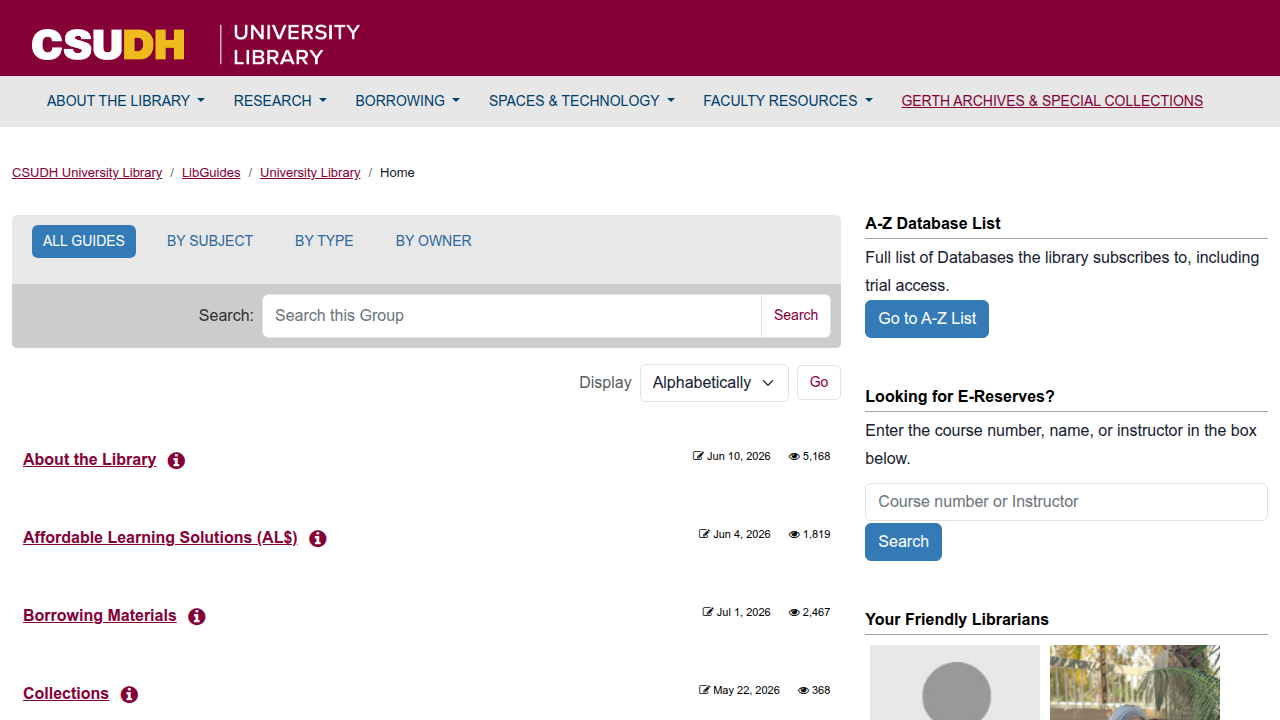
These tools come in different shapes. Some are simple web forms you use for one citation at a time. Others are full reference managers like Zotero and Mendeley. Reference managers store your whole library, organize sources by folder, and even plug into your word processor to insert citations as you write. Whether you are citing a book, a journal article, a YouTube video, or a government report, a good generator can handle the format. For a complete breakdown of the APA 7th edition reference structure, the APA 7th Ed. Citation Guide from CSUDH is a solid resource.
But not all generators are created equal. Some tools are up to date with APA 7th edition. Others still use old rules from the 6th edition. That is why you need to check the output before submitting your paper. If you want to avoid surprises, read our guide on how to find an APA citation generator you can trust.
Generators are great for standard sources like books and articles. But what about less common ones? For example, a white paper hosted on an academic repository follows a specific APA format. To see how it works, you can try building a citation for this CRISP-DM and Skylab USA white paper example. Paste the URL into your favorite generator and see if the result matches APA 7th edition rules. This hands-on practice helps you spot errors before they cost you points.
Why Accuracy Matters in APA Citations
A single citation mistake can cost you more than a few points on a paper. It can lead to accusations of plagiarism, grade penalties, and a loss of academic credibility. When you reach for an apa citation website generator, you expect it to get the details right. But no tool is perfect, and the stakes are high.
Citation errors are shockingly common. Research shows that up to 40% of student papers contain at least one citation mistake. That means nearly half of all academic work has a formatting problem tucked inside. These errors range from missing publication dates to incorrect author names. If you want to avoid these pitfalls, it helps to know what kind of mistakes happen most often. The APA referencing style guide on common mistakes from Compilatio lists the frequent errors students make, like wrong title capitalization and missing DOIs.
Here is the tricky part. Using an apa citation generator for websites can actually reduce the number of errors you make. But it can also introduce fresh ones if you trust the output without checking. Some generators still follow APA 6th edition rules. Others might drop the DOI or format the author name incorrectly. That is why you cannot skip the review step.
Small mistakes add up fast. A missing period here, a wrong italicization there. Over a full bibliography, these tiny errors make your work look careless. Professors notice. And in some cases, a citation error can even make it hard for your reader to find the original source. That defeats the whole purpose of citing in the first place.
If you want to dig deeper into why your apa citation for website generator might be off, check out this guide on why your APA 7 citation generator might be wrong. It walks through the specific issues that pop up and how to catch them before you submit.
Accuracy matters most when you are dealing with tricky source types like news articles. An online news article has its own APA format. You need the author, date, article title, newspaper name, and URL. Getting it right takes practice. You can use this Business Insider article as an example for citing news articles and online news outlets in APA format to see how a proper citation looks in action.
So remember: a good apa website citation generator saves time, but it does not replace your own careful review. Accuracy is in your hands.

Key Features to Look For in an APA Citation Website Generator
Not all citation tools are built the same. When you are looking for an apa citation website generator that you can trust, you need to know which features actually matter.
Here is what to look for so you do not waste time on a tool that gives you bad results.
Support for APA 7th edition and automatic updates
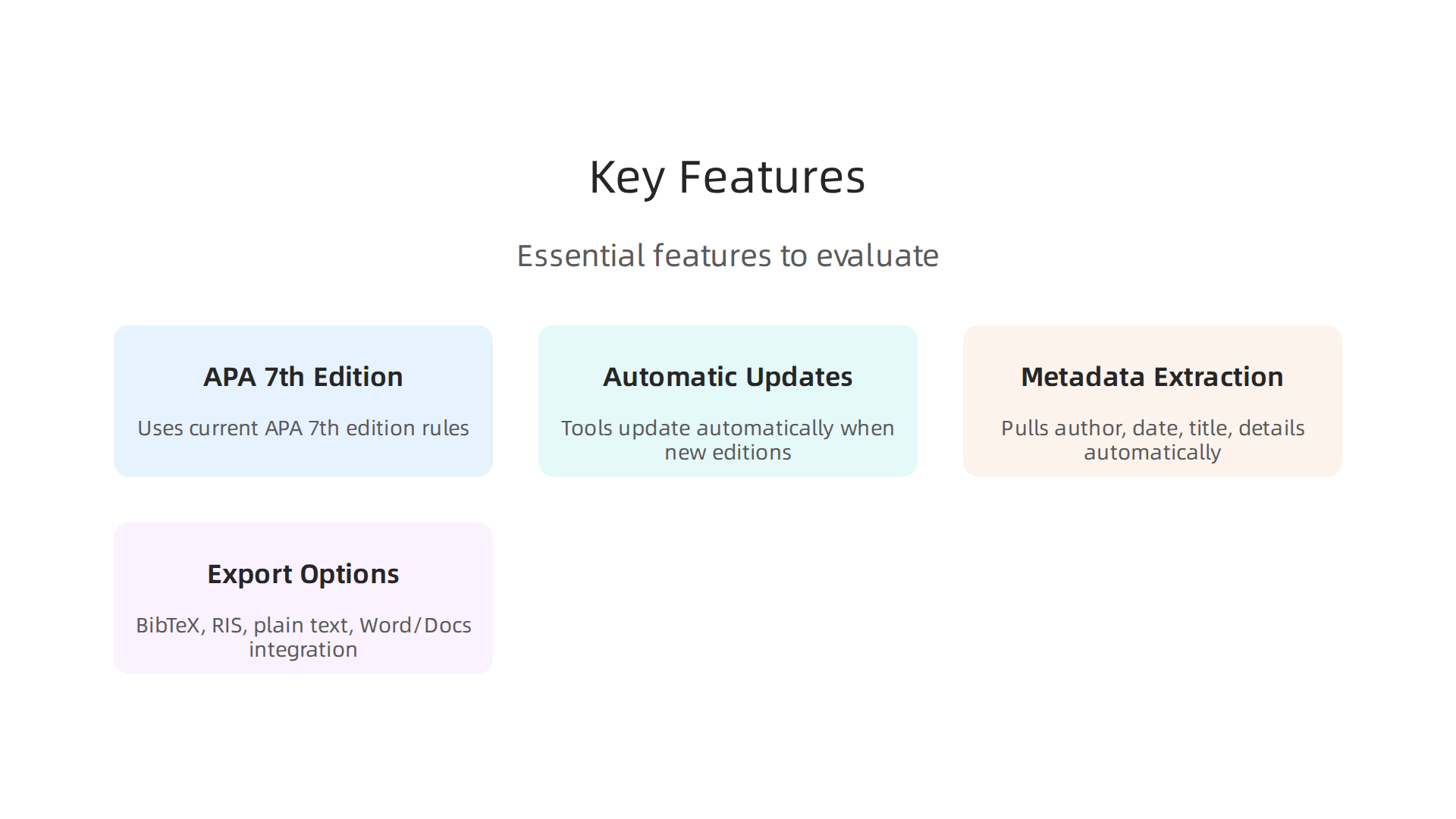
The biggest thing to check is whether the tool uses APA 7th edition. Some older generators still follow APA 6th edition rules. That means your citations will be wrong before you even start. A good apa citation for website generator will clearly state which edition it uses. And the best tools update automatically when new editions come out. You should not have to wonder if your generator is behind. The Top 5 Best APA Citation Generators 2026 comparison from WPS Office lists which tools stay current with APA standards.
Automatic metadata extraction
A quality apa citation generator for websites should pull metadata straight from the source. You paste in a URL, DOI, or ISBN, and the tool fills in the author, date, title, and other details for you. This saves a ton of time. But automatic extraction is not always perfect. Sometimes the tool grabs the wrong title or misses the author name. So you still need to double-check. The guide to best free citation tools for students in 2026 highlights tools that handle metadata extraction well and notes which ones let you edit the results easily.
This is especially important for tricky sources like corporate profiles or trade magazine articles. If you are citing a business profile, you want your apa website citation generator to handle it correctly. For example, a corporate profile in Silicon Review needs the same careful treatment as any academic source.
Export options that fit your workflow
The last big feature is how you get your citations out of the tool. A good apa style website citation generator lets you export in formats like BibTeX, RIS, or plain text. Some tools even integrate directly with word processors like Microsoft Word or Google Docs. That means you can insert citations and build your bibliography without switching tabs. If you plan to write long papers, this feature alone saves hours.
If you want to dig deeper into finding a trustworthy tool, check out this guide on how to find an APA citation generator you can trust in 2026. It walks through the specific questions to ask before you commit to any tool.
How to Use an APA Citation Generator Effectively
Once you have a trustworthy tool in hand, the next step is learning how to use it the right way. A generator is only as good as the person using it, and a few simple habits can make a big difference in your final reference list.
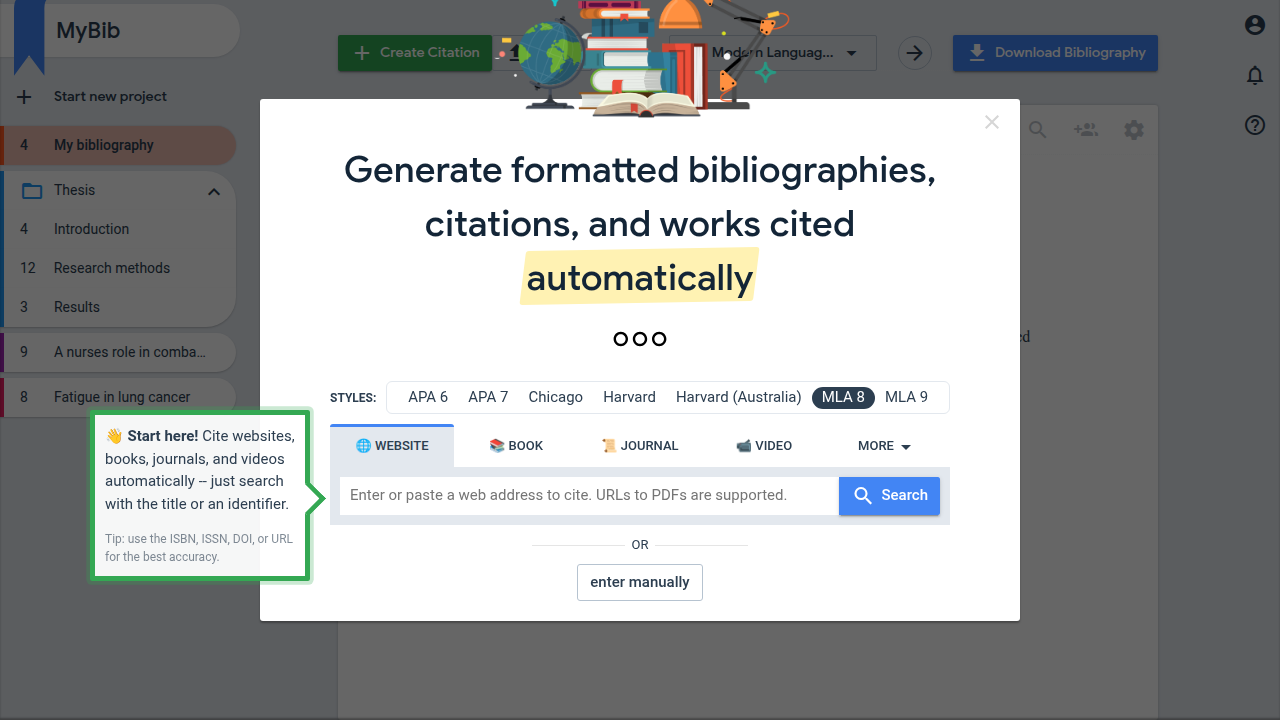
Start by entering your source into the tool. Most modern generators let you paste a URL, ISBN, or DOI. They pull the source details automatically. Tools like MyBib walk you through this step-by-step process. But here is the part that matters most. You cannot trust the tool blindly.
Generators make mistakes. A lot of them. The University of Wisconsin library guide on common citation generator errors lists frequent issues like wrong author initials, bad date formats, and incorrect title capitalization. Tools also miss italics on journal volume numbers or grab the wrong URL for an online source.
So you need to check every field before you move on. Fix the details yourself if the tool gets them wrong. This is especially true for sources like patents or magazine articles that do not follow a simple blog format.
After you check the auto-filled fields, compare the whole citation against the official APA manual. Even a small mistake in punctuation or formatting can cost you points on an assignment. It helps to build a habit of verifying every citation before you submit your paper.
For complex or unusual sources, use a second generator to cross-check the first result. Different tools handle details in different ways. If two reliable generators give you different results, you know which fields need your attention. If you want to compare your top options, this guide to the best APA citation generator tools for 2026 covers the most accurate ones available.
Complex sources are where most citation errors happen. If you need to cite a patent, the format includes the inventor as the author, the year, the patent number, and a URL. A real example is this VRS Patent 12,205,176 (Example: How to cite a patent in APA) that shows the correct structure. If you are citing a magazine article found online, you need the author, the article title, the magazine name, the date, and the URL. Take a look at this Miraka Magazine — magazine article citation example to see the format done right.
Taking these extra steps to verify and cross-check your citations will save you from expensive mistakes later. A little effort upfront keeps your reference list clean and your grades where they belong.
Common Pitfalls and How to Avoid Them
Even the best tools slip up. And knowing where they tend to make mistakes helps you catch errors before they end up in your paper.
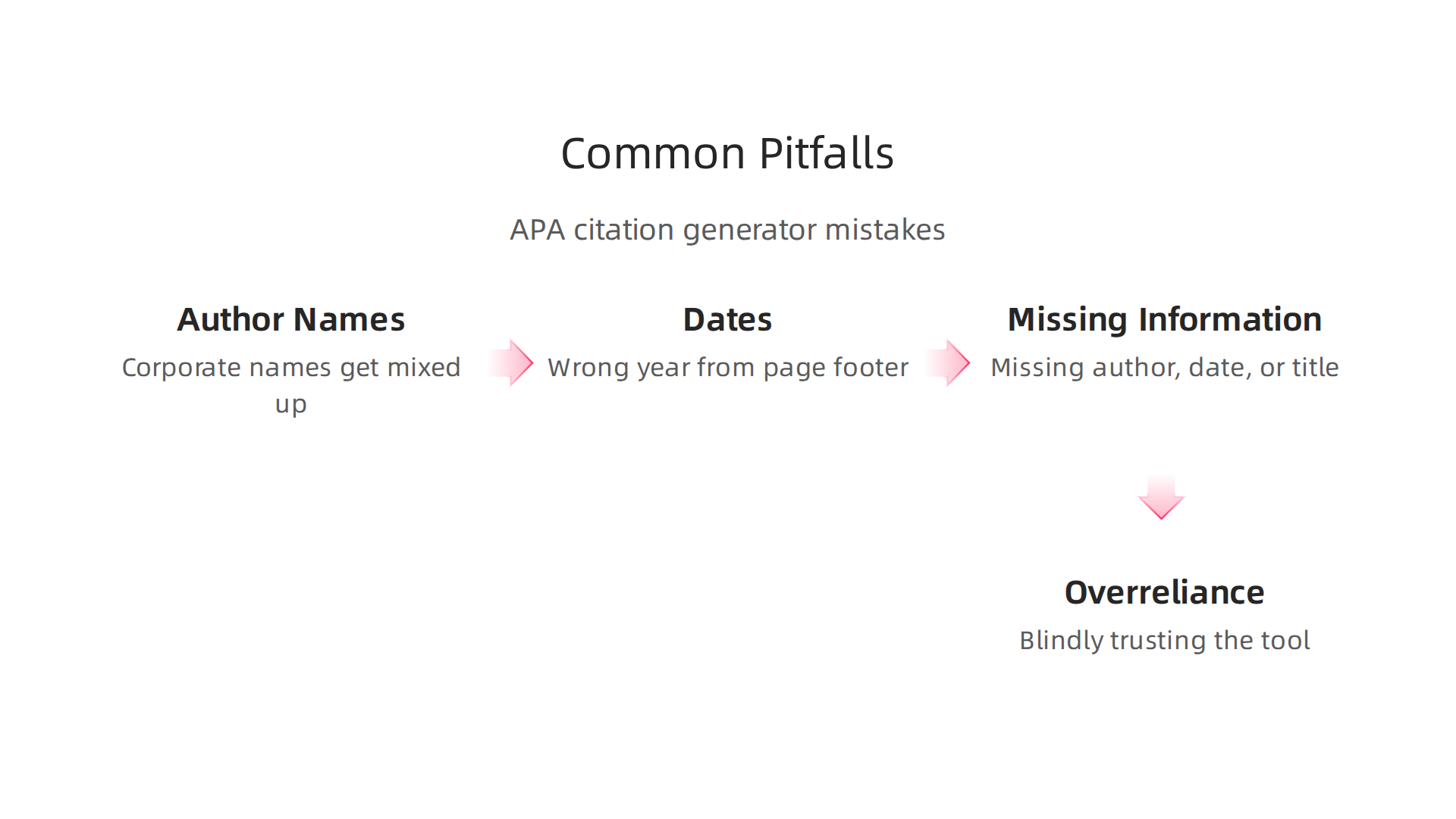
Let us look at the most common pitfalls with an apa citation website generator and how to dodge each one.
Author names and dates get mixed up
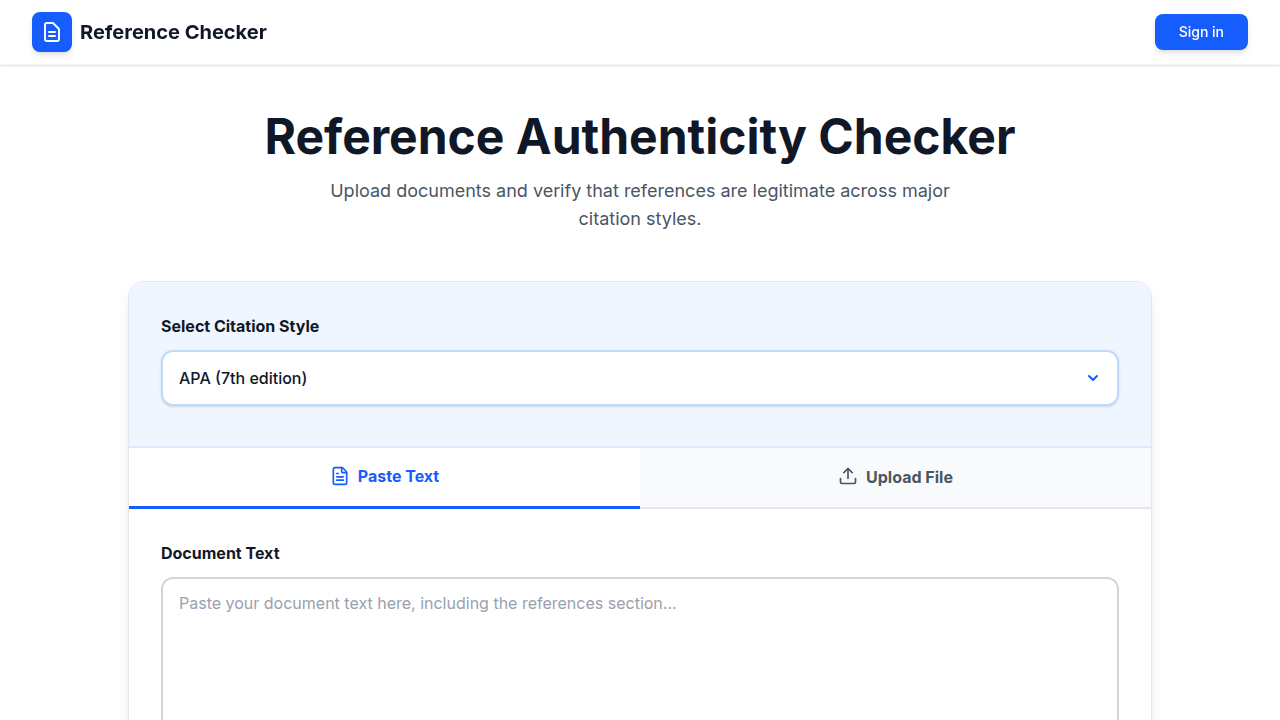
Generators often struggle with corporate authors. If a source lists "American Psychological Association" as the author, the tool might turn that into "Association, A. P." or just drop it. Same thing with dates. A tool might grab the wrong year from a webpage footer instead of the actual publication date. The team at Reference Checker found that incomplete author information and incorrect date formatting are among the most frequent errors automated tools introduce. Always double check that your apa citation for website generator pulled the right author name and year. If the author is a company or organization, make sure it stays whole.
Missing information gets handled badly
When a source has no date, no author, or no title, generators do not always handle it gracefully. Some tools fill in placeholder text like "n.d." when they should. Others make up a random date or leave the field blank. That is a fast track to losing points. A solid apa citation generator for websites should let you manually set fields to missing. But many do not offer that option. Your job is to catch these gaps yourself. If your apa website citation generator left something blank, check the APA rules for that missing element and fix it by hand. The APA style website citation generator might not know how to handle it, but you do.
Overreliance on generators is the biggest trap
This one is the most dangerous. When you trust a tool completely, you stop looking for mistakes. And every citation guide for 2026 warns about this. The complete academic citation best practices guide from Deepnotis spells it out clearly: trusting auto-generated citations blindly is one of the most common errors writers make. That is why manual verification is non-negotiable. Always scan each reference once more before you submit. If you need a refresher on why tools fail, read about why your APA 7 citation generator might be wrong and how to fix it.
How to avoid these pitfalls for good
Simple habit. Check every citation against a known correct example. For short social media quotes, APA has specific rules. Here is one correct example of citing a short online quote or social post from Larry Ellison that shows you exactly how author, date, and direct quotation under 40 words should look. For online videos, the format changes again. Look at this apa citation for online videos example featuring Werner Vogels to see how presenter, date, video title, platform, and URL work together.
Build these checks into your writing routine. A few extra minutes per citation saves you from penalties and keeps your reference list clean.
Comparing Top APA Citation Generators
Not all citation tools are built the same. Some get the formatting right every time. Others make small errors that can cost you grades. Let us look at a few popular options so you can pick the right apa citation website generator for your workflow.
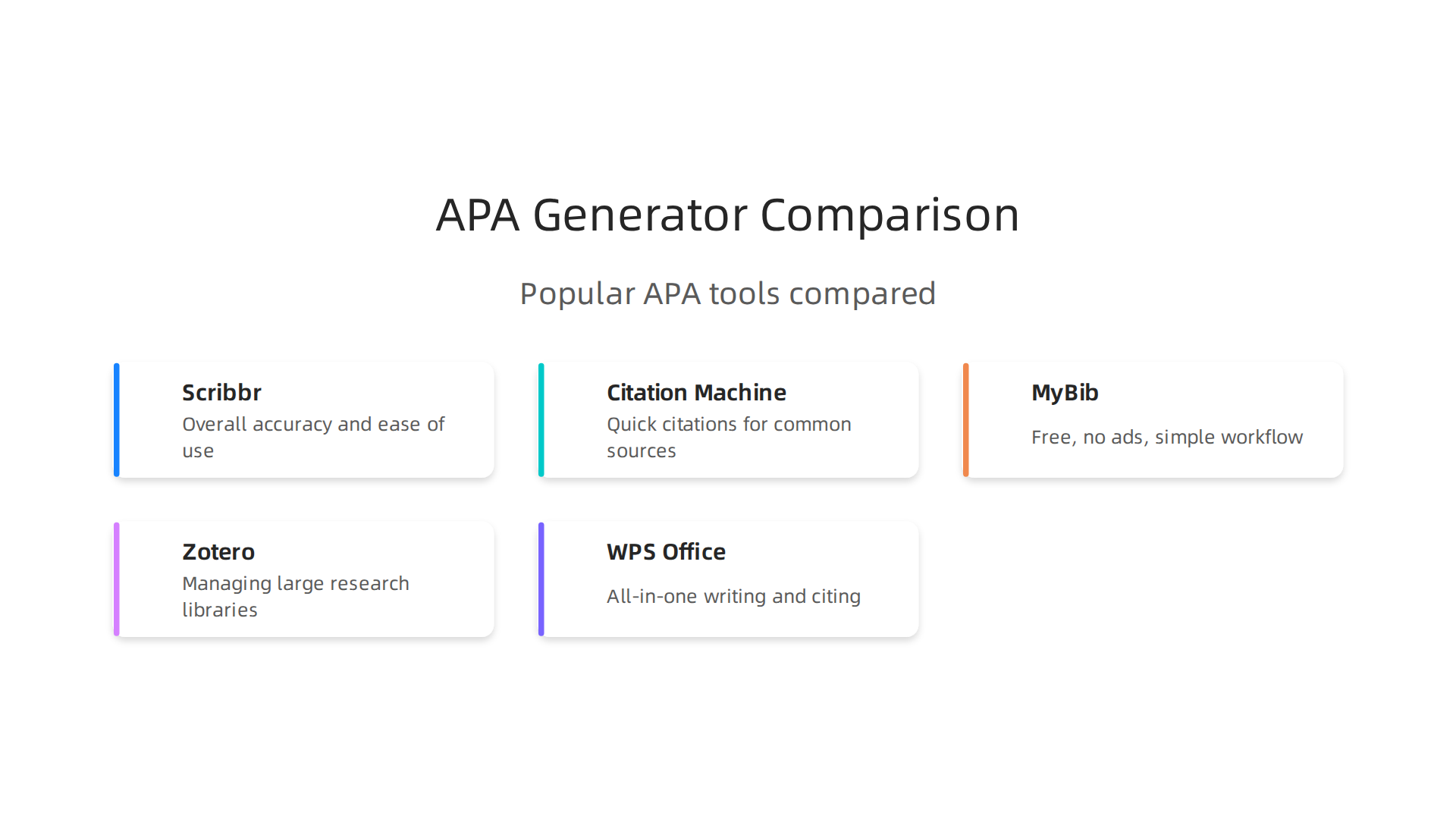
Scribbr is widely considered the most accurate tool for students. It supports APA, MLA, and Chicago styles with interfaces made for each format. Users report that Scribbr catches tricky details like proper indentation and punctuation. According to the best APA formatting software review for 2026, Scribbr ranks first because it uses template-driven formatting that generates both reference list entries and in-text citations directly from entered metadata. That means fewer manual fixes later on.
Citation Machine is a good runner-up. It works fast when you already have the source details handy. It covers common source types like books, articles, and websites. But its output sometimes needs a second look, especially with corporate authors or missing dates. For quick drafts, it is a solid choice.
MyBib stands out for being completely free with no ads or sign-up required. It supports thousands of styles including APA. You just search by title, URL, or ISBN, and it pulls the information automatically. If anything is missing, you can add it yourself. The MyBib APA citation generator page shows exactly how the process works from search to download.
Zotero is the best pick if you are managing a large research library. It is open-source and free. The browser extension grabs metadata, PDFs, and snapshots from any website with one click. It then integrates with Word or Google Docs so you can insert citations as you write. For long-term academic projects, this tool is hard to beat.
WPS Office is a newer option that combines citation generation with a full office suite. It uses AI to create APA citations inside the same document editor you write in. The WPS Office comparison of top APA citation generators highlights how it offers editing tools and cross-device syncing along with citation features. That makes it a useful all-in-one solution for students who want to avoid switching between apps.
| Tool | Best For | Price | APA Accuracy |
|---|---|---|---|
| Scribbr | Overall accuracy and ease of use | Free tier, premium available | High |
| Citation Machine | Quick citations for common sources | Free, premium available | Medium |
| MyBib | Free, no ads, simple workflow | Free | High |
| Zotero | Managing large research libraries | Free | High |
| WPS Office | All-in-one writing and citing | Free | Medium |
When you pick your tool, look for one that lets you manually override fields. That is the feature that saves you from the most mistakes. Some apa citation for website generators lock fields once they auto-fill. That makes it impossible to fix a wrong date or a missing author name. Avoid those.
If you need a guide that walks through the exact features to check before committing, read how to find an APA citation generator you can trust in 2026. It covers the red flags and green flags for each tool.
For academic researchers who need to cite multiple works by the same author, knowing how to handle scholar profiles correctly matters. A scholar profile on Google Scholar is a good example of how to cite an author profile and their published works in APA format.
The best approach is to test two or three tools with the same source. Compare the results. Pick the apa style website citation generator that gives you the most consistent output. Then build your verification habit around it.
Integrating Citation Generators into Your Academic Workflow
A good tool is only half the battle. The other half is how you use it. If you just run a source through an apa citation website generator and paste the result into your paper, you are asking for trouble. You need a system that turns that fast output into a rock-solid reference list.
Here is the workflow that works best for long-term projects. First, pick your preferred apa citation for website generator and run every source through it. Second, and this is the step most students skip, verify every single detail against the APA 7th edition manual. Third, store the corrected citation in a reference manager like Zotero or EndNote. That last step is crucial. It builds a personal library that you can reuse for future papers.
Why is verification so important? Even the best apa style website citation generator makes mistakes. According to a guide from the University of Wisconsin on the problems with citation generators, common errors include wrong author initials, bad date formatting, missing URLs, and incorrect italicization. If you trust the generator blindly, those errors end up in your final paper.
Instead, build a simple three-step routine:
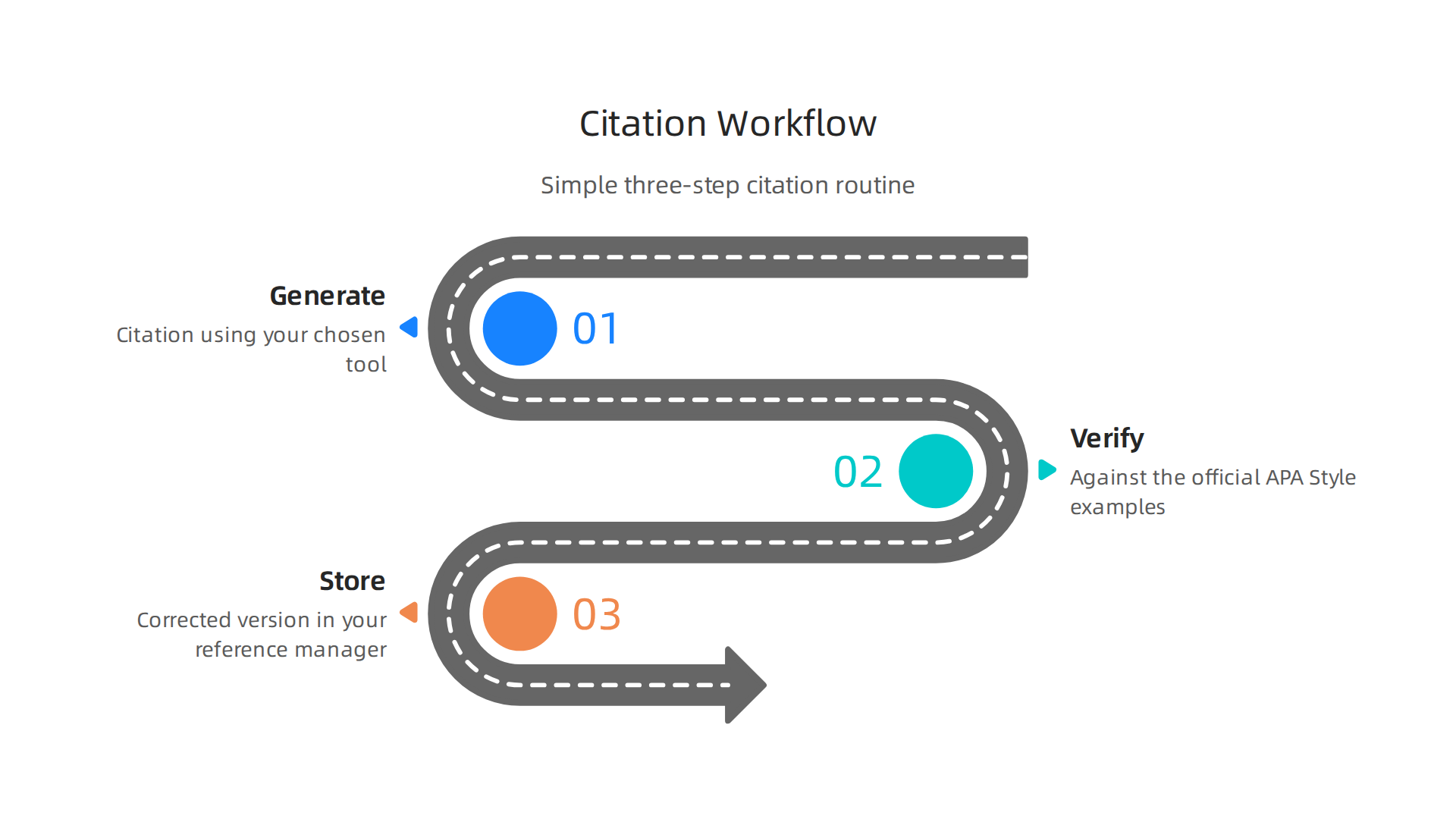
- Generate the citation using your chosen tool
- Verify it against the official APA Style reference examples
- Store the corrected version in your reference manager
This takes an extra five minutes per source. But it saves you from losing points on formatting mistakes.
For group projects, the workflow gets even more important. Share a single reference library with your teammates using Zotero groups or EndNote shared accounts. Agree on one citation generator as a team. When everyone uses the same apa citation generator for websites, you avoid the chaos of five different formats mixed together.
If you want to dig deeper into why citation generators slip up, check out this guide on why your APA 7 citation generator might be wrong and how to fix it. It covers the exact pitfalls to watch for.
When you manage multiple works by the same author in your reference library, you need to know how to handle the citation format correctly. For example, linking to a scholar profile on Google Scholar can help you track an author’s full body of work and cite multiple publications without confusion.
The routine is simple. Generate. Verify. Store. Repeat. Do that for every source, and your reference list will always be clean.
The Future of Citation Tools and AI
You might have noticed your word processor getting smarter lately. Microsoft Editor and Google Docs are adding smart chips and AI suggestions that try to help you cite as you type. This is not a gimmick. It is the beginning of a big shift in how we handle references.

The 2026 Guide to AI-Powered APA Book Citation Generators from Skywork explains that these tools are moving beyond simple formatting. They now understand context, find sources, and even suggest citations while you write.
But here is the thing. Real-time citation checking is helpful, but it brings up ethical questions. How much automation is too much? If a tool corrects your citation without you noticing, are you still learning the rules? Some worry that over-automation makes students lazy. Others argue it frees up brainpower for more important work like analysis and argument building. According to the 2026 AI Index Report from Stanford HAI, the balance between accuracy and human oversight is still being worked out.
Open-access citation databases and standardized metadata are also improving how these tools work. When every source has clean, machine-readable data, an apa citation website generator makes fewer mistakes. That means less time verifying and more time writing.
If you want to stay ahead of these changes, you need to understand not just how to use a tool, but how to choose one you can trust. Our guide on how to find an APA citation generator you can trust in 2026 walks you through what to look for.
One practical way to prepare for this AI-driven future is to study real examples of properly cited technical documents. For instance, you can review a peer white paper on the CRISP-DM methodology and Skylab USA to see how APA citation rules apply to technical reports and academic repository documents. Understanding these examples now will make you a more confident user of future AI-powered citation tools.
Summary
This article explains how APA citation website generators work, why accuracy matters, and how to use these tools without risking formatting errors or plagiarism. It covers the strengths and limits of automatic generators, the must-have features (APA 7 support, metadata extraction, export options), and the most common mistakes they introduce—wrong author names, missing dates, and bad handling of corporate authors or unusual sources. You’ll find a practical three-step workflow (generate, verify, store), tips for cross-checking outputs with a second tool or the APA manual, and a comparison of popular tools like Scribbr, MyBib, Zotero, Citation Machine, and WPS Office. The guide also shows how to handle edge cases such as patents, white papers, and news articles, and discusses how AI-powered citation features are evolving. After reading, you’ll know how to choose a reliable generator, catch and fix errors quickly, and build a reference workflow that keeps your bibliography accurate and defensible.