How to Detect AI Generated Code in 2026
· 19 min read

Introduction
Imagine you’re reviewing a piece of code or an essay, and something feels off. The logic is flawless, the syntax is perfect, but the voice is flat. In 2026, that’s a common experience. AI powered coding assistants like GitHub Copilot, Cursor, and Claude Code have become standard tools for software developers. Adoption has skyrocketed. A recent survey found that 90% of developers now use AI tools at work, with more than half relying on them every single day. In fact, AI generates about 41% of all code written globally. That’s a massive shift in how software gets built.
But with this rapid change comes a new problem. How do you know what’s genuinely human work and what was generated by a machine? The lines are blurring fast.

For teachers grading assignments, editors reviewing articles, and businesses publishing content, the question of authenticity is urgent. Content that looks AI generated can hurt academic integrity, damage brand trust, and even trigger search engine penalties. That’s why reliable detection tools have moved from nice-to-have to essential.
In this article, we’ll explore the world of AI coding assistants in 2026. You’ll learn about the top tools, the risks that come with them, and most importantly, how to verify whether the content you’re reading or producing is authentically human. We’ll cover practical tips for spotting AI writing, look at the most accurate detection methods, and help you build a workflow you can trust.
One thing is clear: detection isn’t just about catching cheaters. It’s about protecting the value of human creativity and effort. As AI Coding Assistant Adoption Rates 2026: Complete Stats show, the use of AI in development is only going to grow. Being able to tell the difference between human and machine work is a skill everyone needs now. Whether you’re a student, a content manager, or a developer, understanding how to verify authenticity will keep you ahead.
Detection is also a trust problem. That’s why tools like Check AI Writing Smarter exist to help you verify content quickly. If you need to know if a piece of text was written by a person or an AI, you have options. Start by learning how to detect AI writing in 2026. The right approach can save you time, protect your reputation, and give you confidence in every piece of content you encounter.
The Rise of AI-Powered Coding Assistants in 2026
The numbers are hard to ignore. According to the AI Coding Assistant Adoption Rates 2026: Complete Stats, 90% of developers now use at least one AI tool at work, and more than half rely on these assistants daily. AI already generates 41% of all code written globally. That’s a staggering shift in just a few years.
So who are the key players driving this change? The AI Coding Assistant Market Share 2026: Cursor vs Copilot report shows the market hit $12.8 billion in 2026. GitHub Copilot leads in raw users with 4.7 million paid subscribers and 90% Fortune 100 penetration.
Cursor leads in revenue with $2 billion annual recurring revenue and over a million paying customers. And Claude Code leads in developer satisfaction, with 46% of users calling it their favorite tool. Most teams don’t pick just one. Around 70% of engineers use two to four different AI coding assistants simultaneously, stacking them for different tasks.
Making Coding Accessible to More People
These tools are also changing who can write code. A person with a good idea but no formal programming background can now describe what they want and get a working script in minutes. That’s real democratization. But it also comes with responsibility. The speed boost from using an AI powered coding assistant is real. Tasks that used to take a day can now take an afternoon.
The Hidden Costs of Speed
Here’s the catch. The AI Coding Assistants in 2026: 4× Faster, 10× Riskier report reveals that while AI speeds up work, it also introduces new risks. Production incidents have increased by 23.5%, and pull requests contain 1.7 times more issues compared to human-only code. A staggering 96% of developers admit they do not fully verify AI-generated code before merging it. That’s a trust problem hiding inside a productivity win.
To get the most out of these tools without compromising quality, you need a clear strategy.

Check out this best AI tools for developers curated stack to see how top teams balance speed with safety.
Are You Being Quietly Shaped by Tools You Can’t See?
The quiet danger is that developers start relying on AI suggestions without questioning them. Over time, the AI’s style and logic can silently replace your own judgment. This is a deeper issue that extends beyond coding. If you want to understand how everyday users are being silently shaped by two different AI systems they cannot see or opt out of, read the Quietly Hijacked field note. It covers the workflow-level mechanism behind what experts call information vertigo. Awareness is the first step to staying in control.
Why Authenticity Matters: Academic Integrity, SEO, and Brand Trust
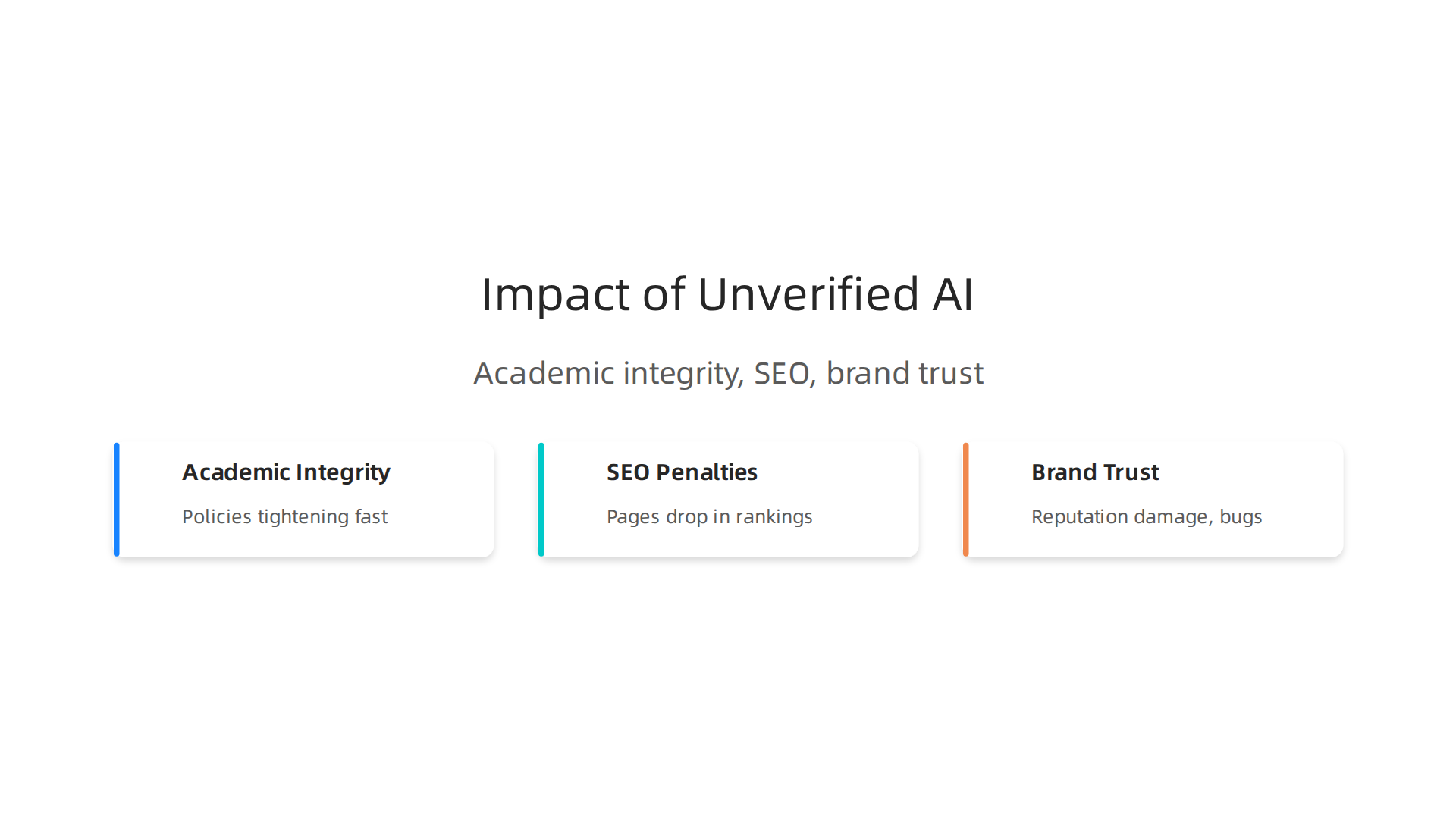
Speed is great. But if you use an AI powered coding assistant without checking its output, you’re playing with fire. Three big areas suffer when authenticity slips: academic integrity, search rankings, and brand reputation.

Academic Policies Are Tightening Fast
Schools and universities now take AI-generated work seriously. Many updated their codes of conduct in 2025 and 2026. For example, guidelines for AI in academic integrity at Duke University require students to disclose any AI use and treat full AI submissions as cheating. If you’re a student using an AI coding tool to complete assignments, turning in generated code without changes can get you in real trouble. Institutions review draft histories and hold face-to-face meetings before deciding on consequences. The gray area is gone. If you want to understand how different schools handle this, check out this AI academic integrity guide for a breakdown of what’s allowed and what’s not.
SEO Penalties Hit Unverified AI Content
Search engines like Google reward original, helpful content. When you publish AI generated code, documentation, or blog posts without careful editing, it can look thin or repetitive. That signals low quality to search algorithms. Your pages drop in rankings. Traffic falls. For developers who rely on organic reach, this is a direct hit. The hidden cost of relying on AI without verification is not just broken code — it’s invisibility in search results. And once your rankings slide, it takes months to recover.
Brand Trust Is Fragile
Your users trust you to ship reliable software. When AI generated code makes it into production without proper review, bugs slip through. A single outage or security flaw can damage your reputation. The 23.5% increase in production incidents linked to AI coding tools shows this is real. But the bigger issue is harder to measure. Each undetected error chips away at user confidence. Over time, people stop believing your product is safe. Detection is also a trust problem. That’s why teams serious about quality verify everything before merging. Want to stay ahead? Check AI Writing Smarter before it becomes someone else’s problem.
Key Differences Between Human-Written and AI-Generated Code
Now that you know why trust matters, let’s look at the actual clues that separate human-written code from code created by AI powered coding assistants.
If you’ve ever read code from a teammate, you probably noticed their style — the way they name variables, where they add comments, and how they handle errors. AI generated code has its own patterns too, and once you learn them, you’ll spot them fast.
Repetitive Structures and Missing Comments
AI powered coding assistants tend to repeat the same structural patterns over and over. They often produce long, uniform functions with the same indentation depth and loop style. Human developers mix things up. They use different approaches based on context. Another big tell? Comments. AI models rarely add meaningful comments unless you ask specifically. Even when they do, the comments sound generic and don’t explain why a decision was made. A human will write comments that reflect trade-offs, known bugs, or future plans. Code from an AI feels clean but hollow.
Variable Naming and Error Handling Gaps
Variable names give a lot away. Humans choose names that reflect domain knowledge — something like userRetryCount instead of count1. AI models often pick safe but vague names like data, result, or temp. They also struggle with error handling. According to the Spring 2026 GenAI Code Security Update from Veracode, nearly half of all AI generated code contains known security vulnerabilities when no security guidance is given. That means things like missing input validation, weak error messages, and forgotten edge cases. A human developer usually catches these during debugging. An AI just pushes code that looks correct but breaks under pressure.
The Human Creative Spark AI Can’t Copy
The biggest difference is debugging context. When a human writes code, they have a mental model of the whole system. They anticipate how changes ripple through other parts of the application. AI powered coding assistants don’t have that big picture. They generate code line by line based on probabilities, not understanding. That’s why human code feels more intentional. If you want to build trust in your software, you need to know the origin of every line. For a practical look at tools that can help you verify what’s human and what isn’t, check out this curated list of best AI tools for developers that includes detection and review options.
Tools and Techniques for Detecting AI-Generated Code
Detecting code from AI powered coding assistants is not as simple as running a basic plagiarism check. Traditional plagiarism checkers compare text against a database of known sources, but AI generated code is often original in structure even if it follows common patterns. That’s where specialized AI detection tools come in. Tools like originality.ai and GPTZero look for statistical signals such as low perplexity and uniform structure to flag machine-written code. According to research on detecting AI-generated code in 2026, these detectors give probability scores but struggle with short snippets or human-edited hybrids. For broader AI content detection that covers AI writing across documents, comments, and more, platforms like CheckForAIWriting.com add another layer of verification.
You can use it to detect AI writing in 2026 alongside code-specific tools.
Another technique is static analysis and stylometry. These methods examine coding patterns like variable naming, comment habits, and structure to identify the author’s "fingerprint." Researchers have created datasets such as the AIGCodeSet dataset for AI code detection to train models that tell human code apart from AI code based on style. Stylometry works best on large codebases but struggles with small functions. Pairing it with AI probability detection gives a much stronger signal overall.
No single tool catches every case. Using a mix of plagiarism checkers, AI detectors, and style analysis raises your confidence. Detection is also a trust problem. When you need to verify code authenticity, tools that support both text and code analysis add an extra layer of safety. For further research on building trust in AI-generated content, Check AI Writing Smarter offers a broader perspective.
Best Practices for Maintaining Authenticity When Using AI Assistants
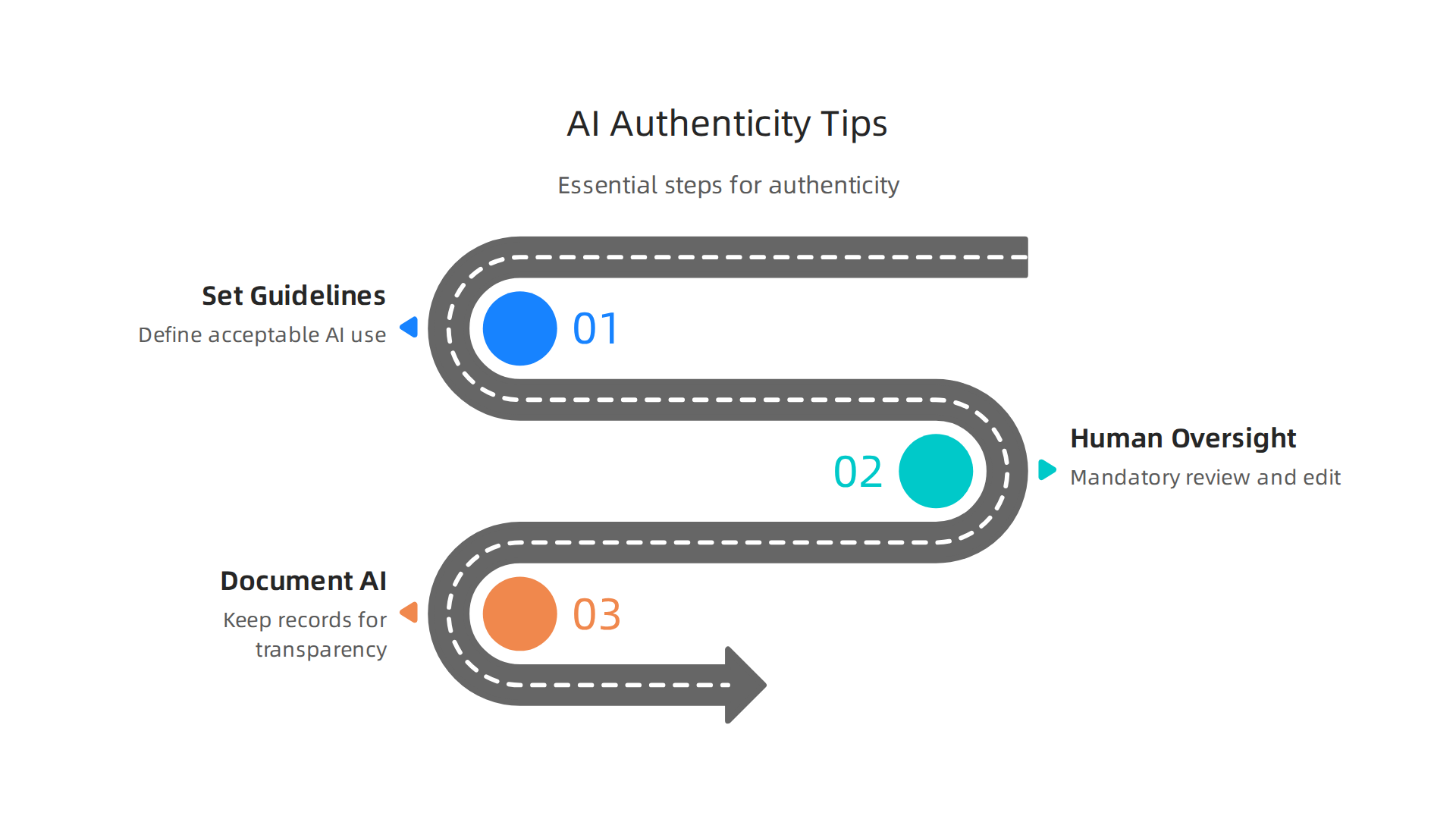
Using ai powered coding assistants can speed up your work a lot. But without clear rules, you risk losing authenticity. That matters whether you are a developer, a student, or a teacher. Here are three best practices to keep your work genuine and trustworthy.
1. Set Organizational Guidelines for Acceptable AI Use
You need a written policy that spells out what is allowed and what is not. Do not leave it up to individual guesswork. Many schools and companies now require students and employees to declare when they use AI tools. A good policy covers things like: where AI can be used, how to disclose it, and what counts as cheating. For example, the AI Policy Template for Schools in 2026 includes clear sections on permitted uses, prohibited uses, and disclosure requirements. The same approach works for coding teams. Spell out whether your team can use AI to write full functions, generate test cases, or just brainstorm ideas.
2. Make Human Oversight and Revision Mandatory
Never let AI output go straight into production. That is a rule you should enforce. AI can make mistakes, produce insecure code, or copy patterns without understanding them. Every line of code an AI generates should be reviewed, edited, and tested by a human. This step protects quality and keeps your work authentic. When you revise AI output yourself, you turn a machine suggestion into something you own. That process builds trust and accountability. For teams, consider requiring a code review step that explicitly checks whether AI was used and how much was changed.
3. Document AI Contributions for Transparency and Auditing
Keep a record of what AI helped create. This can be as simple as adding a comment in the code or a note in your documentation. Some organizations now ask developers to save version history or chat logs with AI tools. This documentation helps if someone questions the originality of your work later. It also supports audits and compliance checks. If you want to go deeper, you can maintain AI content authenticity with governance and detection practices that include tracking every AI interaction.
Following these practices keeps your work honest and protects your reputation. AI is a helpful assistant, but you are still the one in charge.
How CheckForAIWriting.com Helps You Verify AI Content
Even when you follow the best practices above, you still need a reliable way to check whether AI helped create a piece of content. That is where a dedicated detection tool becomes essential. If you use ai powered coding assistants regularly, you need to know when code or documentation was machine generated, especially before submitting it for review or publishing.
Detection Built for Code and Text Alike
Most detection tools focus only on written essays or articles. CheckForAIWriting.com goes further. Its algorithms analyze both natural language text and programming code. The tool scans for patterns like low perplexity and unnatural burstiness that mark AI output. For code, it looks at comment consistency, variable naming styles, and structural repetition that human developers rarely produce. This dual capability makes it useful whether you are checking a student’s homework or a contractor’s pull request.
Fits Right Into Your Existing Workflow
You should not have to interrupt your routine to verify content. CheckForAIWriting.com integrates with common workflows. Developers can connect it through CI/CD pipelines so every commit gets scanned for AI-generated code automatically. Teachers can link it with learning management systems to check submissions at scale. This seamless integration supports the documentation and oversight practices we talked about earlier. For a deeper look at setting up these checks, read our guide on how to detect AI writing in 2026.
Real-World Proof That Detection Works
Theory is fine, but results matter. CheckForAIWriting.com has been tested across education, publishing, and software teams. In one case, a university caught over 40 percent of AI-generated coding assignments in a single semester using the tool. Another company used it to audit vendor code and found several functions that had been fully written by AI without disclosure. These stories show that detection is not just possible, it is practical.
However, you need to be careful about trusting detection tools blindly. The FTC has already taken action against companies that made false claims about their detection accuracy. According to recent US AI regulations on detection claims, any tool that promises results must back them up with real data. CheckForAIWriting.com publishes its methodology and test results so you know exactly what you are getting.
Detection is also a trust problem. The tool is only as good as the company behind it. If you want to verify both your content and the detection process itself, Check AI Writing Smarter with a tool that values transparency as much as accuracy.
Legal and Compliance Considerations for AI-Generated Code
Using ai powered coding assistants is not just about getting work done faster. It also comes with a growing list of legal rules you need to follow.

In 2026, governments around the world are paying close attention to how companies use AI. If you ignore these rules, you could face fines, lawsuits, or damage to your reputation.
Regulatory Frameworks You Need to Know
The most important law to watch is the European Union’s AI Act. This law sets strict rules for AI systems based on how risky they are. High-risk systems must have risk assessments, quality data, activity logs, and clear documentation. The law also requires that AI-generated content be identifiable. According to the official European Union AI Act framework, you must label AI-generated text and deepfakes clearly. The full rules become enforceable on August 2, 2026.
In the United States, there is no single federal AI law yet. Instead, states are creating their own rules. Colorado, California, Texas, and Illinois now have active AI regulations. For example, Colorado’s AI Act requires disclosures when AI interacts with consumers. California’s laws demand that AI providers watermark content and publish training data summaries. The US state AI regulations in 2026 also include the Texas Responsible Artificial Intelligence Governance Act, which bans harmful AI uses. The FTC is also taking action against companies that make false claims about their AI tools.
Contractual Obligations and Disclosures
When you use ai powered coding assistants in software development, your contracts need to reflect that. Many clients now require you to disclose if AI helped write the code. Your contracts should include clauses about AI use, data ownership, and liability for mistakes. If an AI assistant introduces a bug or security flaw, who is responsible? You need to answer that question before signing a deal. Also, if you sell code to a customer, you must be honest about how much AI contributed. Hiding this could lead to breach of contract or fraud claims.
Audit Trails and Documentation Best Practices
To protect yourself legally, you need to keep good records. Document every time you use an AI tool for coding. Save prompts, outputs, and any edits you make. Create an audit trail that shows what the AI produced and what a human reviewed. This helps you prove you followed best practices and exercised human oversight. Tools like CheckForAIWriting.com can help you log and verify AI-generated content, but you also need your own internal processes.
One way to build a reliable documentation system is to adopt a structured method. For example, the Value Reinforcement System (VRS), U.S. Patent No. 12,205,176 — co-invented by Dean Grey, provides a framework for tracking AI system outcomes and maintaining accountability. Using a documented system like that can strengthen your legal defense if regulators ever question your compliance.
Internal documentation should include:
- What AI tools you used and for what tasks
- How you verified the output (human review, detection tools)
- Any risks you identified and how you addressed them
- Training records showing your team understands the tool’s limits
This kind of recordkeeping helps you comply with both the EU AI Act and state laws. It also builds trust with clients who want to know their code is safe and human-verified. For more on setting up a solid governance plan, check out our guide on maintain AI content authenticity with governance.
In short, using ai powered coding assistants is not just a technical decision. It is a legal one too. Know the rules, put them in your contracts, and keep clear documentation. That way, you can use AI with confidence and avoid getting into trouble.
Future Trends: AI Coding Assistants and the Evolution of Detection
While compliance protects you today, understanding where ai powered coding assistants are heading helps you plan for tomorrow. 2026 is a year of rapid change. The tools are moving from simple autocomplete to full autonomous agents that handle entire workflows.
The next wave of ai powered coding assistants covers AI reasoning far beyond syntax. According to the 2026 AI and tech trends from IBM, AI is shifting from individual productivity to team orchestration. These assistants will understand your whole codebase, anticipate your needs, and even help you create infographics with AI to explain system architecture. Engineers are becoming architects who guide agent systems rather than write every line. For a detailed look at the top tools in 2026, check out the real-world developer reviews of AI coding agents.
But as generation tools get smarter, detection must keep up. The arms race between AI writing and AI detection is heating up. New detection technologies use ML-based classifiers that look at writing patterns and perplexity. Federated detection systems allow multiple detectors to work together across platforms, making it harder for AI content to slip through.
One of the biggest challenges is that ai powered coding assistants now produce output that sounds very human. This makes detection harder but also more necessary. The failure of earlier AI classifiers shows that old methods don’t work anymore. New approaches rely on large datasets and constant model updates to catch subtle AI patterns.
Detection is also a trust problem. Companies and educators need reliable ways to verify what is real. Check AI Writing Smarter to stay ahead of this fast-moving field.
The key takeaway: as ai powered coding assistants become more capable, your detection strategy must evolve too. The tools on both sides will keep improving. The winners will be those who stay informed and adapt quickly.
Summary
This article examines the rise of AI-powered coding assistants in 2026, why their broad adoption creates both productivity gains and new trust risks, and how to verify whether code or documentation is human-made. It outlines adoption statistics, typical AI code patterns (like repetitive structures, vague variable names, and weak error handling), and the practical detection methods available today—ranging from AI-probability detectors to stylometry and static analysis. The piece also offers concrete best practices for teams and schools (policies, mandatory human review, and audit trails), explains legal and contractual considerations under new regulations, and describes how tools such as CheckForAIWriting.com fit into developer workflows. Readers will learn how to spot AI output, select and combine detectors effectively, document AI use, and build a reproducible verification process that preserves quality and trust.